
How to keep an older iPad safe, reliable & useful over time
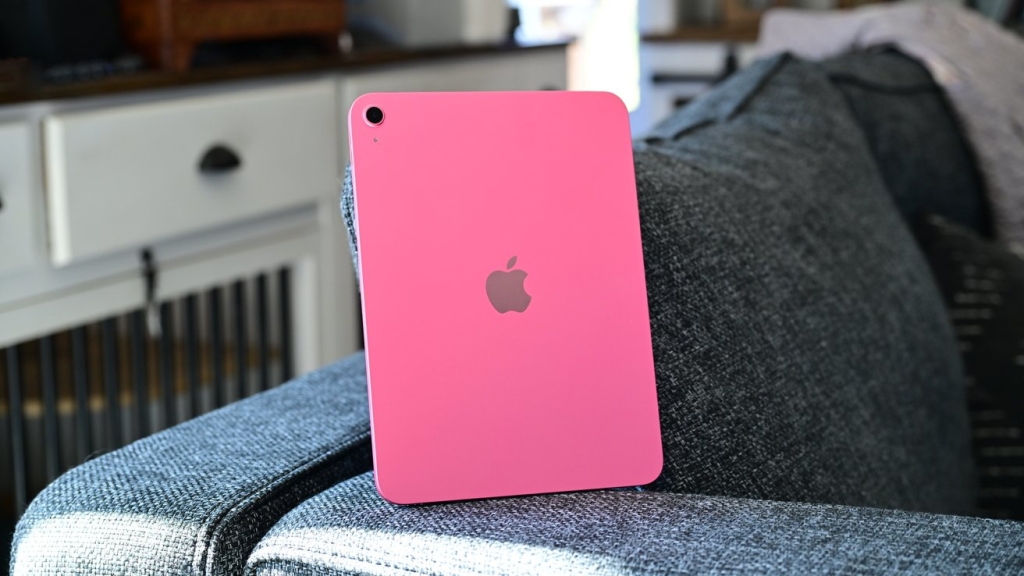
When an iPad has been in your life for years, it often settles into a comfortable rhythm—nestled on the coffee table for quick recipe checks, propped up in the kitchen for streaming music, or stationed by the door as a smart home hub. But unlike smartphones that tend to be swapped out on a regular cycle, iPads tend to linger, quietly becoming part of the furniture. That staying power is both a blessing and a challenge: while it means you get more value from your purchase, it also means the hardware is aging in ways that can quietly erode its usefulness and safety.
Unlike phones, which are upgraded frequently, iPads tend to stick around long after their prime. That’s partly because they’re built well, and partly because many of the tasks they’re asked to do—browsing, reading, streaming—don’t push them to their limits right away. But over time, battery health declines, software updates slow down, and once-snappy gestures start to feel sluggish. Before long, you’re asking yourself whether it’s time to replace it or try to coax a few more years out of it.
The good news is that with some targeted care, an older iPad can still be a reliable daily companion. The first place to start is with the physical hardware. Years of use can leave ports clogged with lint, screens coated with oils and grime, and casings scuffed or cracked. A gentle but thorough cleaning can make a surprising difference—not just aesthetically, but in function. Use a soft, lint-free cloth slightly dampened with water (never wet) for the screen and body. For ports, a wooden or plastic toothpick can carefully remove debris without damaging pins. Avoid compressed air, which can force particles deeper inside.
Once it’s clean, protection becomes the next priority. A sturdy case and tempered glass screen protector can shield against drops and scratches, extending the device’s usable life. If the battery is swollen or no longer holding a charge, that’s a red flag—lithium-ion batteries degrade over time and can become hazardous. In that case, a professional battery replacement is worth the investment; it’s far cheaper than a new iPad and much safer than ignoring the problem.
On the software side, keeping the iPad updated is critical—not just for new features, but for security. Apple supports iPads with updates for many years, but there comes a point when newer versions of iPadOS won’t run on older hardware. If your device is still supported, install updates promptly to patch vulnerabilities. If it’s no longer receiving updates, be cautious about the apps you install and the websites you visit; sticking to trusted sources and limiting exposure to risky content can reduce security risks.
Performance can often be improved without replacing the device. Clearing out unused apps, offloading large media files to cloud storage, and limiting background app refresh can free up resources. Restarting the iPad periodically helps clear temporary files and refresh system processes. If the interface feels sluggish, reducing motion effects and transparency in the accessibility settings can make navigation feel smoother.
But perhaps the most effective way to keep an older iPad useful is to rethink its role. Instead of expecting it to handle multitasking or graphics-heavy games, repurpose it for simpler, dedicated tasks. It could become a digital photo frame, an e-reader, a kitchen companion for recipes and timers, or a control panel for smart home devices. Some people dedicate older iPads to kids for educational apps and games, or to guests for light browsing in a guest room. By aligning the device’s capabilities with realistic expectations, you can extend its life well beyond its original purpose.
There’s also a sustainability angle here. Keeping an iPad in circulation for an extra year or two means one less device in a landfill and one less demand for the rare earth metals and energy required to build a new one. In a tech culture that often prioritizes the newest and fastest, choosing to maintain and repurpose is a quiet but meaningful act of resistance.
Of course, there’s a limit to how far maintenance can go. If the device is no longer receiving updates, the battery is failing, and performance is too slow for even basic tasks, it may be time to retire it. But even then, consider responsible recycling options—Apple and many electronics retailers offer trade-in and recycling programs that ensure materials are recovered and reused.
Ultimately, the longevity of an iPad isn’t just about the hardware’s durability—it’s about how creatively you’re willing to adapt its role as it ages. With a little care, some strategic repurposing, and a shift in expectations, that trusty tablet can remain a helpful presence in your daily routine for years to come.
Tags: iPad maintenance, older iPad tips, iPad battery health, iPad longevity, iPad cleaning guide, iPad security updates, iPad repurposing ideas, iPad performance boost, iPad troubleshooting, iPad care, sustainable tech, Apple device maintenance, iPad hardware repair, iPad software updates, iPad battery replacement, iPad smart home hub, iPad digital photo frame, iPad recycling, AppleInsider iPad guide, iPad tips and tricks
Viral phrases: breathe new life into your old iPad, make your aging iPad feel brand new again, keep your trusty iPad running smoothly for years, simple hacks to speed up your old iPad, how to safely extend your iPad’s lifespan, the ultimate guide to iPad maintenance, why your old iPad is still worth keeping, transform your old iPad into a smart home controller, easy ways to boost your iPad’s performance, protect your iPad from battery hazards, keep your iPad secure even without updates, creative new uses for your outdated iPad, save money by maintaining your old iPad, reduce e-waste by reusing your iPad, expert tips for iPad longevity, how to clean your iPad like a pro, what to do when your iPad slows down, the secret to keeping your iPad useful for years, iPad maintenance myths debunked, how to recycle your old iPad responsibly
,


Leave a Reply
Want to join the discussion?Feel free to contribute!