
How to share your location on Android quickly: 5 easy ways – including by text
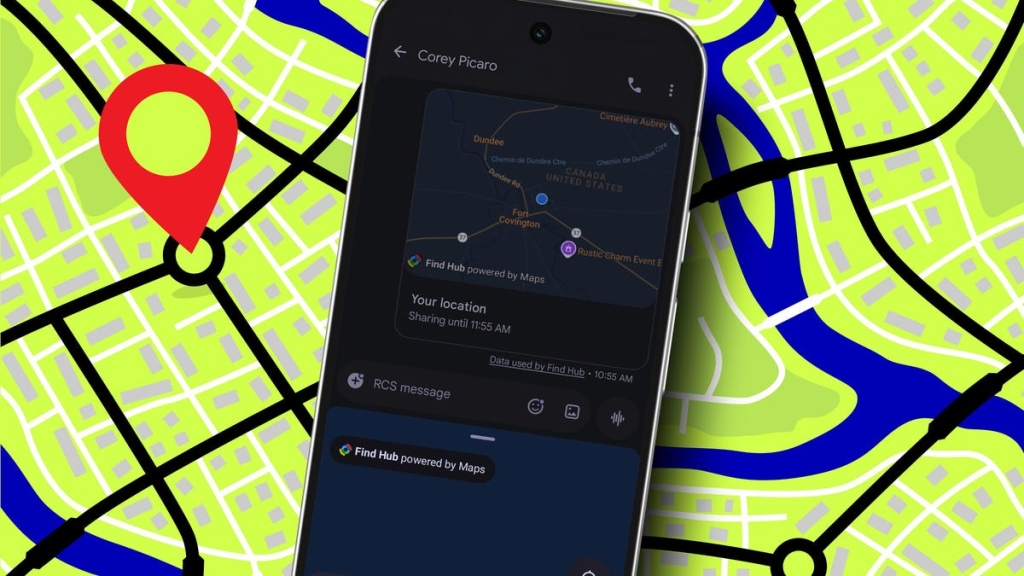
Google’s Personal Safety App: The Ultimate Lifesaver You Didn’t Know You Had
In an increasingly unpredictable world, personal safety has become a top priority for many of us. Whether you’re walking home late at night, traveling solo, or simply want peace of mind during everyday activities, Google’s Personal Safety app is a powerful tool that could literally save your life. This built-in feature on Android devices is more than just another app—it’s a comprehensive safety net designed to keep you protected and connected to your loved ones when it matters most.
What Is Google’s Personal Safety App?
The Personal Safety app, available through the Google Play Store, is a sophisticated emergency response system that comes pre-installed on many Android devices. Unlike standalone safety apps that require downloads and setup, this tool is seamlessly integrated into your phone’s ecosystem, ready to activate when you need it most.
At its core, the app serves as a digital guardian angel, monitoring your well-being during potentially risky situations and automatically alerting your emergency contacts if something goes wrong. It’s particularly valuable for those late-night walks, solo travel adventures, or any scenario where you might feel vulnerable or need an extra layer of security.
Setting Up Your Digital Safety Net
Getting started with Personal Safety is remarkably straightforward, but the setup process is crucial for ensuring the app works effectively when you need it. Here’s how to configure this life-saving tool:
First, locate the Personal Safety app on your device—it’s typically found in your app drawer or can be downloaded from the Google Play Store if it’s not pre-installed. Once opened, you’ll be greeted by the Home tab interface, where you’ll find the Safety Check feature prominently displayed.
For first-time users, the app will guide you through an initial setup process. This involves selecting your trusted contacts—the people who will be notified in case of an emergency. Choose wisely here; these should be individuals who are readily available and capable of responding quickly if alerted. Family members, close friends, or roommates often make ideal emergency contacts.
The app will then request location permissions, which are essential for its functionality. Without access to your location, it cannot share your whereabouts with your emergency contacts or emergency services if needed. Additionally, you’ll have the option to share supplementary information like your battery level, which can be crucial for responders trying to locate you.
Activating Safety Check: Your Personal Guardian
Once set up, using the Safety Check feature is intuitive and efficient. When you’re about to embark on an activity where you’d like an extra layer of protection—perhaps a late-night walk home from work or a solo hiking trip—simply open the app and tap the Safety Check option.
The app presents you with several activity templates, including walking, running, or you can create a custom activity tailored to your specific situation. After selecting your activity type, you’ll set a duration timer. This timer is the heart of the Safety Check system: it counts down the time you expect to complete your activity safely.
Before starting the timer, you’ll confirm which contacts should be notified. This selection might differ from your initial setup based on who’s available at that moment. Crucially, ensure the notification option is toggled on—this is what triggers the emergency alert if you don’t check in as planned.
Once everything is configured, tap Start, and your digital guardian activates. The app now monitors your situation, ready to spring into action if you don’t respond before the timer expires.
Real-Time Location Sharing: Precision in Emergencies
For situations where knowing your exact location is critical, the Personal Safety app offers emergency sharing capabilities. During an active Safety Check or from the Features tab, you can enable Emergency sharing, which provides your trusted contacts with real-time location updates.
When activated, your emergency contacts receive notifications via text message or email, complete with a Google Maps link showing your live location. This feature transforms the app from a simple timer-based alert system into a sophisticated tracking tool that can guide responders directly to your location.
The beauty of this system lies in its dynamic nature—as you move, your location updates in real-time, providing accurate information to those trying to help you. Whether you’re stationary and need help or on the move and require assistance finding your way, this feature ensures help can find you quickly and efficiently.
The Safety Check Protocol: What Happens When Time Runs Out
The genius of the Personal Safety app lies in its fail-safe design. If you don’t check in before your timer expires, the app automatically initiates its emergency protocol. Your selected contacts receive alerts, and if you’ve enabled location sharing, they can see exactly where you are.
This automated response is crucial because emergencies often leave people unable to manually call for help. Whether you’ve fallen and can’t reach your phone, encountered a dangerous situation, or simply lost track of time, the app ensures someone will be notified of your situation.
When location sharing is active, the app maintains this connection until you manually stop it or confirm you’re safe. This persistent monitoring provides continuous protection throughout your activity, not just at the end of your timer.
Confirming Your Safety: The Human Touch
One of the most thoughtful aspects of the Personal Safety app is its approach to ending emergency sharing. When you stop sharing your location—whether because you’ve reached your destination safely or because you no longer need monitoring—the app asks you to confirm you’re okay.
This simple confirmation step serves multiple purposes. It provides peace of mind to your emergency contacts, who receive notification that you’re safe. It also prevents false alarms and unnecessary worry among your loved ones. Most importantly, it gives you a moment to consciously acknowledge your safety, reinforcing the app’s role as a supportive tool rather than an intrusive monitor.
Beyond Basic Safety: Advanced Protection Features
While the Personal Safety app provides excellent baseline protection, Android users can take their security to the next level with Advanced Protection features. This enhanced security protocol, available on Android 16 and later versions, adds additional layers of protection to your device and accounts.
Advanced Protection includes features like enhanced phishing protection, stricter app installation controls, and improved account recovery options. When combined with the Personal Safety app, these features create a comprehensive security ecosystem that protects both your physical safety and your digital life.
The integration between physical safety tools and digital security measures represents Google’s holistic approach to user protection. By safeguarding both your physical location and your digital identity, these features work together to provide complete peace of mind.
The Psychology of Safety: Why This App Matters
The Personal Safety app addresses a fundamental human need: the desire to feel secure and connected, especially during vulnerable moments. Its existence acknowledges that modern life often involves situations where we’re alone, in unfamiliar places, or simply want the reassurance that help is available if needed.
There’s also a significant psychological benefit to using such tools. Knowing you have a safety net can reduce anxiety and increase confidence when undertaking activities that might otherwise feel risky. This empowerment effect can encourage people to live more freely and adventurously, secure in the knowledge that they have backup if needed.
Privacy Considerations: Balancing Safety and Security
While the Personal Safety app offers tremendous benefits, it’s worth considering the privacy implications of location sharing and emergency monitoring. The app requires access to sensitive information, including your real-time location and movement patterns.
Google has implemented various privacy safeguards, including the ability to control when and with whom you share information. The app only shares data with explicitly designated contacts, and you maintain complete control over when sharing is active. Additionally, the confirmation step when stopping emergency sharing helps prevent unauthorized tracking.
These privacy protections are crucial for maintaining trust in the system. Users need to feel confident that their safety tool won’t become a surveillance mechanism, and Google’s design choices reflect this understanding.
Real-World Applications: When Personal Safety Shines
The versatility of the Personal Safety app makes it valuable in countless scenarios:
- Late-night commutes: Walking or using public transportation during nighttime hours becomes significantly safer with active monitoring.
- Solo travel: Whether exploring a new city or hiking remote trails, the app provides a crucial safety backup.
- Medical concerns: For individuals with health conditions that might cause sudden emergencies, the app offers immediate alert capabilities.
- Dating and social situations: Meeting someone new or attending social events alone becomes less risky with safety monitoring in place.
- Elderly care: Adult children can provide extra security for aging parents who live independently.
- Outdoor activities: Hiking, camping, or other outdoor adventures benefit from location tracking and emergency alerts.
The Future of Personal Safety Technology
As technology continues to evolve, we can expect personal safety tools to become even more sophisticated. Future iterations might include AI-powered risk assessment, integration with smart home devices, or enhanced emergency response coordination with local authorities.
The Personal Safety app represents just the beginning of what’s possible when technology is applied to human safety concerns. As these tools become more advanced and widely adopted, we may see significant reductions in emergency response times and improvements in outcomes for people in distress.
Final Thoughts: A Small App with Big Impact
Google’s Personal Safety app might seem like a simple tool at first glance, but its potential impact on personal safety is profound. In a world where emergencies can happen at any time, having an automatic alert system that connects you with your loved ones and emergency services can make all the difference.
The app’s thoughtful design, ease of use, and comprehensive feature set make it accessible to everyone, regardless of technical expertise. Whether you’re a frequent traveler, someone who often finds themselves out late, or simply someone who values having a safety net, this built-in Android feature deserves a place on your device.
Taking a few minutes to set up and familiarize yourself with the Personal Safety app could be one of the most important things you do for your personal security. In emergencies, those minutes of preparation translate into potentially life-saving protection when you need it most.
viral tags and phrases:
Personal Safety app Android
Google emergency alert system
built-in safety tool
late night walks alone
automatic emergency notifications
trusted contacts location sharing
real-time location tracking
Safety Check feature
emergency sharing Google Maps
Advanced Protection Android 16
digital guardian angel
fail-safe emergency protocol
location permissions privacy
psychological safety net
solo travel security
hiking safety app
dating safety features
elderly care monitoring
outdoor adventure protection
AI-powered risk assessment
smartphone safety technology
automatic alert system
emergency response coordination
comprehensive security ecosystem
physical safety digital security
vulnerable situations protection
vulnerable moments monitoring
peace of mind technology
life-saving app features
emergency contacts notification
timer-based safety system
location sharing controls
privacy safeguards safety
confidence empowerment tool
anxiety reduction technology
smartphone guardian feature
built-in emergency response
Android safety integration
Google Play Store safety
digital safety net
automatic emergency protocol
real-world safety applications
future personal safety
sophisticated tracking tool
persistent monitoring protection
safety confirmation system
false alarm prevention
phishing protection features
app installation controls
account recovery options
holistic user protection
location data security
movement pattern monitoring
emergency situation awareness
help when needed
safety tool accessibility
technical expertise required
life-saving preparation minutes
emergency backup system
safety feature importance
Android device protection
Google ecosystem integration
safety technology evolution
emergency services connection
vulnerable population protection
independent living support
outdoor activity security
social situation safety
health condition monitoring
sudden emergency alerts
smart home integration
local authorities coordination
emergency response times
distress outcome improvement
safety tool adoption
comprehensive feature set
important security setup
life-saving protection potential
emergency alert difference
automatic help connection
safety preparation importance
digital guardian activation
trusted contact selection
battery level sharing
location access essential
emergency protocol activation
safety check timer
activity type selection
notification confirmation
emergency sharing activation
live location updates
persistent location connection
safety confirmation prompt
privacy consideration balance
data sharing control
surveillance prevention measures
safety tool trust
emergency backup confidence
risk assessment technology
smart device coordination
safety feature evolution
user protection approach
digital identity security
physical location safeguarding
complete peace of mind
safety net desire
vulnerable moment acknowledgment
anxiety reduction benefit
confidence increase effect
free living encouragement
backup availability assurance
privacy implication consideration
sensitive information access
real-time location data
movement pattern collection
data sharing limitations
explicit contact designation
active sharing control
unauthorized tracking prevention
thoughtful design approach
ease of use importance
comprehensive feature benefits
technical expertise barrier removal
safety feature accessibility
device place importance
setup familiarization value
preparation time investment
life-saving protection translation
emergency situation difference
automatic alert system value
loved ones connection
emergency services integration
safety tool significance
built-in feature advantage
Android device availability
Google Play Store access
digital safety tool
emergency response system
personal safety enhancement
protective technology adoption
safety awareness promotion
emergency preparedness improvement
community safety contribution
technology for good application
human safety priority
unpredictable world navigation
personal security enhancement
digital guardian activation
safety check implementation
emergency protocol understanding
location sharing benefits
real-time tracking advantages
safety feature education
technology adoption barriers
safety tool awareness
emergency preparedness culture
community protection enhancement
personal security culture
safety technology literacy
emergency response education
digital safety awareness
protective technology understanding
safety feature benefits
emergency preparedness knowledge
community safety education
personal security awareness
technology for protection
safety tool importance
emergency response improvement
personal security enhancement
digital safety advancement
protective technology growth
safety feature development
emergency preparedness progress
community protection advancement
personal security progress
safety technology progress
protective technology progress
emergency response progress
community safety progress
personal security progress
,


Leave a Reply
Want to join the discussion?Feel free to contribute!