
How to Turn Your Old Phone Into the Ultimate MP3 Player
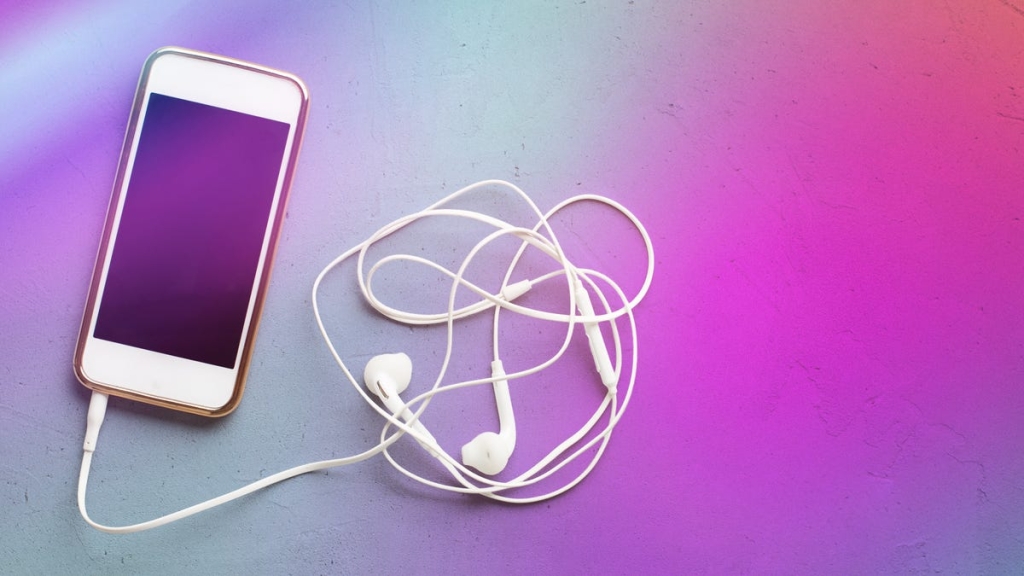
From iPod to Smartphone: How to Turn Your Old Phone Into a Dedicated MP3 Player
Remember the days when everyone carried a separate device just for music? Those white earbuds and click wheels were once the ultimate status symbol. Today, while most of us stream everything through our smartphones, there’s still something appealing about having a dedicated music player—especially when you can create one from that old phone gathering dust in your drawer.
Why Bother with a Separate Music Player?
In an era where our smartphones do everything, why would anyone want a separate device just for music? The answer lies in the practical benefits that dedicated music players offer:
Battery Life Preservation: Streaming music through your primary phone drains its battery significantly. A dedicated player means your main phone stays charged for calls, texts, and everything else you need throughout the day.
Distraction-Free Listening: No more pausing your music to answer a work email or getting sucked into social media. A dedicated player keeps you focused on what matters—the music.
Storage Optimization: Music files, especially high-quality ones, take up considerable space. By moving your library to a separate device, you free up valuable storage on your primary phone for photos, apps, and other essentials.
Data Conservation: Downloaded music doesn’t require a data connection. Perfect for subway rides, flights, or remote locations where signal is spotty.
The Perfect Solution Might Be in Your Closet
Before you rush to eBay for a vintage iPod, take a moment to check your storage boxes. That old smartphone you replaced two years ago could be your perfect music companion. It doesn’t need cellular service—just enough battery life to power up and either connect to Wi-Fi or store your downloaded music library.
Compatibility: What Apps Work on Older Devices?
The good news is that most major music streaming services still support older devices. Here’s what you need to know:
Spotify: Works on iPhones from the iPhone 8/X era (iOS 16.1+) and Android devices running Nougat 7.0 (2016) or later. You can download up to 10,000 songs across five devices.
YouTube Music: Requires iOS 16+ for iPhones and Android 8.0+ for Android devices. Premium users get unlimited downloads across ten devices.
SoundCloud: Supports iOS 16.4+ and Android 8.0+. Go and Go Plus subscribers can download unlimited tracks.
Apple Music: The most flexible option, working on iOS 10.0+ (iPhone 5 or later) and Android 5.0+.
Setting Up Your Old Phone as an MP3 Player
The transformation process is surprisingly simple:
For Streaming Services:
- Install the latest version of your preferred music app
- Sign in with your existing account
- Download your music while connected to Wi-Fi
- Create playlists for different moods or activities
For Downloaded Music:
- Transfer files from your computer via USB
- Use cloud storage apps to move music wirelessly
- Organize your library into folders by artist, album, or genre
Essential Settings to Configure:
- Disable background app refresh for non-music apps
- Turn off automatic updates
- Remove unnecessary apps to free up space
- Enable “Do Not Disturb” mode to prevent interruptions
Maximizing Your Music Experience
To get the most out of your dedicated music player, consider these tips:
Storage Management: High-quality audio files can quickly consume space. A 3-minute song at 320kbps takes about 7.5MB. That means a 64GB device can hold roughly 8,500 songs—plenty for most users.
Battery Optimization: Keep screen brightness low and close unused apps. Many older phones still offer 8-10 hours of continuous playback.
Sound Quality: If your old phone has a headphone jack, you’re in luck. Modern Bluetooth codecs have improved, but wired connections still offer the most reliable audio quality.
What If You Don’t Have an Old Phone?
Not everyone has a spare smartphone lying around. Fortunately, the market for dedicated MP3 players is still alive and well. Modern options offer impressive features:
- Storage capacities ranging from 16GB to 1TB
- Battery life of 20-40 hours on a single charge
- High-resolution audio support for audiophiles
- Compact designs that fit easily in pockets or armbands
- Prices typically under $100 for quality options
Some popular choices include the Sony Walkman NW-A105, FiiO M15S, and AGPTEK A26X—all offering excellent sound quality without the complexity of a smartphone.
The Nostalgic Appeal
There’s something inherently satisfying about returning to dedicated devices. Just as some people prefer physical books over e-readers or film cameras over digital ones, a dedicated music player offers a focused, intentional experience. No notifications, no distractions—just you and your music.
Plus, let’s be honest: there’s a certain cool factor to pulling out a dedicated music player in 2024. It’s a conversation starter, a statement that you value your listening experience enough to give it its own device.
The Environmental Angle
Repurposing an old phone as a music player isn’t just practical—it’s environmentally responsible. Electronic waste is a growing global problem, and finding new uses for old devices helps reduce our collective impact. Instead of contributing to e-waste, you’re extending the life of perfectly functional technology.
Final Thoughts
Whether you’re heading to the gym, going for a run, or just want to enjoy your music without the constant ping of notifications, turning an old phone into a dedicated MP3 player is a brilliant solution. It’s cost-effective, environmentally friendly, and surprisingly satisfying.
So dig through that drawer of old electronics. Your perfect music companion might be waiting to be rediscovered—ready to deliver your favorite tunes without the distractions of modern smartphone life.
Tags & Viral Phrases:
- Turn old phone into MP3 player
- Dedicated music player benefits
- Save battery life with separate device
- Distraction-free music listening
- Repurpose old smartphone
- Best MP3 players 2024
- iPod alternative solutions
- Music streaming offline mode
- Phone battery drain fix
- Nostalgic tech revival
- Environmental tech reuse
- Music player setup guide
- Smartphone storage optimization
- Wireless headphone jack revival
- Budget-friendly music solution
- High-quality audio on a budget
- Tech life hacks 2024
- Digital minimalism movement
- Music library organization tips
- Vintage tech modern use
,

Leave a Reply
Want to join the discussion?Feel free to contribute!