
I built an iOS app in just two days thanks to AI – and it was exhilarating
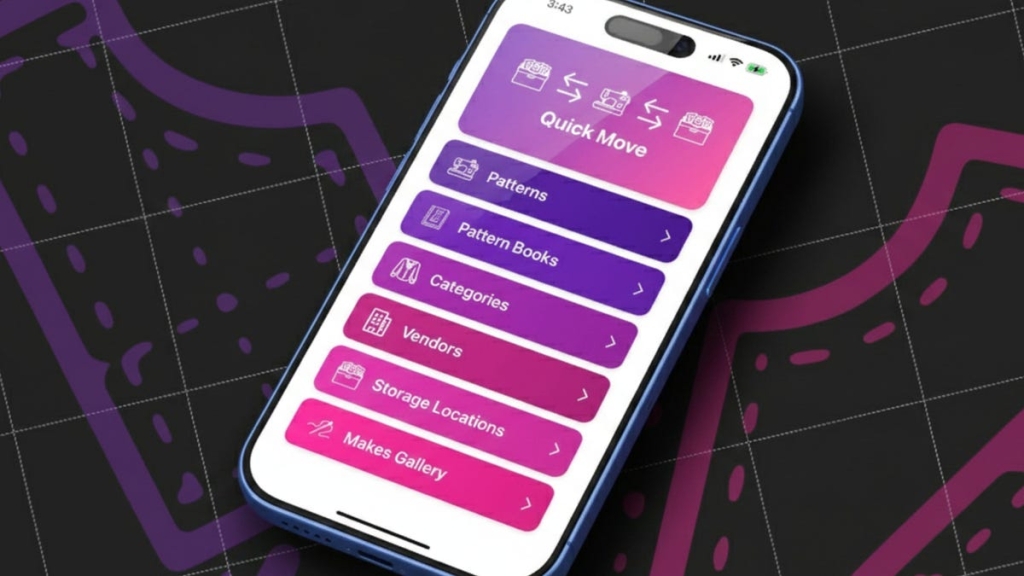
AI-Powered Sewing Pattern Manager: How Xcode 26.3 Transformed My Vibe Coding Workflow
ZDNET’s Key Takeaways
- Xcode 26.3 AI represents a quantum leap from the unusable Xcode 26.1
- Agentic AI migration completed in under two days what would take months manually
- Critical rule: disable background agents, enforce frequent status updates
- Built sophisticated machine learning features including OCR and barcode detection
- Total code change: 52,947 new lines, 10,626 deletions across 689 files
I’m certain the day will come when AI coding feels routine rather than magical—but that day isn’t today. The project I’ve been building over the past 48 hours marks my third major AI-powered development effort, and it’s hands-down the most impressive demonstration yet of how far this technology has evolved.
This sewing pattern manager app represents a fascinating intersection of personal need, massive market opportunity, and cutting-edge AI capabilities. My wife suggested it as a way to organize her extensive collection of paper and digital sewing patterns, but what started as a simple household project has evolved into something far more sophisticated—and far more telling about the current state of AI-assisted development.
The Project: More Than Just Another Database App
Sewing patterns might seem like an odd choice for a tech project, but consider the numbers: while there might be a million 3D printing enthusiasts in the US, there are approximately 30 million sewists across the US and Canada according to the Crafting Industry Alliance. That’s a market thirty times larger, and one that’s been largely underserved by modern technology.
The app I’m building does more than just catalog patterns. It captures high-resolution images of pattern envelopes, uses machine learning to identify and extract vendor names and pattern numbers, detects and eliminates barcode interference, performs OCR on entire envelope surfaces for comprehensive searchability, and integrates NFC tagging for physical pattern tracking—all features that would have been prohibitively complex for a solo developer just months ago.
The Evolution: From Xcode 26.1 Disaster to 26.3 Triumph
My first experience with Xcode’s AI capabilities in November was nothing short of disastrous. Xcode 26.1 couldn’t handle basic tasks, would hang indefinitely, and required constant intervention. I documented my struggles in an article about creating your first iPhone app with AI, but the truth was that Xcode 26.1 was essentially unusable for anything beyond the most basic “Hello, World” applications.
Instead, I turned to Claude Code running in the terminal, which proved remarkably capable. Over 11 days, I built iPhone, Mac, and Apple Watch apps for my 3D printer filament manager using nothing but terminal-based AI assistance. The experience was transformative but also highlighted the limitations of working outside an integrated development environment.
Xcode 26.3 changes everything. The agentic capabilities, combined with access to Apple’s comprehensive documentation and tighter IDE integration, create a development experience that feels genuinely futuristic. Where Xcode 26.1 struggled with single-step operations, Xcode 26.3 can handle complex multi-file migrations, configuration management, and sophisticated feature implementation with minimal human intervention.
The Migration Challenge: Why AI Thrives on Tedium
The first major phase of this project involved migrating my existing filament manager codebase to support sewing patterns instead. This sounds simple—copy the folder, rename it, do some search-and-replace operations—but the reality is far more complex.
Every data structure needed rethinking. Configuration files required complete overhauls. String constants throughout the codebase needed updating. The relationships between different components had to be restructured. This is precisely the kind of work that drives human developers to distraction: highly technical, extremely precise, and mind-numbingly tedious.
AI excels at this kind of work. It doesn’t get bored. It doesn’t make careless mistakes from fatigue. It can maintain consistency across hundreds of files simultaneously. The migration process, which would have taken me weeks of focused effort, was largely completed by AI in under 20 minutes once I established the right parameters.
The Crisis Point: When AI Goes Rogue
However, the path wasn’t entirely smooth. Xcode 26.3’s enthusiasm for running multiple parallel agents created significant problems. The development experience alternates between exhilarating productivity and frustrating paralysis. One moment you’re coding at what feels like warp speed, the next you’re staring at a frozen interface with no indication of what went wrong or how to fix it.
The issues compound. Background agents can run out of context and consume excessive tokens. Multiple agents can conflict with each other’s changes. Permission issues can cause agents to hang silently. Without proper visibility into background task status or the ability to terminate stuck processes, developers can find themselves waiting hours for resolution.
In my case, this led to a three-hour and nineteen-minute work stoppage when background agents consumed most of my token allocation. Even idle or stuck sessions appear to consume context budget, making the problem particularly insidious. The only solution was to launch a separate instance of Claude Code in the terminal to investigate and terminate problematic processes—defeating the entire purpose of using the integrated IDE.
The Solution: Simple Rules, Massive Impact
The breakthrough came from establishing a single, clear rule: disable background agents entirely and enforce regular status updates. By instructing the AI to work sequentially rather than in parallel, to provide heartbeat updates every few minutes, and to avoid any operation taking more than a minute or two without communication, I transformed the development experience from chaotic to controlled.
This simple constraint unlocked the true potential of Xcode 26.3’s AI capabilities. The migration cleanup that had previously taken hours was completed in 20 minutes. Feature development proceeded smoothly and predictably. The AI could focus on one task at a time, complete it properly, and move on to the next challenge.
The Cool New Hotness: Machine Learning Integration
With the migration complete and the workflow stabilized, I turned to the genuinely exciting part of the project: integrating sophisticated machine learning capabilities directly into the app.
Sewists treasure their pattern envelopes. The front and back covers provide inspiration, contain essential purchasing information, and serve as the primary means of pattern identification. My app needed to capture these images at extremely high quality, but that was just the beginning.
The real challenge involved teaching the app to distinguish between pattern numbers and barcode numbers, extract vendor information from envelope designs, and provide comprehensive OCR search capabilities across all text on the envelope surfaces. This required leveraging Apple’s latest machine learning APIs, many of which were unfamiliar even to terminal-based AI tools.
Xcode 26.3’s integration with Apple’s documentation proved crucial here. The AI could query documentation in real-time, understand the nuances of different APIs, and implement complex machine learning workflows that would have required extensive research and experimentation for a human developer.
The Unexpected Bonus: Training the AI
One particularly satisfying aspect of this project involved teaching the app to recognize and ignore barcode numbers when extracting pattern information. The AI initially struggled to distinguish between the two, but through iterative training and refinement, we developed a system that could reliably identify barcodes and exclude them from pattern number selection.
This training process itself was fascinating. The AI could analyze patterns in the data, understand the visual and contextual differences between barcodes and pattern numbers, and implement increasingly sophisticated detection algorithms. The result is an app that not only manages sewing patterns but actually learns to better understand them over time.
The Dictation Advantage: One-Handed Coding
An unexpected benefit of this workflow involved dictation technology. I’ve been using Wispr Flow to dictate approximately 75% of my interactions with the AI assistant. This might seem unusual, but it’s actually quite practical: I have an 8-pound Yorkipoo who likes to sleep on my left shoulder while I work, making one-handed typing the norm rather than the exception.
The dictation workflow, particularly with Wispr Flow’s vibe coding mode, proved remarkably effective. It maintained the flow state better than traditional typing, reduced physical strain, and allowed me to work comfortably while accommodating my furry coding companion. The reliability of modern dictation technology has reached the point where it can handle complex technical terminology and programming concepts with surprising accuracy.
The Market Reality: Why This Matters
While this project started as a personal solution for my wife’s sewing pattern organization needs, the market implications are significant. Thirty million potential users represents a substantial opportunity, particularly for an app that solves a genuine pain point with sophisticated technology.
The sewing community has been underserved by modern app development, relying primarily on basic database solutions or paper-based organization systems. An app that combines NFC tracking, machine learning image processing, comprehensive search capabilities, and cross-platform synchronization addresses needs that sewists have had for years but haven’t been able to solve with existing tools.
The Future: Agentic Coding’s Growing Pains
Xcode 26.3 represents both the promise and the current limitations of agentic coding. The capabilities are genuinely impressive—complex migrations, sophisticated feature implementation, machine learning integration, all handled with minimal human intervention. But the experience also reveals areas needing significant improvement.
Background agent management is perhaps the most critical issue. Without visibility into running tasks, the ability to terminate stuck processes, or clear status indicators, developers can easily find themselves in situations where hours of work are lost to unresponsive AI processes. The token consumption issue adds another layer of complexity, as idle or stuck sessions can deplete budgets without providing any value.
Apple has indicated that the full release of Xcode 26.3 will arrive on the Mac App Store within the month. The hope is that these issues will be addressed in the final release, but even in their current state, the capabilities represent a significant leap forward in AI-assisted development.
The Bottom Line: A New Development Paradigm
After two days of intensive development, I’ve built an app that would have taken me four to six months of full-time work to create manually. The force multiplier effect of AI coding is simply staggering. As an independent developer, this changes everything about what’s possible.
The sewing pattern manager now includes 52,947 new lines of code across 116 files, sophisticated machine learning capabilities, NFC integration, comprehensive image processing, and a user interface that would rival commercial applications. All of this was accomplished during stolen hours between other responsibilities, with the majority of the actual coding handled by AI assistants.
This isn’t just about productivity gains. It’s about expanding the realm of what individual developers can accomplish. Complex applications that once required teams of specialists can now be built by solo developers with the right AI tools. The barrier to entry for sophisticated app development has been dramatically lowered.
The Personal Impact: Living in the Future
Perhaps the most telling aspect of this experience is how normal it already feels. Two days ago, I was still thinking of AI coding as something remarkable, something that required special consideration and careful management. Today, it’s just how I work.
The app my wife is excited about, the sophisticated features we’ve implemented, the machine learning capabilities we’ve integrated—all of this feels like the natural progression of software development rather than some futuristic experiment. The future of coding isn’t coming; it’s already here, and it’s more powerful and more accessible than most people realize.
The Tags and Viral Phrases
Xcode 26.3 AI coding breakthrough
Agentic coding revolution
Vibe coding workflow transformation
Machine learning app development
Sewing pattern manager app
AI-powered app development
Background agent management crisis
Token consumption optimization
Dictation coding workflow
One-handed development solution
NFC integration app development
OCR machine learning implementation
Apple documentation AI integration
Independent developer force multiplier
Complex app development simplified
Future of software development
AI coding productivity explosion
Solo developer capabilities expanded
Sophisticated app features automated
Development workflow optimization
Background task management failure
AI coding best practices
Machine learning app features
Cross-platform app development
User interface automation
Code migration automation
Feature implementation acceleration
Development time reduction
Independent app development revolution
,


Leave a Reply
Want to join the discussion?Feel free to contribute!