
I pay for iCloud not for storage, but for this perk instead
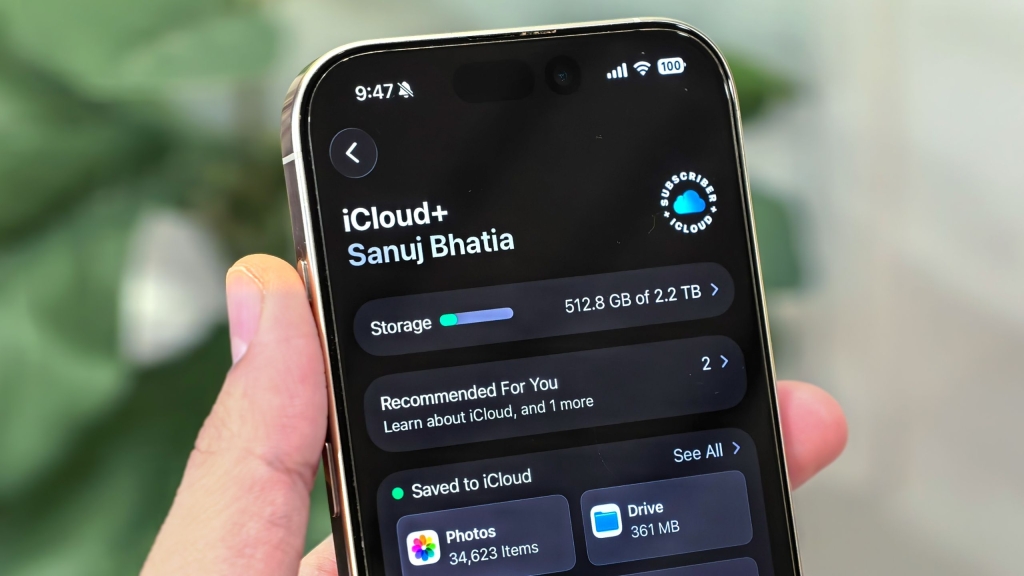
Apple’s Secret Weapon: How iCloud’s “Hide My Email” Feature Justifies the Subscription
As a long-time Apple user, I’ve found plenty of reasons to stay in the company’s carefully curated ecosystem. From the seamless Continuity features that let my iPhone, iPad, and Mac work together like a well-rehearsed orchestra, to the buttery-smooth app performance that makes everything feel premium, Apple has built an impressive walled garden. Even iCloud, despite its additional cost, has proven its worth in ways I never expected—particularly through a feature Apple quietly introduced a few years ago that has become my digital privacy lifesaver.
The Hidden Gem in iCloud Plus
When Apple revamped iCloud in 2021, transforming it from a simple cloud backup service into iCloud Plus, they added several privacy-focused features. Private Relay protects your browsing activity, custom domain support gives you professional-looking email addresses, but the real game-changer has been Hide My Email.
This feature masks your primary email address and replaces it with a randomly generated one. Any emails sent to this decoy address are automatically forwarded to your real inbox. It’s like having a burner phone number, but for your email—perfect for those times when you need to provide an email address but don’t want to expose your primary one to potential spam, data breaches, or unwanted marketing.
What makes this particularly brilliant is that these addresses use the @icloud.com domain, making them look legitimate and trustworthy rather than suspicious or temporary. No more worrying about whether a service will accept a disposable email address—they’re getting a real, functional iCloud address that just happens to be a privacy shield.
My Personal Experience: A Privacy Game-Changer
As someone who writes online and frequently signs up for various services, newsletters, and platforms, Hide My Email has been nothing short of revolutionary. I used to dread having to provide my email address to every new service I wanted to try. Would they sell my data? Would I be bombarded with marketing emails? Would my inbox become a digital warzone?
Now, I create a unique Hide My Email address for each service. If a company starts spamming me or suffers a data breach, I can simply deactivate that specific address without affecting my primary inbox. It’s like having a digital firewall between my personal life and the chaotic world of online services.
I’ve even developed a clever strategy: when testing a new service, I use Hide My Email first. If I decide the service is worth keeping, I then sign up with my real email for full access. This gives me a risk-free trial period where my primary email remains protected.
How to Set Up Hide My Email
Getting started with Hide My Email is surprisingly simple, and you can do it across all your Apple devices or even through a web browser.
What You’ll Need
First, you’ll need an iCloud Plus subscription. The basic 50GB plan costs just $1 per month, making it one of the most affordable ways to significantly boost your online privacy. Considering what you get—automatic device backups, photo syncing, and now this powerful privacy tool—it’s an absolute steal.
Creating Your First Hidden Email Address
On iPhone or iPad:
- Open the Settings app
- Tap your Apple ID at the top
- Select iCloud
- Scroll down and tap “Hide My Email” under iCloud Plus Features
- Tap “Create New Address”
- Apple will generate a random email address—you can tap “Use Different Address” if you want another option
- Add a label to help you remember what this address is for (like “newsletter subscriptions” or “shopping accounts”)
- Choose which of your email addresses should receive the forwarded messages
- Tap Continue, and you’re done!
Using Hide My Email in Apps:
Many apps and websites support “Sign in with Apple,” and when they do, you can automatically use Hide My Email:
- When signing up for a service, tap “Continue with Apple”
- In the pop-up, select “Hide My Email” instead of “Share My Email”
- Authenticate with Face ID or your passcode
- Apple creates and uses the random address automatically
The beauty is that you can still receive emails from these services in your main inbox, but if things go south, you can manage or delete that specific address later through the Hide My Email settings.
Why This Feature Alone Justifies iCloud Plus
In my opinion, Hide My Email is the most underrated feature in Apple’s entire ecosystem. No other service offers this level of simplicity and integration. While there are other privacy tools and temporary email services available, none integrate as seamlessly with your existing workflow or feel as legitimate to the services you’re signing up for.
Think about the cumulative value: for just $1 per month, you get daily iPhone backups, automatic photo syncing across devices, and now a powerful privacy tool that protects you from spam, data breaches, and unwanted marketing. That’s not just a good deal—that’s a no-brainer.
In an era where data breaches make headlines weekly and companies seem more interested in monetizing your personal information than providing good service, Hide My Email offers a simple, elegant solution. It’s Apple at its best: taking a complex privacy problem and making the solution feel effortless.
Whether you’re a privacy-conscious individual, someone who signs up for a lot of online services, or just tired of your inbox being flooded with unwanted emails, Hide My Email might be the feature that finally makes you appreciate paying for iCloud. It’s not just a cloud storage service anymore—it’s your digital privacy guardian.
Tags & Viral Phrases:
- Apple’s best-kept secret
- The iCloud feature everyone should be using
- How to protect your email privacy in 2024
- Game-changing Apple feature
- Digital privacy made simple
- Stop spam forever with this one trick
- Apple’s answer to data breaches
- The $1/month privacy tool that’s worth every penny
- Hidden Apple features you didn’t know existed
- Why I finally started paying for iCloud
- The email hack that changed everything
- Apple’s most underrated feature
- Privacy features that actually work
- How to sign up for services without the spam
- The future of online privacy is here
- Apple’s secret weapon against data collection
- Digital minimalism made easy
- The feature that justifies Apple’s ecosystem
- How to keep your inbox clean forever
- The privacy tool I can’t live without
,

Leave a Reply
Want to join the discussion?Feel free to contribute!