
If you’re into AI coding, OpenAI just puts its Codex on Windows
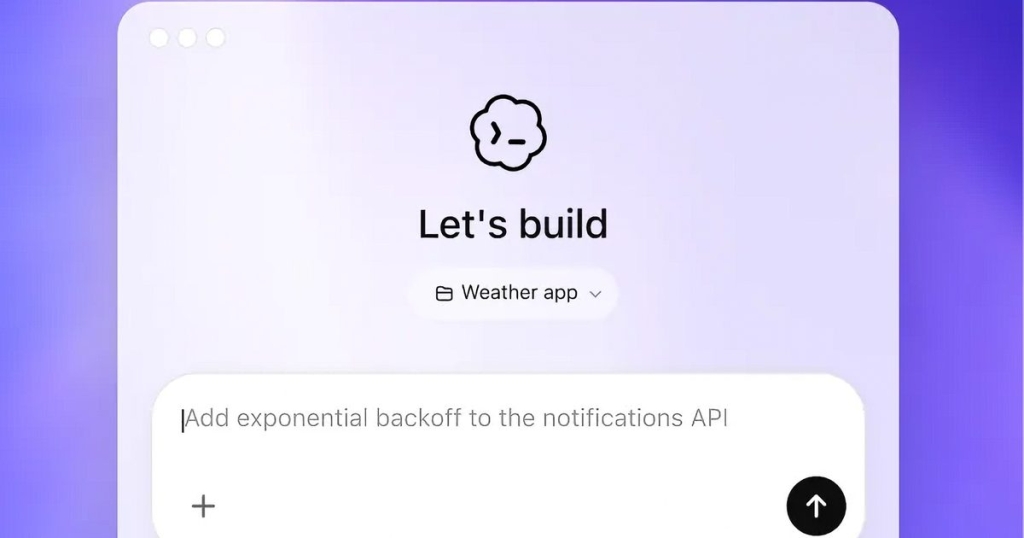
OpenAI’s Codex App Finally Lands on Windows: A Native Experience Built for Developers
Windows developers, rejoice! OpenAI has officially launched the Codex app on Windows, and this isn’t just another cross-platform port—it’s a purpose-built, native Windows experience designed from the ground up with developers in mind. After months of watching macOS users enjoy Codex’s capabilities, Windows users can now dive into this powerful AI coding companion that runs natively using PowerShell inside a dedicated Windows sandbox.
The timing couldn’t be better for Windows developers who have been feeling left out of the AI coding revolution. While Microsoft has been pushing its own Copilot integration across Windows, many developers have been craving something more specialized and powerful—something that actually understands the nuances of software development rather than just offering generic AI assistance.
What Makes the Windows Codex App Special
The Codex app brings all the features that made it popular on other platforms to Windows, but with thoughtful Windows-specific optimizations. Skills allow you to discover and extend Codex’s capabilities by connecting it to other applications, Automations let Codex work in the background without constant supervision, and Work Trees enable you to run multiple independent tasks within the same project simultaneously.
What sets this Windows version apart is the attention to platform-specific details. There’s a dedicated WinUI skill available in the skill gallery, specifically designed for Windows app developers who want to leverage Codex’s capabilities for building modern Windows applications. This isn’t just a generic coding tool—it’s been optimized to understand Windows development patterns, APIs, and best practices.
For developers who prefer working in Linux environments on Windows, Codex offers seamless integration with Windows Subsystem for Linux (WSL). You can switch both the coding agent and the integrated terminal to run inside WSL, giving you the flexibility to work in your preferred development environment without sacrificing Codex’s powerful AI capabilities.
A True Native Windows Experience
Unlike many applications that are simply ported from macOS or Linux, the Codex app for Windows was built specifically for the Windows ecosystem. It leverages native Windows technologies and follows Windows design patterns, providing a familiar and intuitive experience for Windows users. The app runs natively using PowerShell, ensuring optimal performance and integration with your system.
The interface is clean and professional, with a central project management system that lets you organize multiple coding projects efficiently. Whether you’re working on a small personal project or managing a complex enterprise application, Codex provides the tools you need to stay organized and productive.
How to Get Started with Codex on Windows
Getting started with Codex on Windows is straightforward. You can download the app from the Microsoft Store or directly from OpenAI’s website. The installation process is quick and painless, and once installed, you’ll need to sign in with your existing ChatGPT subscription or an API key.
After signing in, you’re ready to start generating, debugging, and refining code directly on your Windows machine. The app integrates seamlessly with your existing development workflow, whether you’re using Visual Studio, VS Code, or any other development environment.
Why Developers Are Excited
The launch of Codex on Windows represents a significant milestone for the Windows development community. For too long, Windows developers have been playing catch-up when it comes to cutting-edge AI coding tools. While other platforms enjoyed sophisticated AI assistance, Windows users were left with more basic alternatives.
Codex changes that equation by bringing state-of-the-art AI coding capabilities to Windows in a way that feels native and intuitive. The app understands context, can generate complex code snippets, help debug issues, and even suggest optimizations based on best practices. It’s like having a senior developer looking over your shoulder, ready to assist whenever you need help.
Platform-Specific Features That Matter
The Windows version of Codex includes several features that demonstrate OpenAI’s commitment to the Windows platform. The WinUI skill is particularly noteworthy for developers building modern Windows applications using Microsoft’s latest UI framework. This skill provides specialized assistance for WinUI development, including code generation, debugging help, and optimization suggestions tailored to Windows app development.
The WSL integration is another game-changer for developers who prefer Linux tools but want to work on Windows hardware. Being able to switch Codex’s coding agent and terminal to run inside WSL means you don’t have to choose between the power of Linux development tools and the convenience of Windows-native applications.
Performance and Reliability
Since Codex runs natively on Windows using PowerShell and a dedicated sandbox environment, performance is optimized for Windows hardware. The app takes advantage of Windows-specific optimizations and integrates smoothly with the operating system’s security and performance features.
The sandbox environment ensures that Codex operates safely, isolating its processes from your main system while still providing full access to the development tools and files you need. This balance between security and functionality is crucial for developers who need to trust the tools they’re using with their code and projects.
Tags: OpenAI, Codex, Windows, AI coding, developer tools, coding assistant, WinUI, WSL, PowerShell, Microsoft Store
Viral Phrases: game-changer for Windows developers, finally caught up, native Windows experience, AI coding revolution, Windows development renaissance, cutting-edge AI tools, developer productivity boost, Windows sandbox environment, seamless WSL integration, specialized Windows assistance, modern Windows development, enterprise-ready coding tool, intuitive AI companion, next-generation coding, developer workflow optimization
,


Leave a Reply
Want to join the discussion?Feel free to contribute!