
Is It Safe To Use Your Laptop USB-C Charger With A Steam Deck?
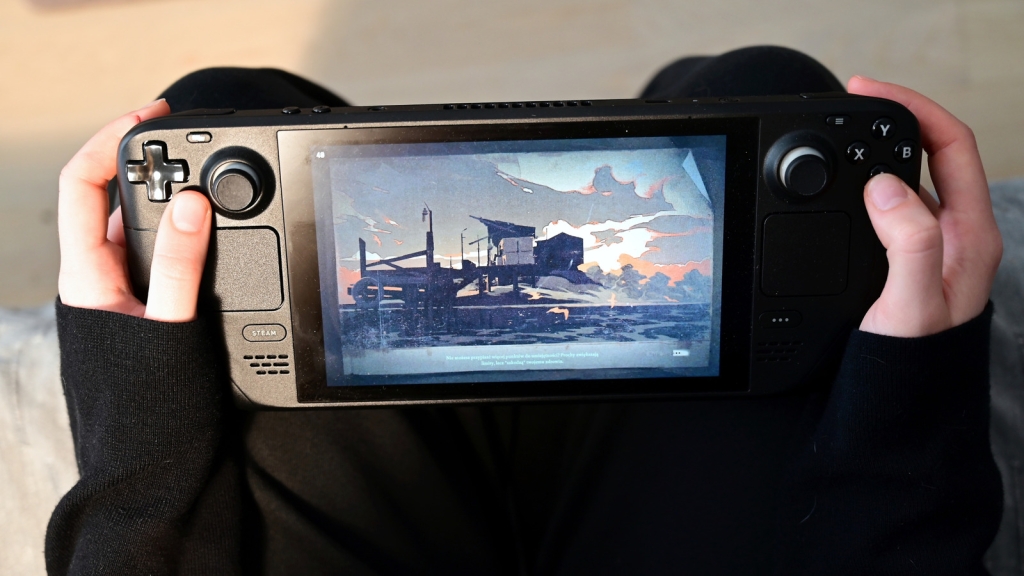
Is It Safe to Use Your Laptop USB-C Charger with a Steam Deck?
The Steam Deck has revolutionized portable PC gaming, offering players the ability to enjoy their Steam library on the go. However, one common question that arises among Steam Deck owners is whether it’s safe to use a laptop USB-C charger with their device. The answer isn’t as straightforward as you might think, and there are several factors to consider before plugging in that charger.
Understanding USB-C and Power Delivery
USB-C has become the universal standard for charging and data transfer, thanks to its reversible design and ability to deliver significant power. However, not all USB-C chargers are created equal. The Steam Deck specifically requires a 45-watt USB-C PD (Power Delivery) 3.0 charger to function optimally.
PD, or Power Delivery, is a protocol that allows USB-C ports to deliver up to 240 watts of power, making it essential for fast-charging and high-power devices like the Steam Deck. This protocol ensures that your device receives the correct amount of power safely and efficiently.
The Compatibility Question
The short answer is: yes, you can use your laptop USB-C charger with a Steam Deck, but it’s not always recommended. Here’s why:
-
Power Requirements: The Steam Deck needs exactly 45 watts to charge properly. If your laptop charger provides less than this, you may experience slow charging or even battery drain while playing games.
-
PD Support: Your charger must support Power Delivery 3.0. Without this protocol, the Steam Deck may not charge at all or could receive inconsistent power.
-
Quality Concerns: Not all third-party chargers meet the same safety and quality standards as the official Steam Deck charger. Using a subpar charger could potentially damage your device.
How to Check Your Charger’s Specifications
Before using any third-party charger with your Steam Deck, it’s crucial to verify its specifications. Here’s how:
-
Check the Label: Look for an “Output” line on your charger’s label. It should list the voltage (V) and amperage (A).
-
Calculate Wattage: Multiply the highest voltage by its corresponding amperage to get the maximum wattage. For example, if your charger lists 20V==2.25A, that equals 45 watts (20 × 2.25 = 45).
-
Verify PD Support: Ensure your charger explicitly states it supports USB-C PD 3.0 or higher.
Potential Risks of Using Incompatible Chargers
Using an incompatible charger can lead to several issues:
- Slow Charging: If the charger doesn’t provide enough power, your Steam Deck will charge slowly or may not charge at all while in use.
- Battery Drain: During intensive gaming sessions, a weak charger might not keep up with power consumption, leading to battery drain even when plugged in.
- Device Damage: Cheap or poorly made chargers can cause voltage spikes or overheating, potentially damaging your Steam Deck’s battery or internal components.
Recommended Third-Party Chargers
If you need an alternative to the official Steam Deck charger, consider these options:
- Anker Nano Series: Look for models that offer 45 watts or more with PD support.
- UGreen Nexode: These chargers are known for their reliability and fast-charging capabilities.
- JSAUX Steam Deck Charger: Specifically designed for the Steam Deck, this charger also works with Mac, iPhone, and other devices.
When shopping for a charger, also look for GaN (Gallium Nitride) technology. GaN chargers are more efficient, run cooler, and can deliver more power in a smaller form factor.
Best Practices for Charging Your Steam Deck
To ensure the longevity and optimal performance of your Steam Deck:
- Use the Official Charger: Whenever possible, stick with the charger that came with your device.
- Check Specifications: Always verify that any third-party charger meets the 45-watt PD 3.0 requirement.
- Avoid Cheap Chargers: Invest in reputable brands to ensure safety and reliability.
- Monitor Charging: Pay attention to any warning messages from your Steam Deck about charging issues.
Conclusion
While it’s technically possible to use your laptop USB-C charger with a Steam Deck, it’s essential to proceed with caution. Always verify that the charger meets the necessary specifications and comes from a reputable manufacturer. By following these guidelines, you can ensure safe and efficient charging for your Steam Deck, keeping your portable gaming rig powered up and ready for action.
Tags:
SteamDeck #USBCharging #GamingTech #PortableGaming #TechTips #PowerDelivery #USBCTech #GamingAccessories #SteamDeckTips #ChargerSafety #TechNews #GamingHardware #PortablePC #USBStandards #GamingOnTheGo
Viral Phrases:
“Revolutionizing portable gaming” “Power your gaming adventures” “The future of handheld gaming” “Charge smart, game longer” “Don’t risk your Steam Deck” “Gaming without boundaries” “The charger that keeps up with your gaming” “Level up your charging game” “Portable power for portable gaming” “Steam Deck: Power in your hands”
,

Leave a Reply
Want to join the discussion?Feel free to contribute!