
KDE Linux Adds Apple APFS File-System Support, Workaround For Frustrating AMDGPU Issue
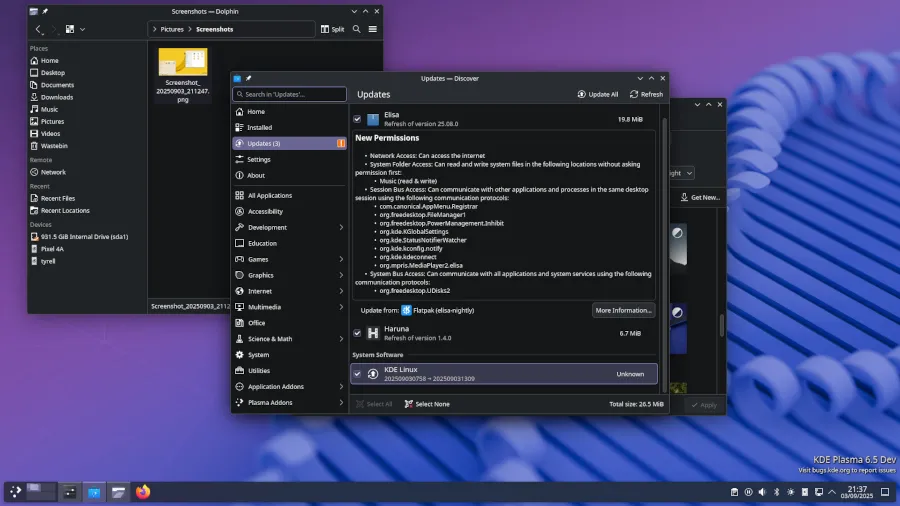
KDE Linux Hits a New Milestone: Fresh Features, Fixes, and Future-Proofing
The open-source world is buzzing again, and this time it’s KDE Linux stealing the spotlight. Known for being the gold standard reference platform for the KDE Plasma desktop, KDE Linux has just rolled out a series of thoughtful upgrades and behind-the-scenes fixes that make it more robust, user-friendly, and ready for modern hardware challenges.
Let’s dive into what’s new, why it matters, and how these changes reflect KDE’s commitment to delivering a polished, production-ready Linux experience.
KDE Linux Gets a Backup Boost with Kup Integration
One of the standout additions in the latest update is the integration of Kup, KDE’s official backup tool, directly into KDE Linux. For many users, setting up reliable backups can be a daunting task—especially on Linux, where the process often leans toward the technical side. By pre-installing Kup, KDE Linux is making it easier than ever for users to protect their data with a clean, graphical interface.
Kup supports a variety of backup strategies, including incremental backups and versioned snapshots, ensuring that users can recover files from different points in time without fuss. This move underscores KDE’s philosophy: powerful tools should be accessible, not intimidating.
Apple APFS Support Arrives—Read/Write, Out of the Box
Another major enhancement is the out-of-the-box support for Apple’s APFS (Apple File System). This is a big deal for anyone who regularly interacts with macOS or Apple hardware. APFS, with its advanced features like snapshots, cloning, and space sharing, has been the default file system on Apple devices since 2017.
Until now, Linux users needed to jump through hoops to access APFS volumes—especially for writing. KDE Linux changes that by pre-installing the linux-apfs-rw-dkms package, which provides read/write support via an out-of-tree kernel module. This module, developed by the community and still considered experimental, is now part of the default KDE Linux experience.
For creative professionals, developers, and anyone juggling data between macOS and Linux, this means fewer headaches and smoother workflows. Whether you’re transferring large project files, media libraries, or backups, KDE Linux now handles APFS as seamlessly as native Linux file systems.
AMD GPU Users Rejoice: A Workaround for System Freezes
If you’re an AMD GPU user, you’ve likely encountered the dreaded system freeze—a total lockup that forces a hard reboot. This issue, tied to a page-flip timeout in the AMDGPU driver, has plagued users for months. Despite being reported upstream, a fix has been slow to arrive.
KDE Linux’s response? A proactive workaround. By adding amdgpu.dcdebugmask=0x10 to the kernel command line, KDE Linux disables panel self-refresh, a feature that, while saving power, can trigger these freezes. The trade-off is slightly higher power usage, but for most users, avoiding random crashes is well worth it.
This solution reflects KDE’s user-first mindset: when a critical bug affects stability, they don’t wait for upstream fixes—they act. It’s a pragmatic approach that keeps KDE Linux running smoothly for AMD users in the here and now.
More Languages, More Flatpak Apps, More Flexibility
KDE Linux is also expanding its language support for Flatpak applications. This means that popular apps like LibreOffice, GIMP, and even games will now be available in more languages right out of the box. For multilingual users and those in non-English speaking regions, this is a welcome improvement that makes the desktop feel more inclusive and accessible.
Why These Updates Matter
Each of these changes, while technical in nature, is driven by real-world user needs. Whether it’s making backups painless, bridging the gap with Apple ecosystems, stabilizing AMD hardware, or expanding language support, KDE Linux is evolving into a platform that just works—no matter your use case.
Moreover, these updates highlight KDE’s agility. Instead of waiting for upstream consensus or perfect solutions, KDE Linux delivers practical, user-facing improvements that address pain points head-on. It’s this blend of innovation and pragmatism that keeps KDE at the forefront of the Linux desktop experience.
What’s Next for KDE Linux?
With each release, KDE Linux cements its role as the reference platform for the KDE Plasma desktop. As the ecosystem grows and hardware evolves, expect even more refinements—better hardware compatibility, deeper integration with emerging technologies, and continued focus on user experience.
For those eager to try the latest and greatest, KDE Linux is available for download from KDE.org. Whether you’re a longtime KDE fan or a curious newcomer, there’s never been a better time to explore what KDE Linux has to offer.
Tags: KDE Linux, KDE Plasma, Kup backup, Apple APFS, linux-apfs-rw, AMDGPU, system stability, Flatpak, multilingual support, open source, Linux desktop, Nate Graham, This Month In KDE Linux
Viral Phrases: “KDE Linux just got a major upgrade,” “Apple APFS support on Linux—finally!,” “AMD users, say goodbye to random freezes,” “Backups made easy with Kup,” “KDE’s latest move is pure genius,” “The future of the Linux desktop is here,” “Open source innovation at its finest,” “KDE Linux: power, polish, and practicality,” “Why every Linux user should care about KDE’s latest update,” “Bridging the gap between macOS and Linux”
,

Leave a Reply
Want to join the discussion?Feel free to contribute!