
MacBook Neo vs older MacBook Air models: Specs, performance compared
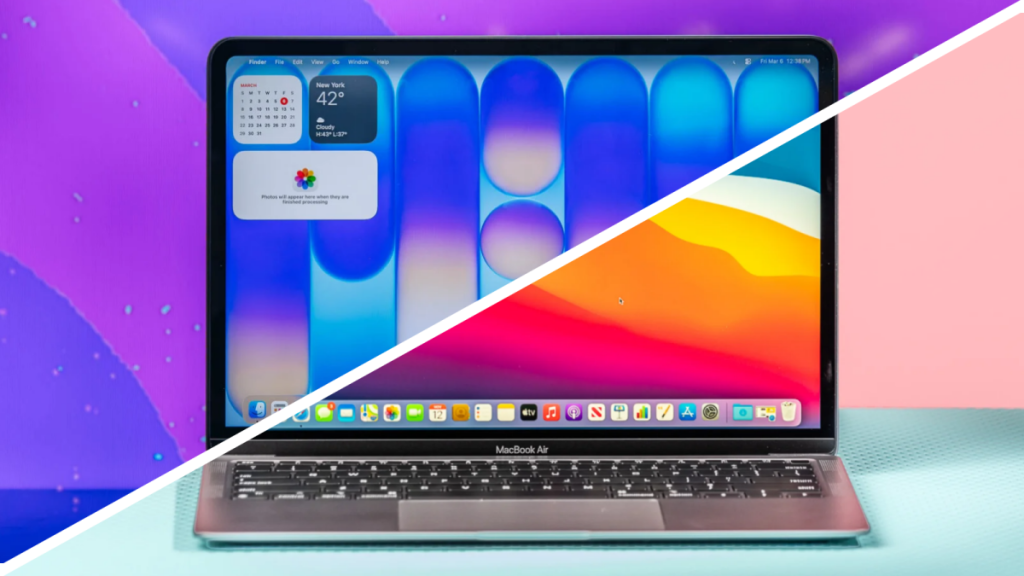
MacBook Neo vs. Older MacBook Airs: Which Should You Buy in 2026?
Apple’s latest budget laptop, the MacBook Neo, has taken the tech world by storm with its eye-popping $599 price tag and surprisingly capable performance. But how does this colorful newcomer stack up against Apple’s tried-and-true MacBook Air lineup? Let’s break down everything you need to know before making your decision.
MacBook Neo vs. Older MacBook Airs: Specs
The MacBook Neo represents a bold departure from Apple’s traditional laptop strategy. Instead of using Apple’s powerful M-series chips, it runs on the iPhone’s A18 Pro processor—a move that’s both surprising and potentially brilliant.
Key Spec Comparison:
- Processor: Neo uses A18 Pro (iPhone chip) vs. M1/M2/M3/M4 (laptop chips)
- Memory: Neo fixed at 8GB vs. Airs configurable up to 32GB
- Storage: Neo offers 256GB or 512GB vs. Airs with 256GB-2TB options
- Display: Neo exactly 13″ vs. Airs at 13.3″ (M1) or 13.6″/15.3″ (M2-M4)
The Neo’s fixed 8GB RAM is its biggest limitation, but for basic tasks like web browsing, email, and light productivity work, it should be sufficient.
MacBook Neo vs. Older MacBook Airs: Pricing and Availability
Here’s where the Neo really shines:
MacBook Neo Pricing:
- Base model: $599 (256GB)
- Touch ID + 512GB: $699
- Education discount: $499/$599 for students/parents/staff
Older MacBook Air Pricing:
- M4 Airs: Previously $999-$1,299 (now discontinued)
- M3/M2 Airs: Refurbished models range $800-$1,200
- M1 Airs: Rare and often $700+ used
The Neo’s pricing is aggressive, especially with the education discount. You’d need to find a heavily discounted refurbished M1 Air to compete on price.
MacBook Neo vs. Older MacBook Airs: Performance
This is where things get interesting. Our benchmark tests reveal:
Geekbench 6 Scores:
- Single-core: Neo ≈ M4 MacBook Air (excellent for everyday tasks)
- Multi-core: Neo ≈ M1 MacBook Air (adequate for basic multitasking)
What This Means:
- Neo excels at: Web browsing, email, video calls, light photo editing
- Neo struggles with: Heavy multitasking, video editing, 3D rendering
- Air advantage: M2+ models handle demanding workloads much better
The Neo’s iPhone chip delivers surprisingly desktop-class performance for basic tasks, but don’t expect MacBook Pro-level capabilities.
MacBook Neo vs. Older MacBook Airs: Battery Life
Apple claims 16 hours of video playback for the Neo versus 18 hours for Airs. Real-world testing shows:
- MacBook Neo: ~15 hours video playback
- M1 Air: ~17 hours
- M2-M4 Airs: ~18+ hours
While the Neo falls slightly short of Airs, 15 hours is still exceptional and beats most Windows laptops and Chromebooks.
MacBook Neo vs. Older MacBook Airs: Design
The Neo shares the Air’s premium aluminum build but makes several compromises:
Neo Advantages:
- Same Liquid Retina display quality
- Slightly lighter than M1 Air
- Modern 13″ exact sizing
Neo Compromises:
- No keyboard backlighting (unless you pay $100 extra)
- Mechanical trackpad (no haptic feedback)
- Basic 1080p webcam (vs. M4’s 12MP Center Stage)
- Two fewer speakers
- No Thunderbolt ports
MacBook Neo vs. Older MacBook Airs: Colors
Here’s where the Neo really stands out:
MacBook Airs: Silver, space gray, starlight, midnight, sky blue (all relatively muted)
MacBook Neo: Silver, indigo, blush, citrus (bold and vibrant)
If you want a laptop that makes a statement, the Neo’s color options are unmatched in Apple’s lineup.
Final Thoughts: Should You Get a MacBook Neo or an Older MacBook Air?
Choose the MacBook Neo if:
- You’re on a strict budget ($499-$599)
- You need a laptop for basic tasks (web browsing, email, Zoom)
- You want something lightweight and portable
- You love the vibrant color options
- You’re a student or casual user
Choose an Older MacBook Air if:
- You need more RAM (16GB+) for multitasking
- You run demanding apps (video editing, coding, design)
- You want Thunderbolt ports for accessories
- You prefer a more professional look
- You can spend $800+
Bottom Line: The MacBook Neo is an incredible value for basic users, but it’s not a replacement for a full-fledged MacBook Air. Think of it as Apple’s answer to budget Chromebooks, but with the polish and ecosystem integration only Apple can provide.
Tags: #MacBookNeo #MacBookAir #AppleLaptop #BudgetLaptop #A18Pro #M1 #M2 #M3 #M4 #TechReview #StudentLaptop #ChromebookAlternative #AppleEcosystem #PortableComputing
Viral Phrases: “Apple’s $599 iPhone-powered laptop”, “budget MacBook that punches above its weight”, “the Chromebook killer we didn’t expect”, “iPhone chip in a MacBook body”, “Apple’s boldest budget move yet”, “should you buy the cheapest MacBook ever?”, “Neo vs Air showdown”, “Apple’s education discount game-changer”, “basic tasks never looked so good”
,


Leave a Reply
Want to join the discussion?Feel free to contribute!