
MacBook Pro vs. MacBook Air: How to decide which Apple laptop to buy
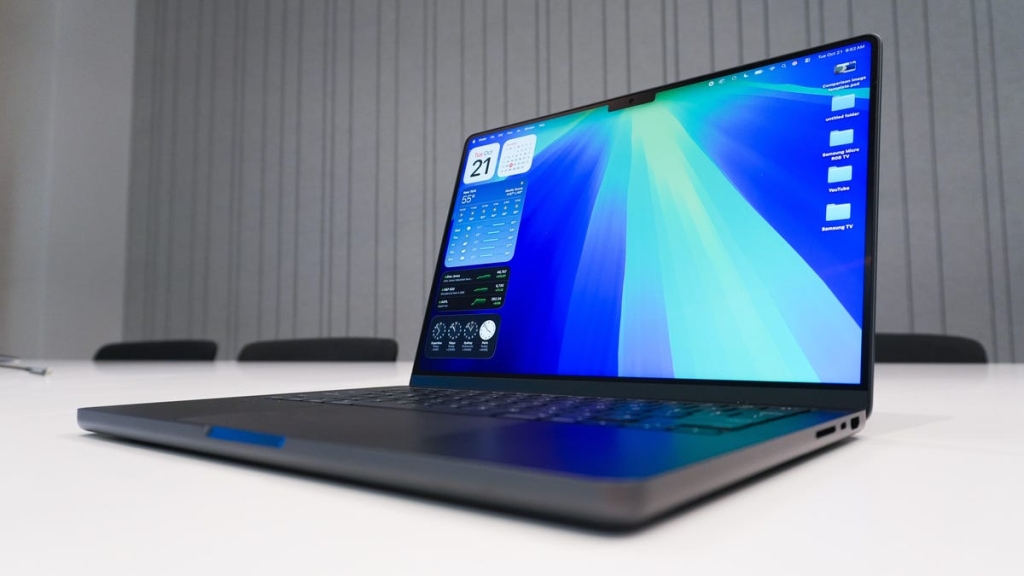
MacBook Pro vs. MacBook Air: Which Apple Laptop Should You Buy in 2025?
Apple’s laptop lineup has never been more competitive, with the M4 MacBook Air bringing unprecedented power to the budget-friendly lineup and the M5 MacBook Pro pushing performance boundaries that rival desktop machines. The choice between these two stellar options isn’t as straightforward as it once was, but we’re here to help you navigate the decision with clarity.
The New Power Balance
For years, the MacBook Pro has been the undisputed champion of Apple’s laptop lineup—the go-to choice for professionals who demanded maximum performance. The MacBook Air, meanwhile, was positioned as the lightweight, portable option for everyday users. But 2025 has changed the game entirely.
The M4 MacBook Air represents a seismic shift in Apple’s strategy. This isn’t just an incremental upgrade; it’s a complete reimagining of what a budget-friendly Apple laptop can do. With the same M4 chip found in the base MacBook Pro, the Air now delivers performance that would have been unthinkable in this form factor just a generation ago.
Meanwhile, the M5 MacBook Pro takes things even further, introducing a chip that benchmarks on par with the M1 Ultra Mac Studio—a $4,000 desktop machine from just three years ago. The performance gap that once clearly separated these two lines has narrowed dramatically, making the choice more about specific needs than raw power alone.
MacBook Pro: The Professional’s Choice
Performance That Rivals Desktops
The M5 MacBook Pro is nothing short of remarkable. ZDNET’s Managing Reviews Editor Kerry Wan put this machine through its paces and found performance that borders on the extraordinary. In benchmark tests, the M5 MacBook Pro significantly outperformed its M4 predecessor and came remarkably close to matching the M1 Ultra Mac Studio—a machine that costs four times as much.
What makes this particularly impressive is how the M5 handles real-world workloads. Wan tested the laptop with dozens of browser tabs open, multiple creative applications running simultaneously, and even Adobe Premiere Pro for video editing. The machine handled everything with grace, showing no signs of slowdown or thermal throttling.
The M5 chip features a 10-core CPU and 10-core GPU, providing a perfect balance of performance and efficiency. But Apple doesn’t stop there—the MacBook Pro lineup also includes the M4 Pro and M4 Max options for those who need even more horsepower.
The M4 Pro steps things up with a 14-core CPU and 20-core GPU, while the M4 Max goes all-out with the same 14-core CPU but a massive 32-core GPU. These chips are designed for professionals who work with 3D rendering, complex video editing, machine learning, and other computationally intensive tasks.
Professional Features That Matter
Beyond raw performance, the MacBook Pro includes several features that professionals will appreciate:
Display Excellence: The Liquid Retina XDR display offers exceptional brightness, contrast, and color accuracy. With support for HDR content and a peak brightness of 1,600 nits, this display is ideal for color-critical work.
Port Selection: The MacBook Pro includes three Thunderbolt 4 ports, an SDXC card slot, and a MagSafe 3 charging port. This comprehensive port selection means you can connect all your peripherals without dongles or adapters.
Memory Capacity: Pro models can be configured with up to 128GB of unified memory, essential for handling massive datasets, complex simulations, and memory-intensive creative projects.
Thermal Design: The MacBook Pro’s active cooling system allows it to sustain peak performance for extended periods, making it suitable for long rendering sessions or intensive computational tasks.
Size Options for Every Need
The MacBook Pro comes in two sizes: 14-inch and 16-inch. The 14-inch model offers the best balance of portability and screen real estate for most users, while the 16-inch model is ideal for those who want maximum screen space for multitasking or detailed creative work.
MacBook Air: The Everyday Powerhouse
Performance That Surprises
The M4 MacBook Air represents a breakthrough in Apple’s laptop strategy. ZDNET Editor Kyle Kucharski’s testing revealed a machine that punches well above its weight class. In benchmark tests, the M4 MacBook Air came surprisingly close to the M4 MacBook Pro and, in some cases, even outperformed the M3 MacBook Pro.
This level of performance in a fanless design is unprecedented. The M4 chip in the Air features a 10-core CPU and either an 8-core or 10-core GPU, depending on the configuration. With 16GB to 24GB of unified memory, the Air can handle most everyday tasks with ease.
Battery Life That Lasts All Day
One of the MacBook Air’s standout features is its exceptional battery life. Kucharski’s testing showed over 14 hours of continuous use on a single charge—enough to get through even the longest workday without reaching for a power adapter. This makes the Air ideal for students, travelers, and anyone who values all-day productivity without being tethered to an outlet.
Design That Impresses
The MacBook Air’s design philosophy centers on portability and elegance. Weighing just 2.7 pounds, it’s significantly lighter than the 3.4-pound MacBook Pro, making it the perfect companion for those who are always on the move.
The fanless design means completely silent operation, and the laptop’s slim profile makes it incredibly easy to slip into a backpack or briefcase. Despite its thin profile, the Air doesn’t compromise on build quality—it features the same premium aluminum construction as the Pro models.
Display and Features
The Air features Apple’s Liquid Retina display with support for 1 billion colors, True Tone technology for adaptive color temperature, and excellent brightness levels for indoor use. While it doesn’t match the Pro’s XDR display for HDR content, it’s more than capable for everyday use.
The MacBook Air supports two external displays when the lid is open, making it a capable workstation when docked. The 1080p FaceTime HD camera with Center Stage keeps you centered during video calls, and the three-mic array ensures clear audio for meetings and recordings.
Price Considerations
MacBook Pro Pricing
- M5 MacBook Pro (14-inch): Starting at $1,599
- M4 Pro MacBook Pro (14-inch): Starting at $1,999
- M4 Max MacBook Pro (14-inch): Starting at $3,199
- M4 Pro MacBook Pro (16-inch): Starting at $2,499
- M4 Max MacBook Pro (16-inch): Starting at $3,499
MacBook Air Pricing
- M4 MacBook Air (13-inch): Starting at $999
- M4 MacBook Air (15-inch): Starting at $1,199
The M3 MacBook Air remains available at discounted prices, with the base model starting around $900 at retailers like Best Buy, offering an even more affordable entry point to the Apple ecosystem.
Which MacBook Is Right for You?
Choose the MacBook Pro if:
- You work with video editing, 3D rendering, or complex creative applications
- You need maximum performance for professional workloads
- You require extensive port selection without adapters
- You work with large datasets or memory-intensive applications
- You want the best possible display for color-critical work
- You need sustained performance for long work sessions
Choose the MacBook Air if:
- You’re a student, writer, or general user who needs excellent everyday performance
- You prioritize portability and battery life above all else
- You work primarily with office applications, web browsing, and media consumption
- You want a fanless design for completely silent operation
- You’re looking for the best value in the Apple laptop lineup
- You appreciate premium design and build quality at a lower price point
The Bottom Line
The choice between the MacBook Pro and MacBook Air in 2025 comes down to your specific needs rather than a clear-cut performance advantage. The M4 MacBook Air has narrowed the performance gap significantly, making it a viable option for users who previously would have needed to step up to the Pro line.
For most users, the M4 MacBook Air represents the sweet spot of performance, portability, and value. It’s powerful enough to handle virtually any everyday task while offering exceptional battery life and a premium design at a competitive price point.
However, if your work demands maximum performance, extensive port selection, or the best possible display, the MacBook Pro remains the superior choice. The M5 model, in particular, offers desktop-class performance in a portable form factor that’s hard to beat.
Regardless of which model you choose, you’re getting a laptop that represents the pinnacle of Apple’s engineering prowess. Both machines offer years of reliable service, seamless integration with the Apple ecosystem, and a user experience that’s second to none. The real question isn’t which laptop is better overall—it’s which laptop is better for you.
Tags: #Apple #MacBook #MacBookPro #MacBookAir #M5 #M4 #AppleSilicon #LaptopReview #TechNews #2025Tech #Performance #BatteryLife #ProfessionalLaptops #StudentLaptops #CreativeWork #VideoEditing #Design #Productivity #PortableComputing
Viral Sentences:
- Apple’s M5 MacBook Pro benchmarks rival $4,000 desktop machines
- The M4 MacBook Air delivers Pro-level performance at Air prices
- 14+ hours of battery life changes everything about mobile computing
- Fanless design meets desktop power in Apple’s 2025 lineup
- The performance gap between Pro and Air has officially closed
- Apple Silicon continues its domination of the laptop market
- Your next laptop might be more powerful than you think
- The MacBook Air is no longer just for casual users
- Professional performance without the professional price tag
- Apple’s laptop lineup has never been more confusing—or more impressive
- The M5 chip makes the MacBook Pro feel like it’s from the future
- Battery life that lasts all day changes how you work
- Apple’s ecosystem integration makes switching worth it
- The display quality difference between Pro and Air is smaller than ever
- Your old laptop has officially been outclassed by the new Air
,


Leave a Reply
Want to join the discussion?Feel free to contribute!