
My 5 favorite Linux distros that are ready to use out of the box (no setup required)
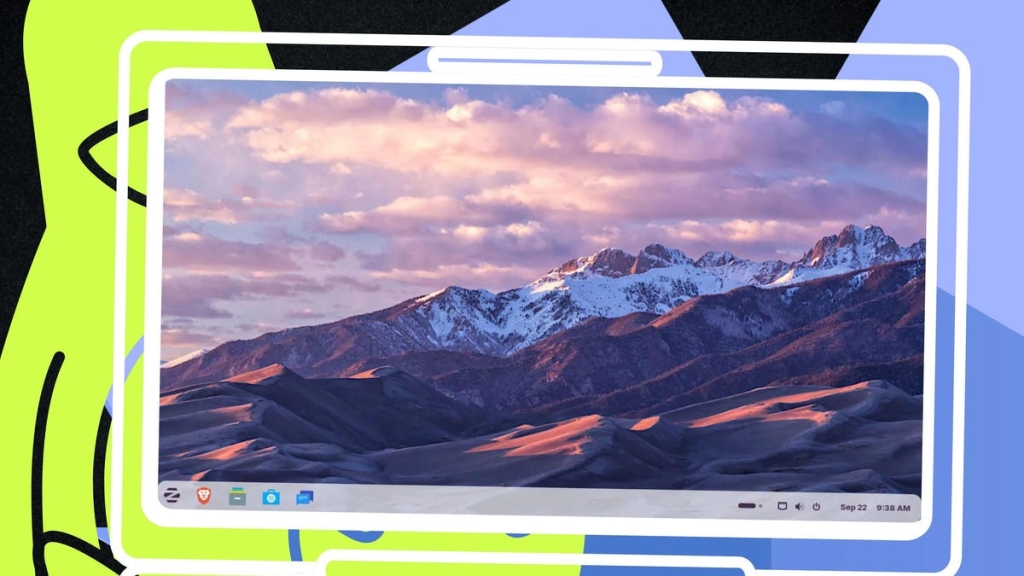
The Ultimate Out-of-the-Box Linux Experience: 5 Distros That Just Work
In today’s fast-paced digital world, nobody wants to spend hours configuring their operating system after installation. Whether you’re a developer, creative professional, or casual user, finding a Linux distribution that works perfectly right out of the box is like discovering digital nirvana.
The Problem With Traditional OS Setup
Let’s face it—installing Windows has become a nightmare. Between driver installations, software setup, removing bloatware, updating systems, and tweaking UI settings, you’re looking at hours of post-install work. Even some Linux distributions require significant configuration before they’re truly usable.
But what if I told you there are Linux distributions that require virtually no post-install effort? That’s right—distributions that come ready to use, with all the necessary software pre-installed, hardware detection working flawlessly, and no annoying ads or bloatware to remove.
The Criteria: What Makes an “Out-of-the-Box” Champion?
For a Linux distribution to make this elite list, it must:
- Be incredibly simple to install
- Include all necessary applications pre-installed
- Require zero configuration before becoming productive
- Avoid immediate update demands
- Minimize or eliminate bloatware
- Contain no advertisements
- Detect hardware automatically
Let’s dive into the five Linux distributions that meet these exacting standards.
1. Linux Mint: The Gold Standard
Linux Mint isn’t just good—it’s the absolute best out-of-the-box experience available in any operating system today. Once installed, you’re immediately productive. While you might need to configure your email accounts in the default client, that’s literally the only setup required.
The Cinnamon desktop environment is intuitive enough for anyone to master instantly. Whether you’re a complete beginner or a seasoned Linux user, Mint delivers that “it just works” feeling that’s become increasingly rare in modern computing.
2. Manjaro: Arch Made Easy
Who would have thought an Arch-based distribution could make this list? Manjaro defies expectations by making Arch incredibly accessible. It ships with the beautiful KDE Plasma desktop by default, includes all essential software without bloat, and handles hardware detection flawlessly.
The installation process is straightforward, and once you’re up and running, you’ll be amazed at how little configuration is needed. KDE Plasma might seem intimidating at first, but Manjaro’s implementation is remarkably user-friendly right out of the box.
3. ZorinOS: Windows Users’ Dream
ZorinOS is designed with Windows refugees in mind, and it shows. The onboarding experience is exceptional, featuring a handy tool for connecting your mobile phone and an easy-to-use Zorin Appearance app for customizing your desktop layout.
The latest ZorinOS 18 beta is gorgeous and includes the Brave browser by default, so you don’t even need to install a more secure alternative. With Flatpak support built into the app store, installing proprietary applications like Slack and Spotify is effortless.
4. Pop!_OS: Developer’s Delight
Pop!_OS might be designed for developers, but it’s surprisingly user-friendly for everyone. One of its best features is the ability to download ISOs specifically for Nvidia or AMD graphics, eliminating driver installation headaches entirely.
With System76’s upcoming migration to the COSMIC Desktop, Pop!_OS is becoming even more accessible. The new desktop environment is faster, more logical, and includes an excellent tiling window manager option—all without requiring any configuration.
5. Ubuntu Budgie: Beauty Meets Simplicity
Ubuntu Budgie holds a special place in the Linux community for its perfect balance of aesthetics and functionality. The installation process is straightforward, and the default desktop requires virtually no customization to be productive.
Even picky users who typically tweak every aspect of their desktop environment find themselves satisfied with Ubuntu Budgie’s out-of-the-box experience. The Budgie desktop is intuitive, beautiful, and ready to use immediately after installation.
The Verdict
Finding a Linux distribution that requires zero post-install configuration might seem impossible, but these five options prove otherwise. Whether you choose Linux Mint for its unparalleled simplicity, Manjaro for its Arch power with user-friendly interface, ZorinOS for its Windows-like familiarity, Pop!_OS for its developer-focused features, or Ubuntu Budgie for its beautiful simplicity, you’re guaranteed an exceptional out-of-the-box experience.
The era of spending hours configuring your operating system after installation is over. These distributions represent the future of user-friendly Linux—powerful, capable, and ready to use the moment you boot up for the first time.
Tags:
Linux Mint, Manjaro, ZorinOS, Pop!_OS, Ubuntu Budgie, out-of-the-box Linux, easiest Linux distribution, beginner-friendly Linux, no configuration needed, Linux for beginners, best Linux distro 2025, Linux that just works, simple Linux installation, hardware detection Linux, bloatware-free Linux
Viral Phrases:
“Linux that works perfectly out of the box”
“The end of post-install configuration hell”
“Finally, a Linux distribution that doesn’t require a computer science degree”
“Say goodbye to hours of setup and hello to instant productivity”
“The Linux distribution that even your grandma could use”
“Why spend hours configuring when you can start working immediately?”
“The secret weapon for Linux beginners who hate configuration”
“Linux Mint: The operating system that respects your time”
“Manjaro proves Arch doesn’t have to be complicated”
“ZorinOS: The Windows user’s gateway to Linux freedom”
“Pop!_OS: Developers rejoice—no more driver headaches”
“Ubuntu Budgie: Where beauty meets simplicity in Linux”
“The five Linux distributions that changed everything”
“Out-of-the-box Linux: The future is here”
“Zero configuration, maximum productivity”
“The Linux revolution that requires zero technical knowledge”
“Why everyone is switching to these five Linux distributions”
“The distributions that make Windows installation look archaic”
“Linux for people who just want to get things done”
“The end of the Linux learning curve as we know it”
,

Leave a Reply
Want to join the discussion?Feel free to contribute!