
NotebookLM adds ‘Cinematic Video Overviews’
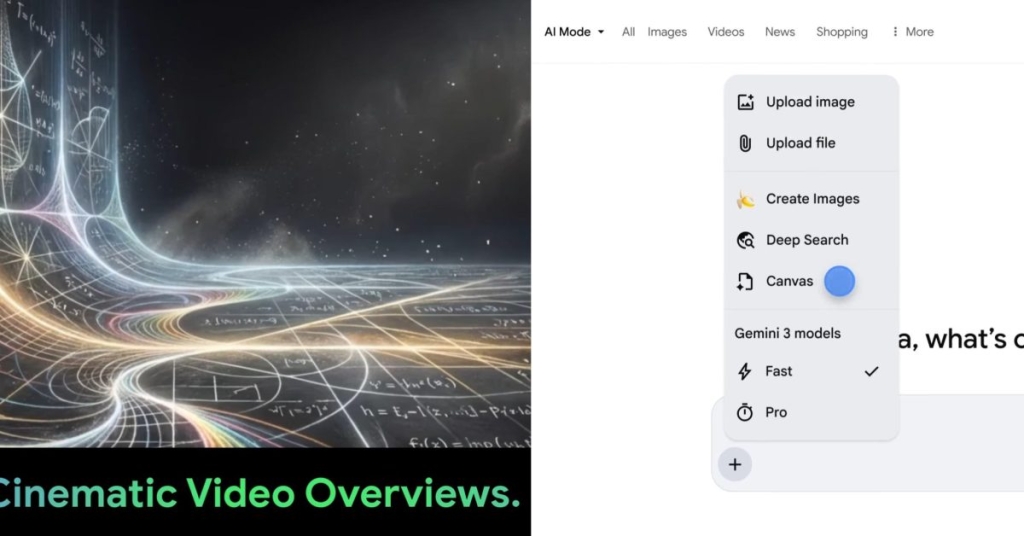
Google Unleashes Cinematic Video Overviews in NotebookLM — Here’s What You Need to Know
Google is pushing the boundaries of AI-driven content creation with a massive upgrade to NotebookLM, introducing Cinematic Video Overviews that transform static slide decks into immersive, dynamic storytelling experiences. This isn’t just another incremental update—it’s a full-blown creative revolution that blends cutting-edge AI models to deliver visually rich, highly personalized video content.
From Static Slides to Cinematic Storytelling
Previously, NotebookLM’s Video Overviews functioned like narrated slide presentations—functional, but hardly groundbreaking. Now, Google is flipping the script with Cinematic Video Overviews, leveraging the combined power of Gemini 3, Nano Banana Pro, and Veo 3 to generate fluid animations, rich visuals, and deeply engaging narratives.
Google describes Gemini as the “creative director,” orchestrating hundreds of structural and stylistic decisions to craft the perfect story from your sources. The AI doesn’t just assemble content—it refines its own work to ensure consistency, pacing, and visual appeal. The result? A truly immersive experience that helps users learn, explore, and engage with complex topics in a way that feels less like studying and more like watching a high-quality documentary.
“It determines the best narrative, visual style and format, and even refines its own work to ensure consistency.”
This feature is rolling out today (in English) exclusively for Google AI Ultra subscribers on both web and mobile platforms. If you’re serious about content creation, this is the kind of tool that could redefine how you present and consume information.
NotebookLM Gets a Major App Integration Boost
But that’s not all—Google is also enhancing the NotebookLM app experience. Users can now open Google Drive, Docs, Sheets, and Slides directly in their native apps (if installed) instead of viewing them inline. Simply tap the button in the top-right corner for a richer, more seamless workflow. Plus, prompt-based Slide Deck revisions are now available with just a tap, making iterative design faster and more intuitive.
Canvas in AI Mode: Your New Creative Playground
Meanwhile, Google is supercharging AI Mode with the rollout of Canvas, a dynamic workspace designed for creative writing and coding tasks. Available to US English users, Canvas appears as a side panel alongside the chat interface, allowing you to draft documents, build custom interactive tools, and refine outputs in real-time.
Whether you’re drafting a novel, coding a new app, or planning a complex project, Canvas makes it easy to jumpstart your next big idea. You can even view the underlying code, giving developers unprecedented transparency and control.
“Whether you’re building custom tools, studying for exams or planning a trip, Canvas in AI Mode makes it easy to jumpstart your next big project.”
Smarter Recipe Results in AI Mode
Google is also improving the practical utility of AI Mode with enhanced recipe search results. Now, when you search for meal ideas like “easy dinners for two,” you can tap on a dish to see links to relevant recipe sites, plus a short overview to spark inspiration. In the future, Google plans to add cooking times and other helpful information to make the experience even more seamless.
Viral Tags & Trending Phrases:
- Google NotebookLM Cinematic Video Overviews
- AI-powered storytelling
- Gemini 3 creative director
- Veo 3 immersive visuals
- Nano Banana Pro animations
- Google AI Ultra subscribers
- Canvas in AI Mode
- Dynamic creative workspace
- Interactive coding tools
- Smarter recipe search results
- Google AI Mode updates
- Next-level content creation
- Immersive learning experiences
- AI-driven slide decks
- Real-time document drafting
- Custom interactive tools
- Enhanced Google app integration
- Iterative design made easy
- Revolutionary AI updates
- Google’s AI dominance
This update isn’t just a feature drop—it’s a statement. Google is doubling down on AI as a creative partner, not just a tool. Whether you’re a student, a developer, or a content creator, these updates are designed to make your workflow faster, smarter, and infinitely more engaging. The future of AI-driven content is here, and it’s cinematic.
,


Leave a Reply
Want to join the discussion?Feel free to contribute!