
OpenShot 3.5 is, yet again, the biggest and fastest release ever
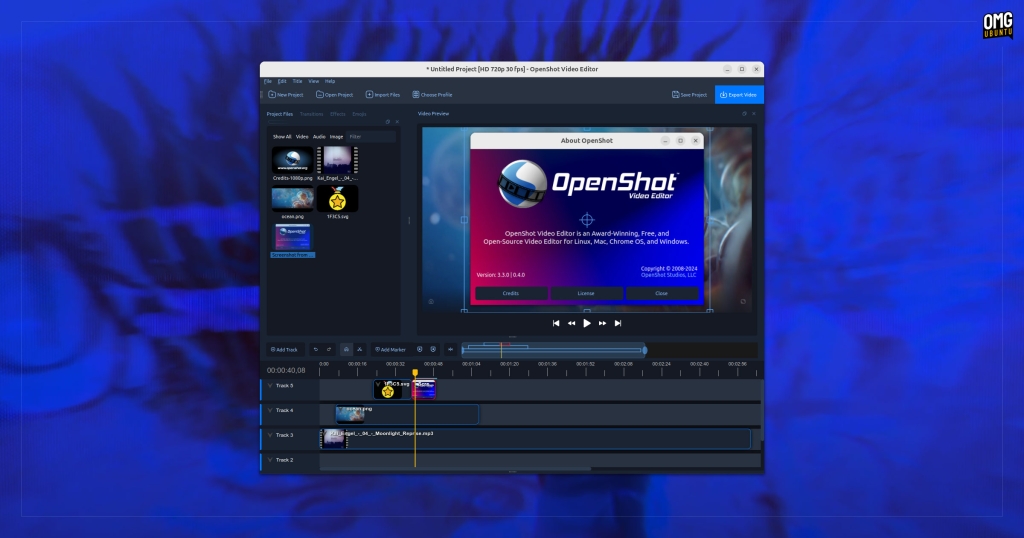
OpenShot 3.5 Arrives with Faster Performance, AI Integration, and a Fresh Timeline Design
OpenShot, the beloved open-source video editor, has just unleashed its latest major release—version 3.5—and its developers are calling it one of the biggest updates in the app’s impressive 18-year history. This isn’t just another incremental update; it’s a full-throttle evolution of the software, promising speed, power, and a suite of new creative tools that could make OpenShot more competitive than ever in the crowded world of video editing.
At the heart of OpenShot 3.5 is a brand-new default timeline. This isn’t just a cosmetic refresh—it’s been rebuilt from the ground up to deliver the same core functions users expect (zooming, scrolling, editing), but now with a keyframe panel enabled by default and—here’s the big claim—significantly faster performance. According to the OpenShot team, the entire application is now up to 35% faster than before, especially when it comes to effect and frame processing. That’s a bold statement, especially given OpenShot’s long-standing reputation for being a bit sluggish and crash-prone. But the developers insist this is the “fastest ever” iteration, continuing a trend where each release claims to outpace the last.
Beyond raw speed, OpenShot 3.5 introduces a host of new creative features. All video effects now support masking, with new mask controls making it easier than ever to fine-tune your edits. A new Chroma key effect arrives with softer edges and improved fidelity, plus—you guessed it—faster performance. Audio workflows also get a boost, with “faster” file handling and new audio transitions that make applying crossfades between tracks a breeze, eliminating the need for manual clip overlapping and keyframing.
Exports are said to produce smaller files without sacrificing quality, thanks to improved GPU acceleration—though specifics on those improvements remain under wraps.
AI-Powered Editing Comes to OpenShot
Perhaps the most exciting (and experimental) addition in OpenShot 3.5 is the integration of ComfyUI, a powerful open-source, node-based AI image generation tool. This integration opens the door to a range of AI-powered editing features, including subject separation, upscaling, style transfer, and even SAM2-powered object tracking and masking. For video editors, the latter could be a game-changer, making complex rotoscoping tasks much more accessible.
However, there’s a catch: to take full advantage of ComfyUI’s capabilities, your system needs to be seriously powerful. The minimum requirements include an NVIDIA 5070 12GB or better GPU, a Ryzen 9 5900 or equivalent CPU, at least 64GB of RAM, and 200GB of free disk space. The developers are upfront about this, warning that anything less could lead to stalled jobs, failures, or unstable results.
Installation and Availability
OpenShot 3.5 is free, open-source software available for Windows, macOS, and Linux. You can download it directly from the OpenShot website, with a standalone AppImage runtime available for Linux users. For Ubuntu and its derivatives (like Linux Mint or Pop!_OS), there’s also an official PPA for easy installation:
bash
sudo add-apt-repository ppa:openshot.developers/ppa
sudo apt update && sudo apt install openshot-qt python3-openshot
After installation, you can launch OpenShot from your app menu and dive into the new features.
The Verdict: Hype or Hero?
Every new OpenShot release comes with bold claims about speed and innovation, and version 3.5 is no exception. While the improvements are certainly welcome, it’s worth keeping expectations in check—especially given OpenShot’s checkered history with stability and performance. For many, the gold standards in open-source video editing remain Kdenlive and Shotcut, with DaVinci Resolve offering a professional-grade (albeit Linux-specific) alternative.
Still, if you’ve been on the fence about OpenShot, version 3.5 is worth a look—especially if you’re curious about its new AI features or just want to see if the speed claims hold up in practice.
Tags: OpenShot, video editing, open-source, AI editing, ComfyUI, Chroma key, masking, keyframe, timeline, GPU acceleration, Linux, Ubuntu, Kdenlive, Shotcut, DaVinci Resolve, multimedia, creative software
Viral Sentences:
- “OpenShot 3.5 is here, and it’s faster than ever—up to 35%!”
- “AI-powered editing just got real with OpenShot’s ComfyUI integration.”
- “Is this the update that finally makes OpenShot a true editing powerhouse?”
- “New timeline, new tools, new speed—OpenShot 3.5 is a game-changer.”
- “Warning: ComfyUI in OpenShot requires a beast of a machine!”
- “OpenShot vs. Kdenlive vs. Shotcut—who’s the real king of open-source editing?”
- “Smaller files, better quality, and lightning-fast exports—OpenShot 3.5 delivers.”
- “The future of video editing is here, and it’s open-source.”
,


Leave a Reply
Want to join the discussion?Feel free to contribute!