
Peloton Rides Can Finally Sync to Your Garmin Account
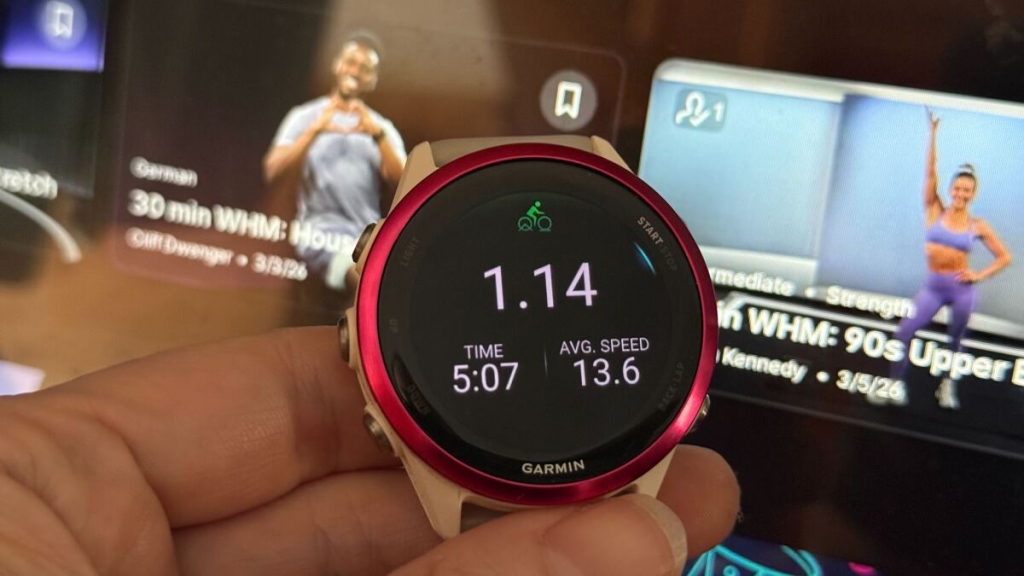
Peloton and Garmin Finally Unite: Double Logging is Dead!
Attention, fitness enthusiasts! The era of double logging your Peloton rides into Garmin Connect is officially over. In a groundbreaking update, Peloton has rolled out seamless syncing capabilities between its app and Garmin devices, eliminating the need for third-party workarounds. Whether you’re a Peloton Bike devotee or a Garmin watch loyalist, this update is a game-changer for your fitness tracking experience.
How to Enable Syncing Between Peloton and Garmin
Getting started is a breeze. Open the Peloton app on your smartphone and tap the person icon in the bottom right corner (not your profile picture in the top left). From there, access the hamburger menu in the top right and select Connected apps & devices. Under the list of compatible apps, you’ll find Garmin Connect. Tap it, log in to your Garmin account, and choose your preferred syncing options:
- Auto-import activities: Automatically sync your Garmin activities to your Peloton history. You can filter by activity type if you don’t want everything imported.
- Send to Garmin Connect: Push your Peloton workouts to your Garmin history, complete with all the data Peloton tracks (power, cadence, output, etc.).
These toggles are independent, so you can customize your syncing preferences. For example, if you share Peloton rides to Strava, you might not want them duplicated in Garmin and then shared again.
Why This Update is a Major Win
Before this update, syncing Peloton and Garmin required clunky workarounds. The most common method was wearing your Garmin watch during a Peloton ride and logging the workout separately on both devices. This meant double entries but missed out on Peloton’s rich data like power output and cadence. Now, syncing Peloton rides to Garmin ensures you get all that data plus the ride name and details.
Another popular workaround was using SyncMyWorkout, a paid service that bridged the gap between the two platforms. While it offered some unique features like historical data imports, this update may render it obsolete for many users.
Pro Tip: Heart Rate Data
If you’ve been double logging, there’s one thing to note: Peloton workouts synced to Garmin won’t include heart rate data unless you pair a heart rate monitor to your Peloton device. The good news? You can use your Garmin watch as a heart rate monitor! Simply enable the Broadcast heart rate feature on your Garmin watch (check your device manual for instructions). This way, you’ll get accurate heart rate data without starting a separate Garmin workout.
The Future of Fitness Tracking is Here
This update is more than just a convenience—it’s a step toward a more integrated fitness ecosystem. No more juggling multiple apps or worrying about missing data. Whether you’re training for a marathon, crushing Peloton rides, or just staying active, this seamless syncing ensures your progress is accurately tracked across platforms.
So, what are you waiting for? Update your Peloton app, enable syncing, and say goodbye to double logging forever. Your fitness journey just got a whole lot smoother.
Tags: Peloton, Garmin, fitness tracking, workout syncing, Peloton app update, Garmin Connect, double logging, fitness tech, workout data, heart rate monitoring, Strava integration, SyncMyWorkout, Peloton rides, Garmin watches, fitness ecosystem, seamless syncing, workout history, power output, cadence tracking, fitness enthusiasts, tech news, viral fitness update.
,

Leave a Reply
Want to join the discussion?Feel free to contribute!