
Pop!_OS 22.04 LTS Users Can Now Officially Upgrade to Pop!_OS 24.04 LTS
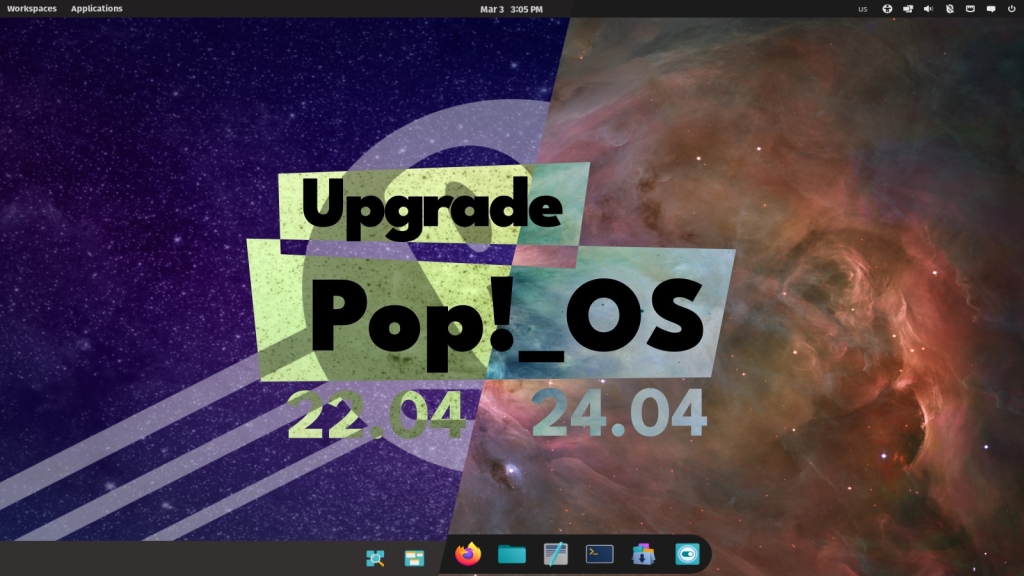
Pop!_OS 24.04 LTS Upgrade Now Rolling Out: COSMIC Desktop Lands for 22.04 LTS Users
In a major milestone for the Pop!_OS community, System76 has officially begun rolling out the in-place upgrade path from Pop!_OS 22.04 LTS to the brand-new Pop!_OS 24.04 LTS. This long-awaited update brings the revolutionary COSMIC desktop environment to users of the previous LTS release, marking a significant evolution in the Linux desktop experience.
The Upgrade Process: Seamless and User-Friendly
Starting immediately, Pop!_OS 22.04 LTS users will begin receiving upgrade notifications through their system’s update manager. The process is designed to be as straightforward as possible: after installing the available updates, users can initiate the upgrade through Settings > OS Upgrade & Recovery. System76 has emphasized that the upgrade process is designed to preserve user files and most settings, making the transition as smooth as possible.
During my personal testing of the upgrade process, I found it to be remarkably smooth – the entire transition from 22.04 LTS to 24.04 LTS completed in under 30 minutes, with all my applications and configurations intact afterward.
The Big Change: COSMIC Desktop Replaces GNOME
For users upgrading from Pop!_OS 22.04 LTS, the most significant change is the complete replacement of the traditional GNOME-based desktop environment with COSMIC – System76’s new desktop environment written in Rust. Upon completion of the upgrade, users will find themselves running COSMIC Desktop version 1.0.8, the latest stable release.
COSMIC represents a fundamental reimagining of the desktop computing experience, centered around several key principles:
Window Tiling Reimagined
The tiling system in COSMIC is perhaps its most distinctive feature. Unlike traditional desktop environments where tiling might feel like an afterthought, COSMIC makes it a first-class citizen. Users can enable or disable tiling directly from the panel, with support for both keyboard shortcuts and mouse interactions.
The tiling experience is enhanced by visual placement hints that appear as you drag windows, making it intuitive to arrange your workspace exactly how you want it. Windows can be:
- Rearranged with visual guides
- Stacked into tabbed groups
- Snapped to predefined positions on screen
- Organized across multiple workspaces
Flexible Workspace Management
COSMIC introduces a sophisticated workspace system that goes beyond simple virtual desktops. Users can:
- Arrange workspaces horizontally or vertically
- Pin workspaces to prevent accidental removal
- Span workspaces across multiple displays
- Maintain workspace layouts and settings across reboots
This persistence means that your carefully arranged tiled windows and pinned workspaces will remain exactly as you left them, even after restarting your system.
Multi-Display Support Gets a Major Boost
For users with multiple monitors, Pop!_OS 24.04 LTS brings significant improvements to display management. The system now automatically scales displays based on their pixel density, ensuring crisp and consistent visuals across different monitor types. When you reconnect a previously used monitor, COSMIC remembers your configuration and restores it automatically.
The handling of disconnected displays has also been improved – when you unplug a monitor, any windows that were on that display are intelligently moved to a new workspace on your remaining screens, preventing the frustration of lost windows.
Deep Customization Options
COSMIC puts customization front and center with an intuitive settings interface. Users can:
- Configure panel and dock layouts with precision
- Position these elements on any edge of any screen
- Add applets to extend functionality
- Adjust theme colors using built-in color pickers for a truly personalized experience
A Complete Suite of COSMIC Applications
The upgrade to 24.04 LTS brings with it a brand-new set of core applications designed specifically for the COSMIC environment. These include:
- COSMIC Files – A modern file manager built for efficiency
- COSMIC Settings – The central hub for system configuration
- COSMIC Store – Application installation and management
- COSMIC Terminal – A feature-rich terminal emulator
- COSMIC Text Editor – A lightweight yet powerful text editor
- COSMIC Media Player – Media playback with a clean interface
- COSMIC Screenshot – Built-in screenshot and screen recording
Important Considerations During Upgrade
System76 has provided several important notes for users undertaking the upgrade:
-
Dock Pinned Applications: Any applications you’ve pinned to your dock will need to be re-pinned after the upgrade completes, as the underlying desktop environment changes entirely.
-
Third-Party PPAs: During the upgrade process, all third-party Personal Package Archives (PPAs) are removed to improve upgrade reliability. This is a precautionary measure to prevent conflicts during the transition.
-
Software Reinstallation: Any software installed through PPAs or local DEB packages may need to be reinstalled after the upgrade completes. It’s recommended to make note of any such software before beginning the upgrade.
Why This Matters for the Linux Desktop Ecosystem
The release of Pop!_OS 24.04 LTS with COSMIC represents more than just another distribution update – it’s a statement about the future direction of Linux desktop environments. By building COSMIC in Rust, System76 is demonstrating a commitment to modern, safe systems programming while delivering a user experience that can compete with and exceed proprietary alternatives.
The focus on tiling, workspace management, and multi-display support addresses real-world productivity needs that many users have been patching together with various extensions and third-party tools in traditional desktop environments.
Looking Ahead
With the upgrade path now officially open, System76 is positioning Pop!_OS 24.04 LTS as a compelling option for both new users and those upgrading from previous releases. The combination of long-term support (LTS), the innovative COSMIC desktop, and System76’s reputation for quality hardware integration makes this a significant release in the Linux ecosystem.
For users still running older versions of Pop!_OS or those considering a switch to this Ubuntu-based distribution, now is an excellent time to explore what Pop!_OS 24.04 LTS has to offer.
Tags: Pop!_OS, COSMIC Desktop, System76, Linux Upgrade, Rust Desktop, Tiling Window Manager, Multi-Monitor Support, Linux Distribution, Open Source Desktop, System76 COSMIC
Viral Sentences:
- “COSMIC Desktop written in Rust is changing the Linux game forever”
- “Pop!_OS 24.04 LTS brings the future of desktop computing to your fingertips”
- “System76’s in-place upgrade makes moving to COSMIC absolutely seamless”
- “The tiling revolution has arrived, and it’s called COSMIC”
- “Pop!_OS 24.04 LTS: Where productivity meets beautiful design”
- “Say goodbye to GNOME, hello to the future with COSMIC”
- “Multi-monitor support so good, you’ll wonder how you lived without it”
- “Rust-powered desktop environment that’s fast, safe, and stunning”
- “System76 proves Linux desktops can be both powerful and intuitive”
- “The upgrade path you’ve been waiting for is finally here”
,
Leave a Reply
Want to join the discussion?Feel free to contribute!