
Remove ads on iPhone — and other distracting items in Safari
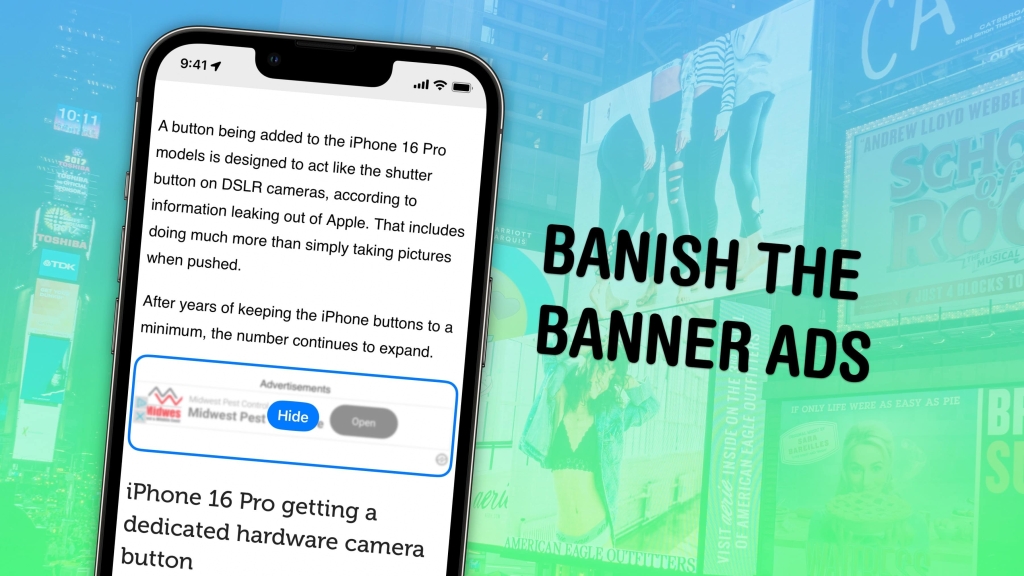
Safari’s New Hide Distracting Items Feature: The Ultimate Ad-Blocking Hack for iPhone Users
Tired of obnoxious ads, pop-ups, and other digital clutter ruining your browsing experience? Apple just dropped a game-changing feature in iOS 18 that’s about to make your iPhone browsing infinitely better. No more jumping through hoops with ad blockers or dealing with pesky subscription prompts—Safari’s built-in Hide Distracting Items feature puts you in complete control.
What Makes This Different from Ad Blockers?
Here’s the thing about traditional ad blockers: they’re great at blocking external ad networks, but they completely miss the mark when websites create their own annoying pop-ups. You know those “Subscribe now!” boxes that appear right when you’re trying to read something? Or those login prompts that won’t go away? Yeah, those slip right through most ad blockers.
Hide Distracting Items is different. It’s like having a digital eraser for anything that bothers you on a webpage. Pop-up asking for your email? Gone. Annoying banner at the bottom? Vanished. That floating share button that follows you everywhere? Poof—Thanos-snapped into oblivion.
How to Unleash This Power on Your iPhone
Ready to transform your browsing experience? Here’s the play-by-play:
First, open Safari and tap that Page Menu button (it’s the little icon to the left of your address bar). Scroll down and look for “Hide Distracting Items.” If it’s not there, don’t panic—just tap the More button (⋯) in the bottom-left, hit Edit in the top-right, and add “+ Hide Distracting Items” to your favorites.
Once activated, you’ll see a magical interface appear. Tap any element you hate—whether it’s an ad, a pop-up, or that weird floating widget—and watch it dissolve into digital dust. You can remove as many elements as you want, then tap Done and enjoy your clean, distraction-free page.
The best part? Your hidden items stay hidden. Reload the page, come back tomorrow, doesn’t matter—Safari remembers what you removed.
Made a Mistake? No Problem
We’ve all been there—you accidentally hide something important and panic sets in. Safari’s got your back. Just open the Page Menu again and tap “Show Hidden Items” to bring everything back. Pages with hidden elements even show a small crossed-out-eye icon in the address bar so you know what you’ve modified.
And if something breaks after you hide an element? There’s a “Report Distraction Control Issue” option that lets you send feedback directly to Apple. They want to know if items can’t be selected, can’t be hidden, or if your edits don’t stick after reloading.
Why This Changes Everything
This isn’t just another feature—it’s a fundamental shift in how we interact with the web. Websites have gotten increasingly aggressive with their monetization strategies, bombarding users with pop-ups, auto-playing videos, and subscription nag boxes. Hide Distracting Items gives that power back to you.
Think about it: no more Reader Mode battles where websites try to block you from seeing content unless you look at their ads. No more third-party ad blockers that might slow down your browsing or miss critical elements. Just pure, clean browsing exactly how you want it.
The feature launched with iOS 18 in February 2025 and got even better with updates through March 2026. It’s part of Apple’s ongoing commitment to user privacy and experience, proving once again that the company that values your attention is the one that lets you control it.
This is the kind of thoughtful, user-first innovation that makes Apple devices feel special. It’s not flashy, but it solves a real problem that millions of people deal with every single day. And now, it’s right there in your pocket, ready to make your browsing experience infinitely better.
#Safari #iOS18 #iPhoneTips #AdBlocking #Apple #TechNews #HideDistractingItems #WebBrowsing #DigitalPrivacy #TechHacks #iPhoneFeatures #SafariTips #iOSTips #TechLifeHacks #CleanBrowsing #DigitalWellness #AppleEcosystem #MobileBrowsing #TechInnovation #UserExperience
“Game-changing Safari feature”
“Thanos-snapped your ads away”
“Digital eraser for web clutter”
“Finally control your browsing experience”
“No more subscription nag boxes”
“Apple’s user-first innovation”
“Transform your iPhone browsing”
“Clean, distraction-free web”
“Put websites in their place”
“The ultimate ad-blocking hack”
“Take back your attention”
“Safari just got smarter”
“iOS 18’s best-kept secret”
“Digital wellness made simple”
“Browser freedom at your fingertips”,


Leave a Reply
Want to join the discussion?Feel free to contribute!