
System-Wide Controls to Block AI Features Come to Firefox 148
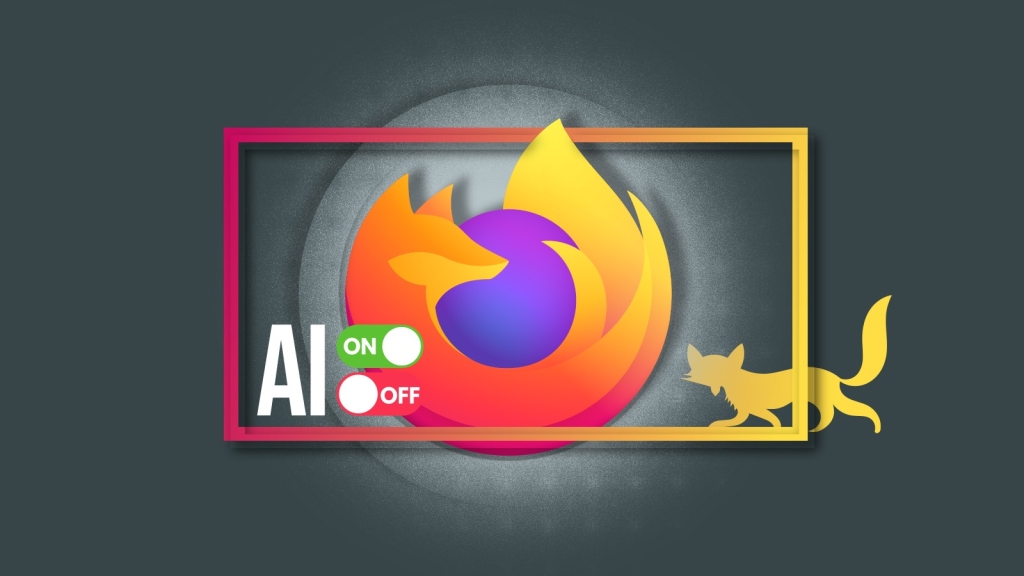
Firefox 148 Unleashes Ultimate AI Control: Block All AI Features with One Click or Fine-Tune Your Experience
The battle between browser innovation and user privacy has reached a new frontier. As artificial intelligence rapidly infiltrates web browsers, users find themselves caught between cutting-edge convenience and creeping digital intrusion. Firefox, long celebrated for its privacy-first philosophy, is making a bold statement with its upcoming release: Firefox 148, scheduled for February 24, 2026.
This update introduces a groundbreaking feature that’s sending shockwaves through the tech community: a centralized AI Controls panel that puts you firmly in the driver’s seat. Whether you’re an AI enthusiast eager to harness every intelligent feature or a privacy advocate determined to keep algorithms at bay, Firefox 148 promises to accommodate your stance with unprecedented granularity.
The AI Integration Dilemma: Convenience vs. Control
Let’s be honest—AI in browsers has been a mixed bag. Firefox has already dipped its toes into the AI waters with features like an AI chatbot nestled in the sidebar, intelligent translation services, and AI-powered tab group suggestions. But here’s the uncomfortable truth: nobody really knows how many users actually utilize these features, or whether they genuinely enhance the browsing experience or simply add digital clutter.
This uncertainty has created a palpable tension. On one side, tech optimists envision AI as the ultimate browsing assistant—anticipating needs, streamlining workflows, and making the internet more accessible. On the other, privacy purists view AI integration as an invasive force, quietly harvesting data and subtly manipulating user behavior.
Mozilla seems to have heard both sides loud and clear.
The Game-Changing “Block AI Enhancements” Toggle
The headline feature of Firefox 148 is nothing short of revolutionary: a single, powerful toggle switch labeled “Block AI enhancements” that gives users the nuclear option. When activated, this master control instantly disables all current and future generative AI features across the entire browser.
Think about that for a moment. With one click, you can transform Firefox from an AI-enhanced powerhouse back into a lean, mean, traditional browsing machine. No more AI-generated prompts, no more algorithmic suggestions, no more machine learning quietly working in the background. It’s browsing in its purest form—just you and the web, without any artificial intermediaries.
This isn’t just a feature; it’s a statement. Mozilla is essentially saying, “We trust you to decide what’s best for your browsing experience.” In an era where tech companies often make unilateral decisions about user experience, this level of respect for user autonomy is refreshingly radical.
Granular Control for the Discerning User
But Mozilla didn’t stop at the nuclear option. For users who want to walk the middle path—embracing some AI features while rejecting others—Firefox 148 offers surgical precision.
The per-feature controls launching with this update include:
- AI-powered translations: Break down language barriers with machine learning that understands context and nuance
- Automatic alt text generation for images in PDFs: Making documents more accessible with AI-generated descriptions
- AI-assisted tab grouping: Let algorithms organize your digital chaos into logical clusters
- Link previews: Get intelligent snapshots of where hyperlinks will take you
- Optional AI chatbot in the sidebar: Access multiple AI providers including Claude, ChatGPT, Copilot, Gemini, and Le Chat Mistral
Each of these features can be toggled on or off independently, giving you complete control over your AI exposure. Want translations but nothing else? Done. Prefer the chatbot but hate automatic tab grouping? Easy. The power is literally at your fingertips.
Settings That Stick: No More Reconfiguration Headaches
One of the most frustrating aspects of browser updates has always been losing your carefully curated settings. Firefox 148 addresses this pain point head-on by ensuring that AI preferences persist across browser updates.
This means once you’ve configured your ideal AI environment—whether that’s fully enabled, partially enabled, or completely disabled—those settings will remain intact even after upgrading to future versions. No more hunting through menus after every update to restore your preferred configuration. Your choices, your rules, permanently.
The Bigger Picture: Firefox’s Privacy-First Evolution
This move by Mozilla represents something larger than just another browser update. It’s a philosophical stance in the ongoing debate about technology’s role in our lives.
By offering such comprehensive AI controls, Firefox is positioning itself as the browser for users who value autonomy over automation. In a market where competitors like Chrome and Edge increasingly bake AI features deeper into their core functionality, Firefox is carving out a unique identity: the browser that works for you, not the other way around.
The timing is particularly significant. As AI capabilities accelerate at breakneck speed, concerns about privacy, data harvesting, and algorithmic manipulation have reached a fever pitch. Mozilla’s approach acknowledges these concerns while still offering the benefits of AI to those who want them—a delicate balance that could prove to be a major differentiator in the browser wars.
What This Means for You
Whether you’re a developer, a casual user, or somewhere in between, Firefox 148’s AI Controls represent a significant shift in how we interact with technology. Here’s what you need to know:
- Privacy advocates get exactly what they’ve been demanding: complete control over AI integration
- Tech enthusiasts can cherry-pick the AI features that genuinely improve their workflow
- Everyone else gets a browser that respects their choices without making assumptions
The update essentially future-proofs your browsing experience. As AI technology evolves and new features emerge, you’ll have the tools to embrace or reject them on your own terms.
Looking Ahead: The Future of Browser AI
Firefox 148’s AI Controls set a new standard for user agency in software design. It raises an interesting question: will other browsers follow suit with similar granular controls, or will they continue down the path of deeper AI integration?
Whatever happens, Mozilla has made a bold bet that users want more control, not less. The success of Firefox 148 could influence how AI is integrated across all software platforms, not just browsers.
Release Date and Availability
Mark your calendars: Firefox 148 arrives on February 24, 2026. The update will be available across desktop platforms, bringing these revolutionary AI Controls to millions of users worldwide.
For those eager to learn more about the technical details and Mozilla’s vision, the company has published a comprehensive announcement on their official blog.
In a world where technology increasingly makes decisions for us, Firefox 148 reminds us that the most powerful AI might just be the human intelligence choosing how to use it.
Tags: Firefox 148, AI Controls, Mozilla, browser privacy, disable AI, AI toggle, Firefox update, February 2026, browser features, AI chatbot, translation AI, tab grouping, link previews, browser settings, privacy browser, Firefox AI, Block AI enhancements, generative AI, browser customization, tech news
Viral Phrases: “One click to rule them all,” “AI on/off switch revolution,” “Firefox gives you the power,” “Privacy-first browsing reborn,” “The nuclear option for AI,” “Browser autonomy at its finest,” “Mozilla’s bold AI statement,” “Take back control of your browser,” “The future of browsing is in your hands,” “AI integration done right”
,


Leave a Reply
Want to join the discussion?Feel free to contribute!