
The best Wi-Fi extenders in 2026
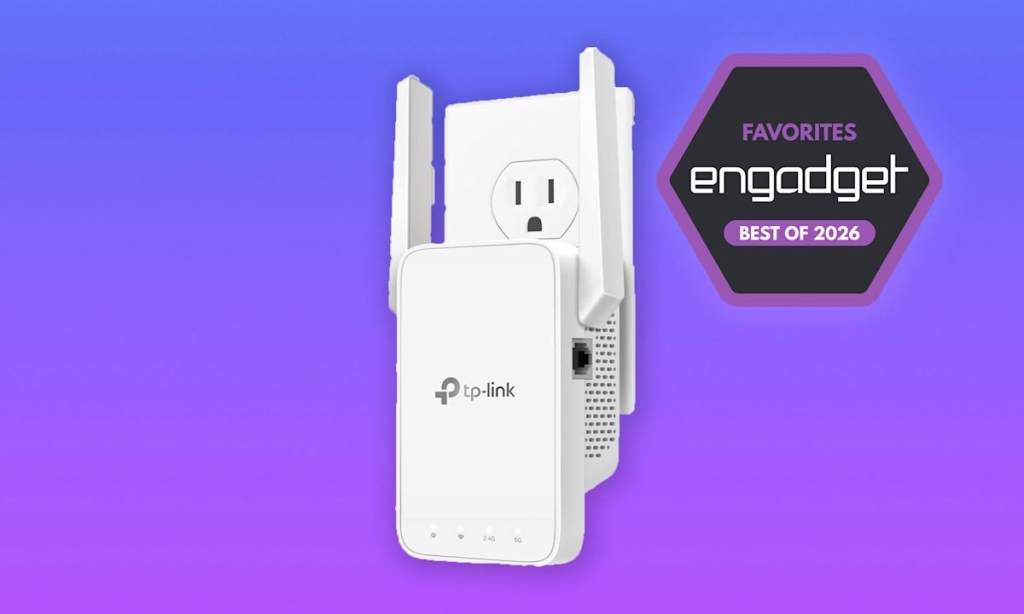
Wi-Fi Extenders: Your Secret Weapon Against Dead Zones in 2026
If you’ve ever experienced the frustration of a Zoom call freezing mid-sentence or your Netflix stream buffering just when things get good, you’re not alone. Weak Wi-Fi is the silent killer of productivity and entertainment in modern homes. But before you rip out your walls to run new Ethernet cables or blow your budget on a full mesh system, there’s a simpler solution that’s been quietly getting better every year: the Wi-Fi extender.
Today’s extenders have evolved far beyond the clunky, single-band repeaters of yesteryear. Modern models now offer Wi-Fi 6 support, dual-band connectivity, and even mesh-like seamless roaming—all without requiring you to become your own IT technician. Whether you’re trying to get signal to that back bedroom, your basement office, or your backyard patio, there’s an extender that can help.
After extensive testing across different home layouts, internet plans, and usage scenarios, we’ve identified the best options for every budget and need. From budget-friendly fixes for small dead zones to premium models that can handle the demands of a smart home, these are the extenders worth your money in 2026.
Best Wi-Fi Extender for 2026: TP-Link AX3000 Dual-Band Wi-Fi 6 Range Extender (RE705X)
When it comes to balancing performance, features, and value, TP-Link’s AX3000 series stands out as the smart choice for most households. This extender delivers Wi-Fi 6 speeds up to 2402 Mbps on the 5GHz band and 574 Mbps on 2.4GHz, covering up to 110 feet of range with its dual external antennas.
What makes the RE705X particularly compelling is its combination of next-gen Wi-Fi 6 support and practical design. The pull-out antennas on either side allow for better signal direction, while the companion Tether app makes setup and management genuinely painless—we’re talking five minutes from unboxing to full functionality.
The real magic happens when you consider OneMesh compatibility. If you have a TP-Link OneMesh router, this extender can create a single, seamless network rather than forcing you to manually switch between networks as you move through your home. That means no more “why did my video call drop when I walked upstairs?” moments.
At $130, it’s not the cheapest option, but for the performance, coverage, and future-proofing you get, it’s worth every penny for anyone dealing with more than just a tiny dead spot.
Best Budget Option: TP-Link AC1200 Wi-Fi Extender (RE315)
Not everyone needs Wi-Fi 6 or premium features, and that’s where the RE315 shines. At around $20-$30 (often on sale), this extender delivers solid dual-band performance with speeds up to 867 Mbps on 5GHz and 300 Mbps on 2.4GHz, covering up to 1,500 square feet.
The setup process is identical to TP-Link’s higher-end models—plug it in, follow the app instructions, and you’re done. While it lacks Wi-Fi 6 support and has more limited coverage, it’s perfect for renters, small apartments, or anyone who just needs to fix one stubborn dead zone without breaking the bank.
The RE315 also supports OneMesh, so if you ever upgrade to a compatible TP-Link router, you won’t be locked out of that seamless networking experience.
Best Premium Option: Netgear Nighthawk Wi-Fi 6 Mesh Range Extender (EAX80)
For those who want the absolute best and don’t mind paying for it, Netgear’s EAX80 is in a league of its own. This $219 powerhouse offers Wi-Fi 6 speeds up to 4800 Mbps, covers up to 2,500 square feet, and supports over 30 simultaneous devices.
What truly sets the EAX80 apart is its “seamless smart roaming” feature. Unlike traditional extenders that create separate networks, this model allows you to use your existing SSID name throughout your home. Walk from your living room to your basement, and your devices automatically connect to the strongest signal without any manual switching.
The standalone design (rather than a wall-plug) gives you more flexibility in placement, and the four Gigabit Ethernet ports plus USB-A connection make it perfect for hardwired devices like gaming consoles, smart TVs, or office equipment.
If you’re building a high-performance home network and want extender-level convenience with mesh-level intelligence, the EAX80 delivers.
How Do Wi-Fi Extenders Work?
Wi-Fi extenders are the middle ground between doing nothing about dead zones and completely overhauling your home network. These devices plug into standard AC outlets and connect wirelessly to your existing router, then rebroadcast that signal to areas your router can’t reach effectively.
The typical setup involves placing the extender about halfway between your router and the dead zone you’re trying to fix. This positioning ensures the extender can still receive a strong signal from your router while having enough power to rebroadcast it effectively to the problem area.
Most extenders create a new Wi-Fi network with a slightly different name (often your original network name with “EXT” appended). This means you’ll need to manually switch between networks as you move around your home—a small inconvenience that many users find manageable, especially compared to having no signal at all.
What to Look For in a Wi-Fi Extender
Speed and Wi-Fi Standard
Modern extenders support various Wi-Fi standards, from older 802.11ac to the latest Wi-Fi 6 and Wi-Fi 7. Higher numbers generally mean faster speeds and better performance with multiple devices. However, remember that extenders don’t boost your internet speed—they extend coverage. You might actually see slightly slower speeds on the extended network compared to your main router, but the trade-off is coverage where you previously had none.
Range and Device Support
Coverage area is crucial. Small apartments might only need 1,000 square feet of coverage, while larger homes could require 2,000+ square feet. Similarly, consider how many devices you’ll connect. A household with just phones and laptops has different needs than one with dozens of smart home devices, gaming consoles, and streaming boxes.
Design and Features
Most extenders follow the same basic wall-plug design, but some offer standalone configurations for more placement flexibility. Look for features like Ethernet ports for wired connections, external antennas for better signal direction, and companion apps that make setup and management easier.
Mesh Compatibility
If you think you might upgrade to a mesh system eventually, look for extenders that support seamless roaming or are compatible with specific mesh ecosystems. This future-proofs your investment and can save you from having to replace everything later.
Wi-Fi Extender FAQs
What’s the difference between a Wi-Fi booster and extender?
These terms are essentially interchangeable today. Historically, “boosters” might have referred to devices that amplified signals, while “extenders” rebroadcasted them, but modern marketing uses both terms for the same type of device.
Is a Wi-Fi extender better than a mesh router?
It depends on your needs and budget. Mesh systems provide superior coverage and seamless roaming but cost significantly more and require more setup. Extenders are cheaper, easier to install, and perfect for fixing specific problem areas without overhauling your entire network.
Should I use multiple Wi-Fi extenders?
While possible, using multiple extenders can create interference and complexity. If you need whole-home coverage, a mesh system might be more cost-effective and provide better performance than daisy-chaining several extenders.
What is the maximum distance for a Wi-Fi extender?
Most consumer extenders effectively cover 800 to 2,500 square feet, though real-world performance depends heavily on your home’s construction, interference from other devices, and placement. Always check manufacturer specifications and consider your specific environment.
Viral Tags & Phrases
-
WiFiDeadZoneKiller
-
NoMoreBuffering
-
InternetForAllRooms
-
MeshWithoutThePrice
-
5MinuteSetup
-
WiFi6OnABudget
-
WholeHomeCoverage
-
TechUpgrade2026
-
SmartHomeReady
-
GamingWithoutLag
-
StreamingSolved
-
DIYNetworkFix
-
BudgetFriendlyTech
-
FutureProofYourWiFi
-
HomeOfficeEssential
-
PartyModeWiFi
-
BackyardInternet
-
BasementCoverage
-
WiFiEverywhere
-
NetworkNinja
Whether you’re a remote worker battling basement signal issues, a gamer tired of lag spikes, or just someone who wants reliable internet in every corner of their home, there’s a Wi-Fi extender that can solve your problem without requiring a networking degree or a second mortgage. The key is matching the right features to your specific needs—and maybe, just maybe, finally saying goodbye to those frustrating dead zones for good.
,


Leave a Reply
Want to join the discussion?Feel free to contribute!