
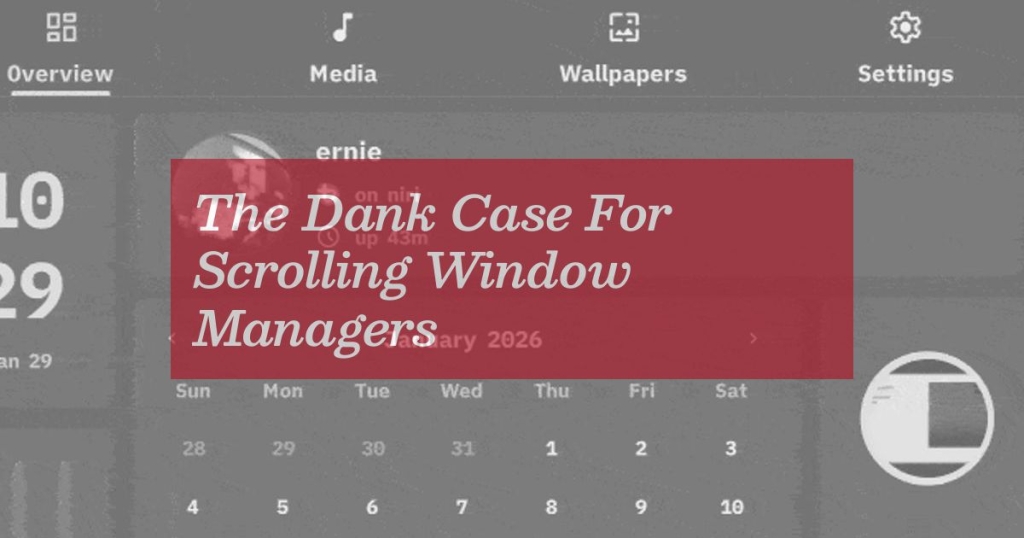
The Dank Case For Scrolling Window Managers
The Linux Desktop Revolution You Didn’t See Coming: How Niri and DankMaterialShell Are Making Scrolling Windows the New Normal
For years, the holy grail of window management has been a heated debate between tiling purists and those who simply wanted their windows to behave. But what if I told you the future isn’t about rigidly arranged tiles or floating chaos—it’s about scrolling windows that glide like butter with every keystroke?
Let me take you on a journey through the evolution of desktop interfaces, from PaperWM’s quiet revolution to Niri’s meteoric rise, and why DankMaterialShell might just be the most exciting thing to happen to Linux desktops since the invention of the terminal.
The PaperWM Prophecy: When Scrolling Windows Were Just a Dream
Back when everyone was losing their minds over tiling window managers, I was over here whispering about PaperWM—perhaps the most criminally underrated GNOME extension of all time. Imagine swiping between virtual desktops on Windows or macOS, except you can do it on every single window, slideshow-style. It was the best of both worlds: mouse-friendly navigation with keyboard efficiency.
PaperWM wasn’t just good; it was revolutionary. So revolutionary that someone actually built a MacOS version because the concept was too good to stay Linux-exclusive. The interface innovation was so clean, so intuitive, that it proved the concept could work anywhere.
But there was a catch: GNOME’s baggage.
GNOME is like that friend who means well but always brings too much luggage on a weekend trip. It’s mature, complex, and makes decisions for you that sometimes feel like your overly helpful aunt rearranging your furniture while you’re at work. Retrofitting PaperWM onto this foundation meant compromises—good ones, but compromises nonetheless.
Enter Niri: The Wayland Wonder Child
While PaperWM was busy proving the concept, Niri was quietly building the future. Born less than three years ago (Hyprland, its closest competitor, is about four), Niri has been doubling its GitHub star count every six months. This isn’t just growth; this is exponential adoption.
Built around Wayland, Niri is essentially a window management kit. You supply the parts through config files, which means if you love customization, you’ve found your soulmate. If you just want to get work done without becoming a part-time system administrator, well… welcome to the club of people who wish computers were simpler.
This gap—between power users who want to build everything from scratch and normies who just want stuff that works—is why projects like Omarchy exist. People want lightweight customizability without the setup headache.
DankMaterialShell: The Desktop That Builds Itself
This is where Dank Linux enters the chat, and honestly, it’s the most exciting thing to happen to desktop Linux since Ubuntu made installation not require a computer science degree.
Pitched as a “modern desktop for Wayland,” Dank Linux is essentially batteries-included for Niri and other Wayland window managers. The star of the show is DankMaterialShell, which takes the Material Design approach and bakes it into a cohesive, ready-to-use interface.
Here’s the genius: instead of cobbling together loose tools like waybar or rofi with a “best-in-breed” approach, DankMaterialShell comes with everything you need already integrated. It’s highly extensible through config files (because of course it is—this is Linux), but unlike Omarchy, it’s not prescriptive. You’re not stuck with someone’s opinion of what your desktop should look like forever.
Don’t like borders or gaps around your windows? Just remove them. The system respects your choices because it’s built around Quickshell, a toolkit that’s become incredibly popular in the Linux modding community.
The Feature Explosion: DMS 1.2 Changes Everything
When I say DankMaterialShell is feature-rich, I’m not exaggerating. DMS 1.2 dropped with literally dozens of new features, and this tool is only about six months old. It already has a screenshot tool, numerous plugins, and a robust theming system. The momentum is undeniable.
But wait, there’s more! The Dank Linux team offers optional utilities like DGOP (system overview tool) and dsearch (a Spotlight-like file tool) that make the experience surprisingly polished. We’re talking about software that feels cohesive, modern, and—dare I say it—almost Apple-like in its attention to user experience.
The Bazzite Connection: When Communities Collide
Here’s where the story gets interesting. I use Bazzite, a very popular Linux distro, but Dank Linux wasn’t officially supported. After expressing interest and doing some off-label testing, one of the creators of Zirconium (a Dank Linux distro for Fedora) reached out. They were already working on a “quick and dirty” image to get Bazzite working with Zirconium.
They even created a Bazzite DX version for me, so I could easily access my Docker containers. This is the beauty of the Linux community—when you express interest in something, people will literally build custom versions just for you.
Universal Blue, the framework behind Bazzite, allows you to make custom builds easily. You can even roll back to other versions and switch between different builds at will. Having a GNOME day? Switch to that image. Feeling experimental? Load up the scrolling windows.
The Reality Check: It’s Not Perfect (Yet)
Let’s be honest—running experimental software means dealing with experimental bugs. I found that turning variable refresh rate on for my laptop screen caused my external monitors to drag. Running a “quick and dirty” build naturally means you’re going to run into some quick-and-dirty bugs.
I ran into some audio issues while playing Balatro on the experimental distro. Not the end of the world—I signed up for this! You can retrofit this setup (albeit with common engine-swapping issues like broken keyrings), but I think the real magic might be starting fresh with it. Load it up on a new machine, set up your config to your liking, and get sliding.
The Bigger Picture: Why This Matters
This isn’t just about scrolling windows or pretty interfaces. This is about the democratization of powerful computing. We’re seeing a combination of sophisticated users and sophisticated tools creating something that’s highly flexible, highly customizable, bleeding edge, yet somewhat approachable to normal people.
Think about it: 40 years ago, graphical interfaces for Linux and Unix variants started with similar philosophies. Now, we’re seeing a comeback because the tools have evolved, but the core philosophy remains the same—power to the user.
Niri and DankMaterialShell represent something bigger than just another window manager. They represent a shift in how we think about desktop computing. Instead of choosing between the rigid structure of tiling managers and the chaos of floating windows, we’re getting something that combines the best of both worlds.
The Verdict: Is It Dank Enough?
After weeks of testing, tweaking, and occasionally cursing at config files, I can confidently say: yes, this is dank. Not just because of the scrolling windows (though those are amazing), but because of what this represents for the future of desktop Linux.
We’re getting closer to that sweet spot where power users get their customization and normies get something that just works. The gap is closing, and projects like Niri and DankMaterialShell are leading the charge.
So if you’re tired of choosing between “works out of the box” and “completely customizable,” maybe it’s time to give this a shot. Load it up on a spare machine, play around with the settings, and experience what might be the most exciting evolution in desktop computing since the invention of the taskbar.
Tags: #Linux #Wayland #Niri #DankLinux #DankMaterialShell #PaperWM #WindowManagement #DesktopEnvironment #OpenSource #GNOME #Hyprland #Sway #MaterialDesign #Quickshell #Bazzite #UniversalBlue #Zirconium #ScrollingWindows #UXDesign #TechInnovation #LinuxDesktop #Customizability #ModernComputing
Viral Phrases: “scrolling windows that glide like butter”, “the best of both worlds”, “revolutionizing desktop computing”, “batteries-included for Linux”, “power to the user”, “the gap is closing”, “dank enough for you”, “the future of desktop Linux”, “experiencing the evolution”, “customization without the headache”, “the sweet spot of computing”
,


Leave a Reply
Want to join the discussion?Feel free to contribute!