
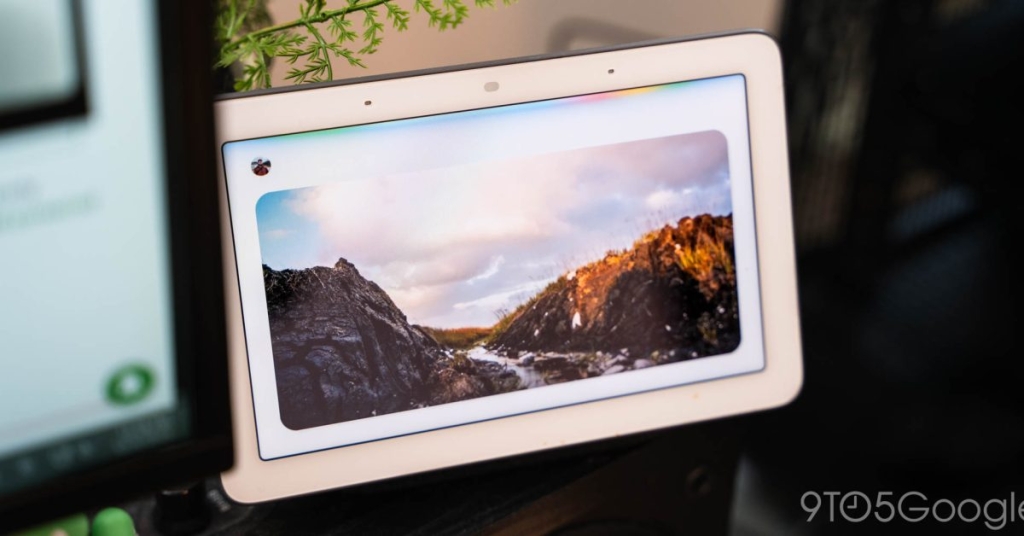
The Gemini for Home voice assistant is now more concise, faster
Google’s Gemini for Home Just Got a Massive Upgrade—Here’s What’s New
If you’re one of the millions of people who rely on Google’s smart home ecosystem, you’re going to want to sit down for this. Google has just rolled out its second major update to Gemini for Home this month, and it’s packed with features that are about to make your life a whole lot easier. From faster voice commands to smarter automation, this update is a game-changer. Let’s dive into all the juicy details.
Voice Assistant: Faster, Smarter, and More Efficient
Google has been listening to user feedback, and it shows. The Gemini for Home voice assistant is now 40% faster when executing everyday commands like “Turn on the lights.” That’s right—no more awkward pauses or waiting for your smart home to catch up. But that’s just the beginning.
Less Chatter, More Action
Gone are the days of verbose responses. Instead of hearing, “Alright, I’ve created an alarm for 9 AM,” Gemini will now simply say, “Alarm set for 9 AM.” It’s a small change, but it makes interactions feel more natural and efficient.
Alarms & Timers: Smarter Than Ever
Google has completely overhauled how alarms and timers work. Here’s what’s new:
- Worldly Alarms: Ask Gemini to set an alarm for the start of the FIFA World Cup, and it’ll handle the rest. No more manual calculations or time zone confusion.
- Timer Transparency: Want to know how much time is left on your timer and when it started? Just ask, “What was the original time of my timer and how much time is left?”
- Multi-Command Magic: You can now chain commands together. For example, say, “Cancel my timer, then set a new one,” and Gemini will handle it seamlessly.
- Recurring Alarms: Fixed! You can now set recurring alarms like, “Wake me up on weekdays at 7 AM.”
- Snooze Made Easy: Need a few more minutes of sleep? Just say, “Snooze until 10 AM.”
Calendar Events: Double the Fun
Creating multiple calendar events with the same details is now a breeze. For instance, you can create a lunch event and then say, “Can you create another one for the following week?” Gemini will take care of it instantly.
Weather and News: Localized and Relevant
Gemini is now better at detecting local weather units and providing more relevant local news responses. Whether you’re in New York or New Delhi, you’ll get information that’s tailored to your location.
Expanding Horizons: Canada Gets Early Access
In a big move, Google is expanding Gemini for Home’s Early Access to all of Canada, complete with Canadian French support. This marks the first international expansion of the voice assistant, and it’s a huge step forward for Google’s smart home ambitions.
Gemini Live’s Translation Mode: Lightning Fast
If you’re a multilingual household, you’ll love this. Gemini Live’s Translation mode is now “significantly quicker” and supports 30 languages, including Arabic, Chinese, French, German, Hindi, Japanese, Spanish, and more. It’s like having a personal translator in your pocket.
Google Home App: More Features, More Countries
The Google Home app is also getting a major boost. Features like Ask Home, Home Brief, Help me create, and Gemini for Home camera are now available in even more countries, including Austria, Belgium, Denmark, Finland, France, Germany, Italy, Japan, Mexico, Netherlands, Norway, Spain, Sweden, and Switzerland. This global expansion is a clear sign that Google is serious about making its smart home ecosystem accessible to everyone.
Automation Editor: New Starters, Conditions, and Actions
If you’re a fan of automation, you’re in for a treat. Google has added new starters, conditions, and actions to the automation editor, making it more powerful than ever.
New Starters/Conditions
- Oven Status: You can now trigger automations based on your oven’s status. For example, “When the oven is running…” or “When the oven has an error…”
New Actions
- Weather Announcements: Gemini can now announce tomorrow’s weather, so you’re always prepared.
- Smart Bulb Wake Effects: Start your day with a gentle wake-up light. For example, “…start my wake light effects for my bedroom light at 7 AM.”
- Smart Bulb Pulse Effects: Add some flair to your home with pulsing lights. For example, “…pulse the living room light for one minute.”
- Smart Bulb Sleep Effects: Wind down with a calming sleep light. For example, “…start sleep light effect in kid’s room for 10 minutes.”
Why This Matters
Google’s latest update to Gemini for Home isn’t just about adding new features—it’s about making your smart home experience smoother, faster, and more intuitive. Whether you’re a tech enthusiast or just someone who wants their lights to turn on without a hassle, these updates are designed to make your life easier.
And let’s not forget the global expansion. By bringing Gemini for Home to more countries and languages, Google is making its smart home ecosystem more inclusive and accessible than ever before.
Tags & Viral Phrases
- Google Gemini for Home
- Smart home upgrade
- Voice assistant improvements
- 40% faster commands
- Global expansion
- Smart bulb automation
- Canadian French support
- 30-language translation
- Oven automation
- Weather announcements
- Smart home 2.0
- Google’s AI revolution
- Home automation made easy
- The future of smart living
- Tech innovation at its finest
This update is a clear sign that Google is doubling down on its smart home ambitions. Whether you’re a long-time user or new to the ecosystem, there’s never been a better time to dive into the world of Gemini for Home. So, what are you waiting for? Go ahead and give it a try—you won’t be disappointed.
,

Leave a Reply
Want to join the discussion?Feel free to contribute!