
The humble Windows NotePad might finally get image support
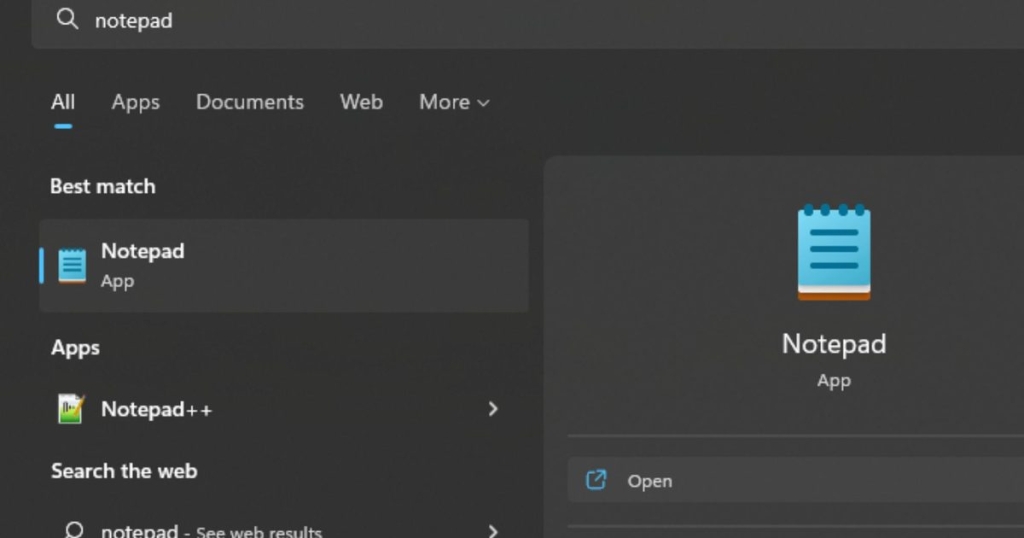
Microsoft’s Notepad Is About to Get a Major Upgrade: Full Image Support Coming to Windows 11
In a surprising yet strategic move, Microsoft is preparing to transform its iconic Notepad application into a more versatile and visually engaging tool. According to recent reports from Windows Latest, internal testing on Windows 11 reveals that the classic text editor is gaining full image support, marking one of the most significant updates in Notepad’s decades-long history.
For years, Notepad has been the go-to application for quick, no-frills text editing. Its simplicity and lightweight nature made it a staple for developers, writers, and casual users alike. However, Microsoft has been quietly evolving Notepad into a more modern and feature-rich application, and the addition of image support is the latest step in this transformation.
The Evolution of Notepad: From Plain Text to Rich Features
Notepad’s journey from a basic text editor to a more capable tool has been gradual but impactful. Over the past few years, Microsoft has introduced several enhancements to Notepad, including:
- Autosave: Automatically saves your work to prevent data loss.
- Undo History: Allows users to revert changes and recover previous versions of their notes.
- Markdown Support: Enables basic text formatting, such as bold, italics, and hyperlinks.
- AI-Powered Summarization: Automatically generates summaries of your notes.
- Spell Check and Autocorrect: Helps users write error-free text.
These updates have already positioned Notepad as a more competitive alternative to other note-taking apps. However, the addition of image support takes its capabilities to a whole new level.
Why Image Support Matters
The decision to add image support to Notepad is not just about adding a flashy new feature. It’s a strategic move that addresses a growing need for integrated, all-in-one tools. With the removal of WordPad from Windows, Microsoft has left a gap in its suite of built-in applications. WordPad, which could handle rich text and images, was often used for simple document creation. By enhancing Notepad with image support, Microsoft is effectively filling this void.
Imagine being able to jot down ideas, insert relevant images, and format your notes—all within the same application. This functionality brings Notepad closer to apps like Apple’s Notes or Google Keep, which have long offered a combination of text and visual elements. For users who rely on quick, on-the-fly note-taking, this update could be a game-changer.
How It Will Work
According to Windows Latest, the image support feature is currently being tested in internal builds of Windows 11. While details are still scarce, it’s expected that users will be able to insert images directly into their Notepad documents. The feature will likely be part of Notepad’s extended formatting options, giving users the flexibility to enable or disable it based on their preferences.
For those who prefer the classic text-only experience, Microsoft has confirmed that the image support feature can be turned off in the Settings menu. This ensures that Notepad remains true to its roots while offering enhanced functionality for those who need it.
The Risks of Over-Engineering
While the addition of image support is exciting, it also raises questions about the future direction of Notepad. One of the app’s biggest strengths has always been its simplicity. By adding too many features, Microsoft risks diluting what made Notepad appealing in the first place.
There’s also the concern that Notepad could start to overlap with more complex applications like Microsoft OneNote or even Word. If Notepad becomes too feature-rich, it might lose its identity as a lightweight, no-nonsense text editor. Striking the right balance between functionality and simplicity will be key to its success.
A Broader Trend in Built-In Apps
Notepad’s evolution is part of a larger trend in how tech companies are reimagining their built-in applications. As users demand more from their devices, companies like Microsoft are under pressure to deliver tools that are both powerful and easy to use. By enhancing Notepad, Microsoft is ensuring that its built-in apps remain relevant in an increasingly competitive landscape.
If image support rolls out widely, Notepad could become a more flexible space for jotting down ideas, links, and pictures all in one place. This would make it a more attractive option for users who want a quick and easy way to organize their thoughts without switching between multiple apps.
What’s Next for Notepad?
The addition of image support is just the beginning. With Microsoft’s track record of continuous improvement, it’s likely that Notepad will see even more enhancements in the future. Whether it’s advanced formatting options, cloud integration, or collaboration features, the possibilities are endless.
For now, users can look forward to a more capable Notepad that bridges the gap between simplicity and functionality. Whether you’re a developer, a student, or just someone who loves taking notes, this update is sure to make your life a little easier.
Tags: Microsoft, Notepad, Windows 11, image support, text editor, rich text, WordPad, Markdown, AI-powered features, spell check, autocorrect, note-taking, built-in apps, tech news, software update, Windows Latest, Apple Notes, Google Keep, OneNote, simplicity, functionality, innovation, Microsoft 365, Windows ecosystem.
,

Leave a Reply
Want to join the discussion?Feel free to contribute!