
Two of the best Steam Frame features are available for the Galaxy XR right now, and I’m loving what they’re doing for my gaming performance
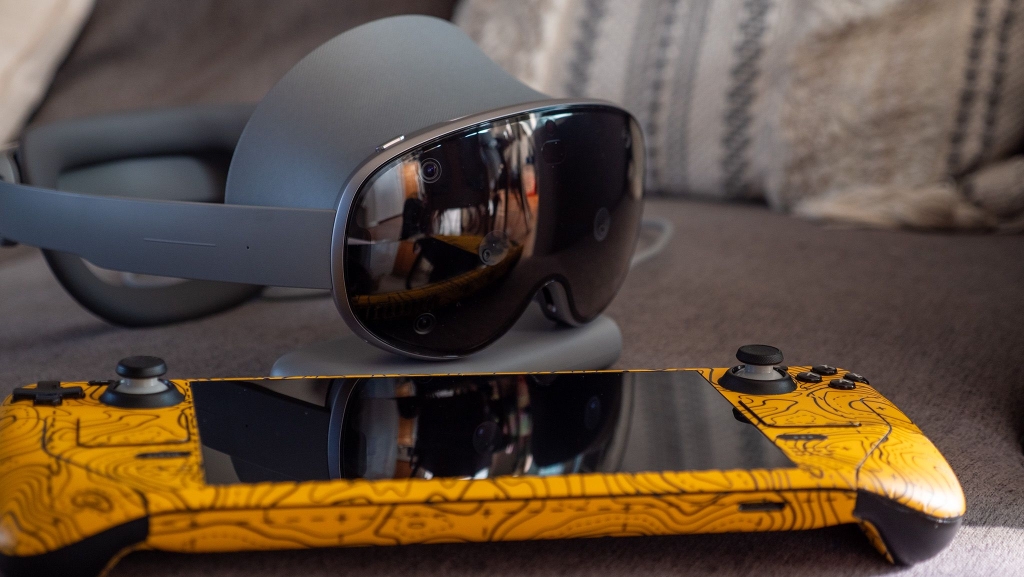
Samsung Galaxy XR Gets a Major Upgrade: Virtual Desktop’s Foveated Streaming Transforms the VR Experience
The Samsung Galaxy XR headset has quickly become my favorite device for multitasking, offering a seamless way to run Android apps in a larger, more immersive format than my phone or tablet. While it’s marketed for entertainment like watching MLB, NBA games, and the Olympics, I’ve found it to be a versatile tool for productivity. But what if you want to go bigger? Streaming your desktop PC to the Galaxy XR has always been a challenge, with Samsung’s official app requiring a GalaxyBook laptop—a device most people don’t own—and the Android XR PC Connect app being frustratingly slow and laggy.
That’s where third-party solutions like Virtual Desktop come in. This app, which has been around since 2016, has evolved to support wireless headsets and offers a game-changing feature: foveated streaming. This technology, combined with the Galaxy XR’s eye-tracking capabilities, delivers sharper visuals and smoother performance, making it the best utility you can buy for your headset.
How Foveated Streaming Changes the Game
Foveated streaming works by prioritizing high-quality visuals in the center of your vision—where your eyes are focused—while reducing the quality of peripheral areas. This not only enhances clarity but also reduces bandwidth usage, resulting in smoother gameplay and less strain on your home network. It’s a feature that was expected to debut with Valve’s upcoming Steam Frame headset, but Virtual Desktop’s latest update (version 1.34.16) brings it to existing headsets like the Galaxy XR, Meta Quest Pro, and others with eye tracking.
Activating foveated streaming is simple: start a Virtual Desktop session, open the menu, navigate to Streaming, and enable Foveated Streaming. From there, the app handles everything automatically, though you can tweak settings like bitrate and graphical quality if desired.
Boosting Wireless Streaming Performance
For those struggling with laggy or low-quality wireless streaming, the PrismXR Puppis S1 Lite is a game-changer. This specialized router creates a dedicated wireless network for your VR headset, ensuring low-latency, high-quality streaming. Priced at just $50, it’s a fraction of the cost of Valve’s Steam Frame and works with any VR headset, including the Galaxy XR and Meta Quest 3.
Setting up the Puppis S1 Lite is straightforward: plug it in, connect it to your router and PC, and use the PrismXR PC app to configure settings. The app even includes a one-tap scan utility to optimize your wireless signal, making it easier than ever to enjoy lag-free VR gaming.
Why This Matters
The combination of Virtual Desktop’s foveated streaming and the PrismXR Puppis S1 Lite transforms the Galaxy XR into a powerhouse for PC VR gaming. Whether you’re streaming games from Steam or other platforms, you’ll experience sharper visuals, smoother performance, and a more immersive experience. And for those who don’t want to wait for Valve’s Steam Frame, these solutions offer a way to upgrade your existing headset right now.
The future of VR is here, and it’s more accessible than ever. With tools like Virtual Desktop and the PrismXR Puppis S1 Lite, the Samsung Galaxy XR is no longer just a headset—it’s a gateway to a whole new level of gaming and productivity.
Tags: Samsung Galaxy XR, Virtual Desktop, foveated streaming, PC VR gaming, Meta Quest Pro, Steam Frame, PrismXR Puppis S1 Lite, wireless streaming, eye tracking, VR headset, Android XR, gaming, productivity, immersive experience, low-latency, high-quality visuals, multitasking, third-party apps, VR technology, gaming accessories, home network optimization, SteamVR, PC gaming, VR accessories, wireless router, VR streaming, gaming setup, VR upgrade, gaming performance, VR innovation, VR ecosystem.
,


Leave a Reply
Want to join the discussion?Feel free to contribute!