
Vibe coding an iPhone app: Here’s what actually works
How I Built a Full-Fledged iPhone App with Zero Coding Experience—and You Can Too
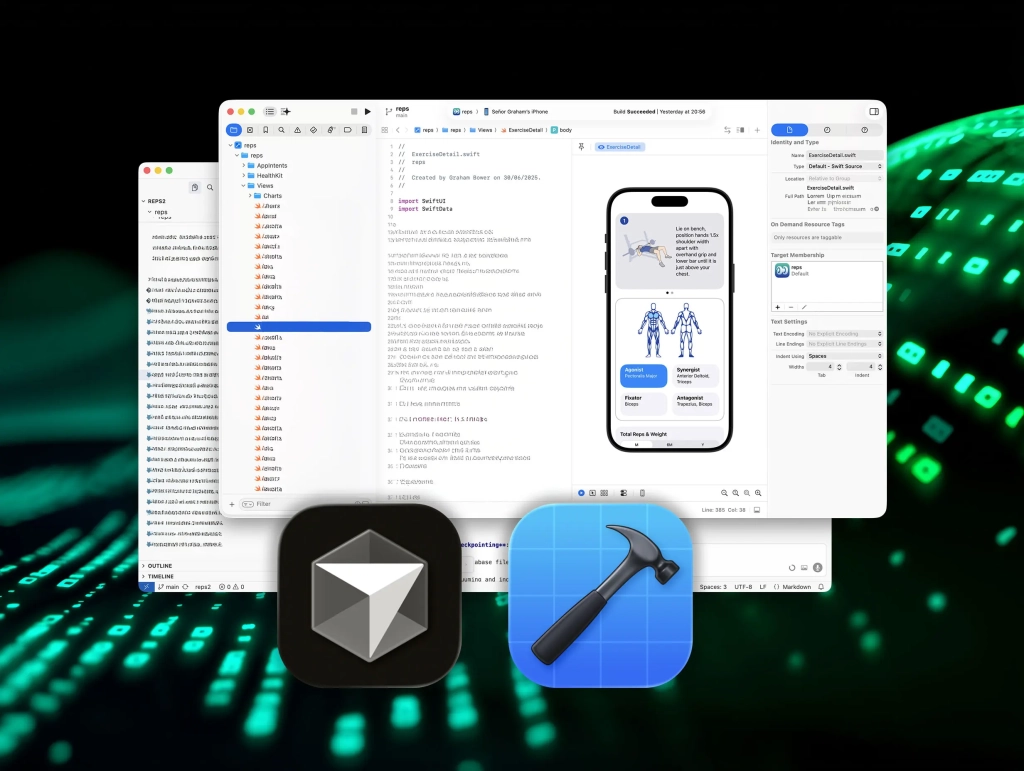
A year ago, I couldn’t write a single line of Swift code. Today, I’ve shipped a fully-fledged strength training app called Reps & Sets on the App Store, built entirely with AI coding tools. This isn’t just a prototype—it’s a polished, native iOS app that works seamlessly on iPhone, iPad, and Apple Watch.
The secret? Vibe coding—a revolutionary approach that lets you create apps by describing what you want in plain language, while AI generates the code for you. But here’s the thing: most people get vibe coding wrong. They think it’s just for messing around or building quick prototypes. It’s not. Used properly, it’s a masterable skill that’s now more accessible than ever thanks to tools like Cursor and Apple’s new Coding Assistant in Xcode.
So, if you’ve ever dreamed of building your own app but thought coding was out of reach, here are the 10 game-changing lessons I learned the hard way—lessons that prove you don’t need to be a developer to ship a real app.
1. Do Your Homework (Even If You’re Not Coding)
You don’t need to be a programmer to use AI coding tools, but you do need to understand what’s happening behind the scenes. Before I started, I spent a few hours in Apple’s free Swift Playgrounds tutorials and binged WWDC sessions to understand how iOS apps are structured. Think of it like watching football—you don’t have to play the game, but if you don’t know the rules, you won’t understand what’s happening on the field.
2. Think in Big Chunks and Small Chunks
Apps are complicated. Trying to describe one in a single prompt would take thousands of words and just confuse your AI assistant. Long prompts dilute attention, and important details get skipped. So, think about your project in big chunks, but brief your AI assistant in small ones.
For example, I had to build the exercises tab before I could build workout logging, because workouts depend on exercises. And even the exercises tab wasn’t one task—it had to be broken down further: list all exercises, display illustrations, filter by muscle group, and so on.
3. Ask Questions (Don’t Just Give Commands)
You don’t always have to tell your AI assistant what to do. Sometimes it’s better to ask it a question. If it changes a file you weren’t expecting, ask for an explanation. Sometimes there’s a good reason. Sometimes there isn’t. Either way, you’ll learn something.
In Xcode, click the lightning icon in the Coding Assistant window to disable “Automatically apply code changes.” That lets you explore ideas and ask questions without the assistant touching your code until you’re ready. In Cursor, set the agent to Ask mode.
4. Use Clean Language (No Hidden Assumptions)
AI models are extremely sensitive to language. They don’t just read our words—they infer intent from how we structure them. If a prompt subtly assumes what the problem is, the model will often follow that path, even if it’s the wrong one.
Clean language is a technique I learned years ago on a coaching course. The idea is simple: describe what you observe, without embedding interpretation. Give the other party—human or machine—room to reason for themselves. It turns out that what works in psychotherapy works surprisingly well in vibe coding too.
5. Provide Context (Why It Matters)
Don’t just tell your AI assistant what to build. Tell it why. When humans build software, they make dozens of small judgment calls: naming functions, structuring data, choosing defaults. Those decisions only make sense if they understand the purpose behind the feature. The same is true for AI.
When you explain why something matters, the AI assistant can make better decisions on its own. And sometimes even surprise you. For example, when I added an option to specify the incline of a gym bench, Claude set the range from –20º to 90º. I hadn’t specified that. When I asked why, it explained that this is the standard range of an adjustable bench.
6. Provide Background Material (Bridge the Gap)
AI models are trained on past data, but Apple’s frameworks—especially SwiftUI—evolve quickly. That creates a gap. There simply isn’t as much high-quality, up-to-date Swift training data available to LLMs as there is for older languages like Python or JavaScript.
While adding a Liquid Glass feature to my app, Claude insisted that iOS 26 didn’t exist. The fix wasn’t to argue with it, but to supply better context. Once I asked Claude to search the web for the relevant documentation, it implemented the feature without any problems.
When working with new APIs, include links to the relevant WWDC sessions in your prompt and ask the assistant to base its solution on the transcript. AI can only work with what it knows or what you give it.
7. Consult Different Models and Escalate
If you get stuck, don’t assume the model is right. Get a second opinion. Different AI models have different strengths, training data, and reasoning styles. If one struggles with a bug, another might spot the issue immediately. It’s like bringing in a fresh pair of eyes.
For most tasks, I found Claude worked best, but when it struggled, I would turn to GPT. It’s also worth remembering that coding assistants and chat assistants don’t always behave the same way, even when powered by similar models. Sometimes I’ve talked a problem through in ChatGPT, then shared that reasoning with Claude. The combination often worked better than either one alone.
8. Use README Files (Your AI’s Guardrails)
When you’re building something complex, you’ll eventually hit a wall. You rewrite the prompt. You switch models. Nothing fixes it. In my case, the app’s user interface gradually became slower and slower until it was almost unusable. The root cause was some rookie architectural mistakes.
That’s when I changed strategy. Instead of just fixing the bug, I asked the assistant to write a README file documenting the architectural rules for the project. What went wrong, why it went wrong, and how to avoid it in future. Those README files aren’t for me—they’re for the AI. They act as guardrails: use background actors for CloudKit writes, don’t block the main thread, filter large queries properly, and so on. Every time a new feature is built, the assistant refers back to those rules. In vibe coding, your README becomes part of the architecture.
9. Check Every Line of Vibe Code Before Committing
I don’t understand every line of code my AI assistants generate. But I read all of it before committing. There are two reasons. First, it’s the fastest way to learn. Second, you need to be sure the assistant has done only what you intended. Nothing more, nothing less.
Some files are especially sensitive. Your data model, for example. A small change there can have serious consequences. In my case, it could mean deploying schema updates in CloudKit. Not something you want to do by accident. If I see a change I wasn’t expecting, I always stop and ask why it was made. More than once, that conversation has revealed a misunderstanding that could have turned into a costly mistake. AI writes code. You’re still responsible for it.
10. Treat Your AI Assistant Like a Colleague
At this point, you might notice a pattern! The easiest way to write better prompts is to stop treating AI like a vending machine for code. Treat it like a colleague. When I work with developers, I don’t just hand over instructions and wait for them to be implemented. We share the goal. We talk through constraints. We challenge each other’s ideas. That’s how better solutions emerge.
The same mindset works surprisingly well with AI. Explain why a feature matters. Share context. Explore options. Invite alternatives. The more collaborative your approach, the better the results tend to be. Can you really “motivate” a machine? Maybe not. But AI models are trained on human conversation. When you communicate clearly and thoughtfully, they respond in kind. Vibe coding works best when you collaborate, not command.
Now It’s Your Turn
A year ago, I couldn’t write a Swift app. By the time I shipped Reps & Sets, I understood SwiftUI, CloudKit, and Apple Watch integration far better than I ever expected. I learned by building, with AI as my collaborator.
Today, Reps & Sets is live on the App Store for iPhone, iPad, and Apple Watch. So, if you’re curious what vibe coding can produce in the real world, download it and see for yourself.
And if you’ve been sitting on an app idea, this might be your moment. The future of app development isn’t just for coders anymore—it’s for anyone with a vision and the willingness to learn.
Tags & Viral Phrases:
- Vibe coding
- AI coding tools
- Build apps without coding
- No-code app development
- Swift Playgrounds
- SwiftUI
- CloudKit
- Apple Watch integration
- Liquid Glass design
- WWDC sessions
- Cursor AI
- Xcode Coding Assistant
- Reps & Sets app
- Strength training app
- App Store success
- Learn to code with AI
- Collaborative AI development
- Future of app development
- Anyone can build an app
- Zero coding experience
- Revolutionary app development
- AI as your coding partner
- Master vibe coding
- Unlock your app idea
- The future is now
- Game-changing lessons
- Build like a pro
- AI-powered innovation
- Democratizing app development
- The next big thing in tech
,

Leave a Reply
Want to join the discussion?Feel free to contribute!