
WordPress.com adds an AI Assistant that can edit, adjust styles, create images, and more
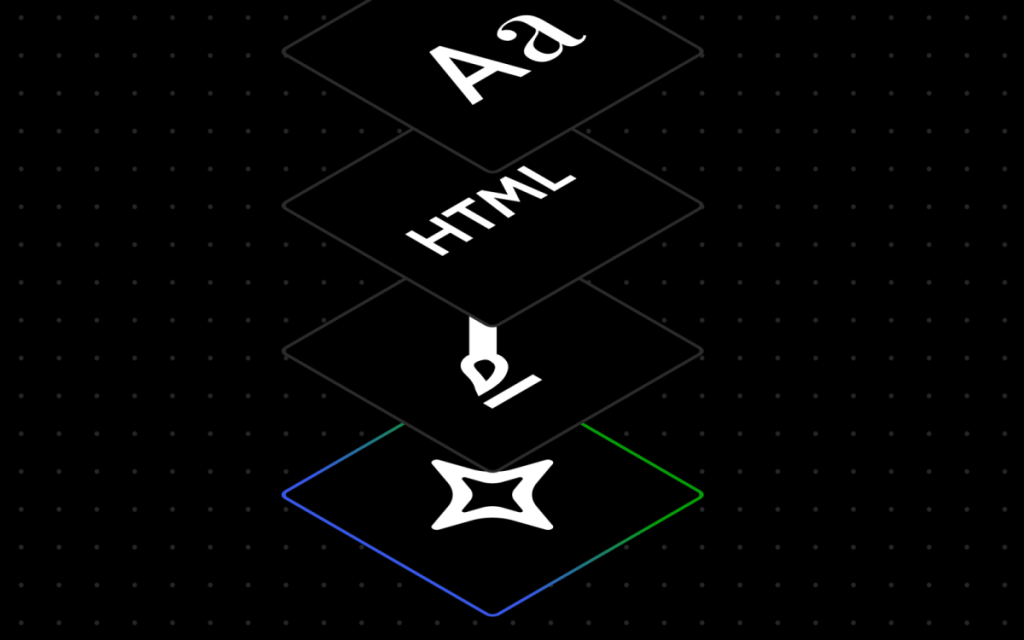
WordPress.com Unveils Revolutionary AI Assistant: A Game-Changer for Web Design and Content Creation
In a groundbreaking move that’s set to redefine the landscape of website creation and management, WordPress.com, the flagship platform of Automattic, has officially launched its highly anticipated WordPress AI Assistant. Announced on Tuesday, this cutting-edge feature promises to transform the way users interact with their websites, offering an unprecedented level of automation, creativity, and efficiency.
What Is the WordPress AI Assistant?
The WordPress AI Assistant is an intelligent, built-in tool designed to work seamlessly within the WordPress.com ecosystem. It leverages advanced artificial intelligence to understand the content and layout of your website, enabling users to make dynamic changes through natural language commands. Whether you’re a seasoned web developer or a complete novice, this tool is poised to simplify the process of building and maintaining a professional online presence.
Key Features and Capabilities
1. Layout and Style Customization
Gone are the days of manually tweaking every element of your website. With the WordPress AI Assistant, you can issue simple, conversational commands to adjust your site’s layout, style, and overall aesthetic. For instance, you can say, “Make this section feel more modern and spacious,” or “Change my site’s colors to be brighter and bolder.” The AI will instantly interpret your request and implement the changes, saving you hours of tedious work.
2. Dynamic Layout Adjustments
Need to add a new page or section? The AI Assistant has you covered. You can instruct it to “add a contact page” or “add a testimonials section below this section.” However, it’s worth noting that these adjustments are optimized for block themes, which are the recommended theme type for WordPress.com. If you’re using a classic theme, the assistant won’t be available in the editor.
3. Content Enhancement
The AI Assistant isn’t just about design—it’s also a powerful content tool. You can ask it to rewrite your bio to sound more confident, translate a section into another language, or even generate entirely new content. This feature is particularly useful for bloggers, entrepreneurs, and businesses looking to maintain a consistent and engaging online presence.
4. AI-Powered Editing
Think of the WordPress AI Assistant as your personal editor. It can offer headline suggestions, fact-check your content, and provide grammar and editing recommendations. This functionality is integrated into the block notes editor, which was introduced in WordPress 6.9. By typing @ai followed by your request, the assistant will provide detailed answers, complete with relevant links and external sources.
5. Visual Content Creation
For those who need help with visuals, the AI Assistant leverages Google Gemini’s Nano Banana AI models to generate and edit images. Whether you need a custom graphic or want to enhance an existing photo, the assistant can handle it all. Simply use the new “Generate Image” button in the Media Library to specify your requirements, such as aspect ratios or image styles.
How to Enable the WordPress AI Assistant
The WordPress AI Assistant is an opt-in feature, meaning users have full control over whether to enable it. To activate the assistant, follow these steps:
- Log in to your WordPress.com account.
- Navigate to your Sites list.
- Click on your site name.
- Go to Settings.
- Scroll down to the “AI tools” section.
- Toggle the “Enable AI assistant” setting to On.
For users who purchase a website using the AI website builder, the assistant will be enabled automatically, streamlining the setup process even further.
Why This Matters
The introduction of the WordPress AI Assistant marks a significant milestone in the evolution of website creation and management. By integrating AI into its platform, WordPress.com is not only making web design more accessible but also empowering users to achieve professional results with minimal effort. This move aligns with the broader trend of AI-driven innovation in the tech industry, where automation and intelligence are becoming increasingly central to user experiences.
The Future of Web Design
As AI continues to advance, tools like the WordPress AI Assistant are likely to become indispensable for businesses, bloggers, and creatives alike. By reducing the technical barriers to entry, WordPress.com is democratizing web design and enabling more people to establish a strong online presence. Whether you’re launching a personal blog, an e-commerce store, or a corporate website, the AI Assistant is poised to be your ultimate co-pilot.
Final Thoughts
The WordPress AI Assistant is more than just a feature—it’s a paradigm shift in how we approach website creation. With its intuitive interface, powerful capabilities, and seamless integration, it’s set to become a game-changer for millions of users worldwide. If you’re ready to take your website to the next level, now is the time to explore the possibilities of AI-driven design and content creation.
Tags & Viral Phrases:
- WordPress AI Assistant
- AI-powered web design
- Automate your website
- Natural language commands
- Block themes vs. classic themes
- Google Gemini AI models
- AI website builder
- Content creation made easy
- Professional web design for everyone
- The future of WordPress
- Game-changer for bloggers
- AI-driven innovation
- Seamless website management
- Empower your online presence
- Next-level website creation
- AI co-pilot for web design
- Democratizing web design
- Intuitive AI tools
- Revolutionizing WordPress
- Effortless website customization
,


Leave a Reply
Want to join the discussion?Feel free to contribute!