
Yes, You Can Plug A Keyboard Into Your Nintendo Switch 2
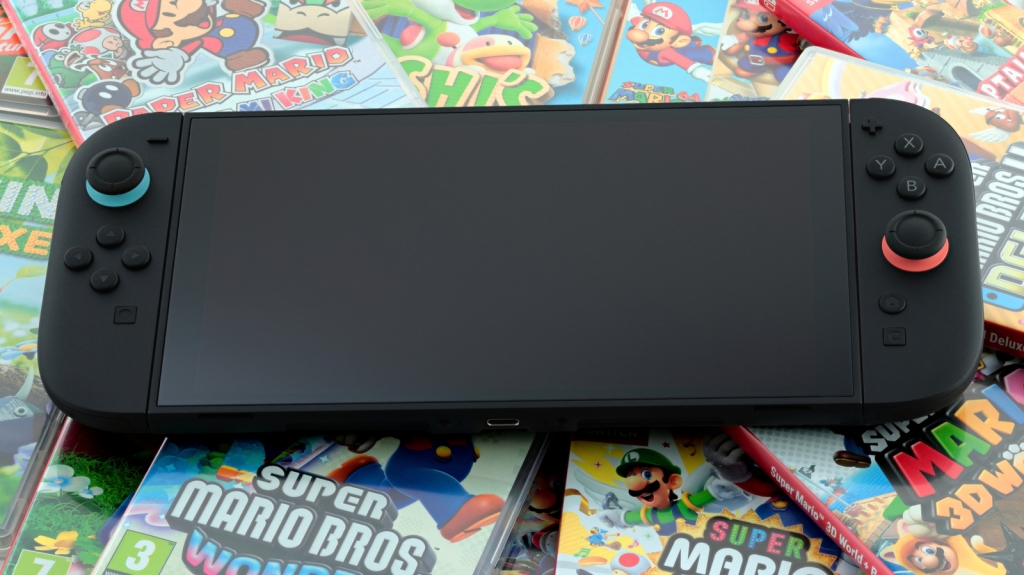
Yes, You Can Plug a Keyboard Into Your Nintendo Switch 2—Here’s How
When Nintendo launched the Switch 2 in June 2025, it packed in a lot of upgrades—more power, better Joy-Cons, backward compatibility, and expanded storage. But there’s one feature that’s flying under the radar: native support for keyboards and mice. That’s right—your Switch 2 can double as a pseudo-PC gaming setup if you know how to unlock it.
The Hidden Perk Nobody’s Talking About
Most gamers don’t associate Nintendo with keyboard-and-mouse support. That’s usually the domain of PCs and, more recently, some PlayStation and Xbox titles. But the Switch 2 bucks that trend. Nintendo actually documents this capability in its official help guides—so despite its reputation for locking down consoles, this feature is 100% sanctioned.
Why would you want to do this? A few reasons:
- Text input made easy: Instead of fumbling with an on-screen keyboard, type messages in GameChat like a pro.
- Enhanced gameplay for certain titles: Games like Cyberpunk 2077 or other ports that benefit from precise aiming and hotkeys suddenly feel more at home.
- Productivity on the big screen: Dock your Switch 2, connect a keyboard, and suddenly it’s a lean media or browsing machine.
How to Connect a Keyboard (or Mouse) to Switch 2
There are two ways to get this working:
Option 1: Direct USB-C Connection
Plug your USB keyboard (or mouse) directly into the top USB-C port on the Switch 2. This is the simplest route if you only want one peripheral.
Option 2: Dock It for Dual Peripherals
If you want to use both a keyboard and a mouse simultaneously, you’ll need to place the Switch 2 in its dock and connect both devices via the dock’s rear USB-A ports. Just keep in mind: connecting a mouse will override the right Joy-Con’s pointer functionality, so navigation will be mouse-driven.
Compatibility Caveats
Not every game will play nice with keyboard and mouse. It’s not a universal plug-and-play scenario—you may need to test games individually. But for supported titles, the difference in control precision can be night and day.
Why This Matters
This hidden feature speaks to a broader trend in gaming: the blurring lines between console and PC. While the Switch 2 won’t replace a gaming rig, the ability to drop in a keyboard adds versatility that hardcore players and tinkerers will appreciate. And if you’re transferring your library over to the new system, this is just one more way to customize your experience.
So next time you’re staring at that dusty USB keyboard in your drawer, remember—it might have a second life connected to your Switch 2.
Tags: Nintendo Switch 2, keyboard support, mouse support, gaming accessories, hybrid console, Cyberpunk 2077, GameChat, USB-C, dock mode, backward compatibility, next-gen gaming, console secrets, hidden features, PC gaming, gaming tips
Viral Lines:
- “Your Switch 2 has a secret PC mode—here’s how to unlock it”
- “Why plug a keyboard into a console? Nintendo just made it make sense”
- “Switch 2 just became way more versatile—did you know this?”
- “From handheld to battlestation: the Switch 2’s hidden superpower”
- “Nintendo quietly added one of PC gaming’s best features to Switch 2”
,
Leave a Reply
Want to join the discussion?Feel free to contribute!