
You can finally remove the At a Glance widget in Android 17 Beta 1
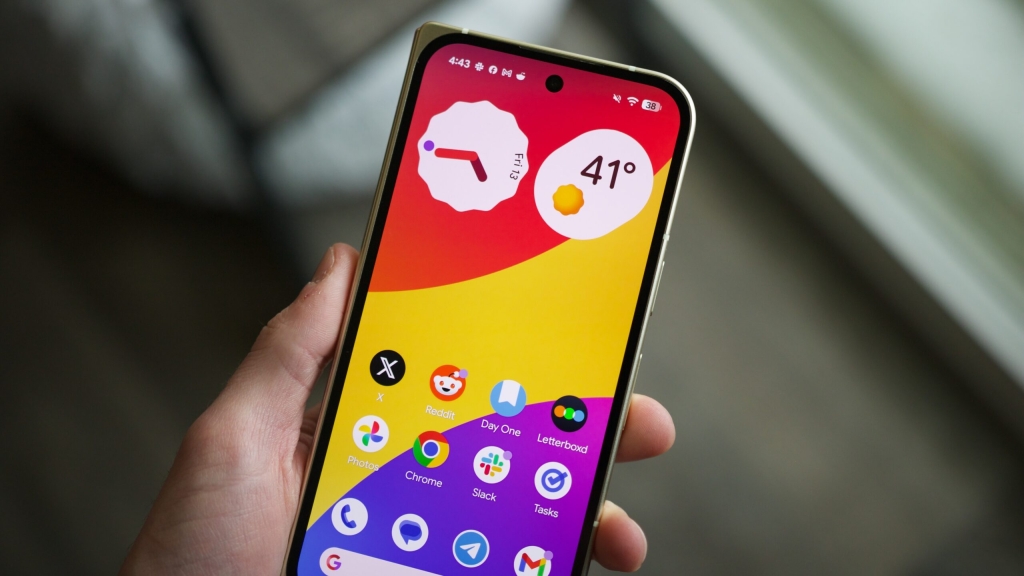
Android 17 Beta 1: The Widget Liberation You Didn’t Know You Needed
In a move that’s sending ripples through the Android community, Google has finally given users the power to banish the much-maligned “At a Glance” widget from their home screens. The tech giant quietly slipped this game-changing feature into Android 17 Beta 1, which launched this week after a brief delay.
For years, Android users have been held hostage by this space-hogging widget that sits smugly in the top-left corner of their home screens, displaying weather updates and calendar events that most people never asked for. But no more! With Android 17, you can finally reclaim that precious real estate.
How to Free Your Home Screen
The process couldn’t be simpler. Just long-press on the At a Glance widget, tap “Settings,” and toggle off “Show on home screen.” Poof! It’s gone. You’ll still see it on your lock screen (because apparently, Google isn’t ready to let go completely), but your home screen will thank you for the extra space.
What can you do with this newfound freedom? The possibilities are endless! Add more app icons, squeeze in additional widgets, or just enjoy the minimalist aesthetic of an empty corner. It’s your home screen—you do you.
Minor Tweaks, Major Impact
While the At a Glance removal is the headline feature, Android 17 Beta 1 also brings some subtle UI refinements that show Google is still paying attention to the details.
The volume slider has ditched its ambiguous three-dot icon for a more intuitive volume slider icon. It’s a small change, but one that makes the interface more intuitive. Similarly, the brightness slider’s sun icon has been softened with rounded edges, giving it a friendlier, more modern look.
What’s Missing (For Now)
Despite these welcome changes, Android 17 Beta 1 is still very much a first draft. The highly anticipated split Quick Settings and notification panel—which would allow users to control Wi-Fi and mobile data independently—isn’t here yet. But that’s par for the course with beta releases. Google typically saves the flashiest features for later builds.
The Bigger Picture
This seemingly minor update speaks volumes about Google’s evolving approach to Android. By finally allowing users to remove At a Glance, Google is acknowledging that one-size-fits-all widgets don’t work for everyone. It’s a small but significant step toward a more customizable Android experience.
As we move deeper into the Android 17 beta cycle, we can expect more substantial changes to roll out. But for now, this little victory—the ability to banish an unwanted widget—is enough to make Android users everywhere breathe a sigh of relief.
Android 17 Beta 1 is available now for Pixel devices. If you’re feeling adventurous, you can flash it manually or wait for the OTA to hit your device. Just remember: betas are betas for a reason, so back up your data before taking the plunge.
Tags: Android 17, Beta 1, At a Glance widget, home screen customization, Google, Pixel, UI changes, volume slider, brightness slider, Android update, widget removal, mobile technology, tech news
Viral Sentences:
- “Google finally lets you banish the At a Glance widget—Android users rejoice!”
- “The widget you never asked for is finally removable in Android 17 Beta 1.”
- “Android 17 Beta 1 brings the customization freedom we’ve been begging for.”
- “Small tweaks, big impact: Android 17’s subtle UI refinements.”
- “Google’s first Android 17 beta is here—and it’s all about giving you control.”
,


Leave a Reply
Want to join the discussion?Feel free to contribute!