
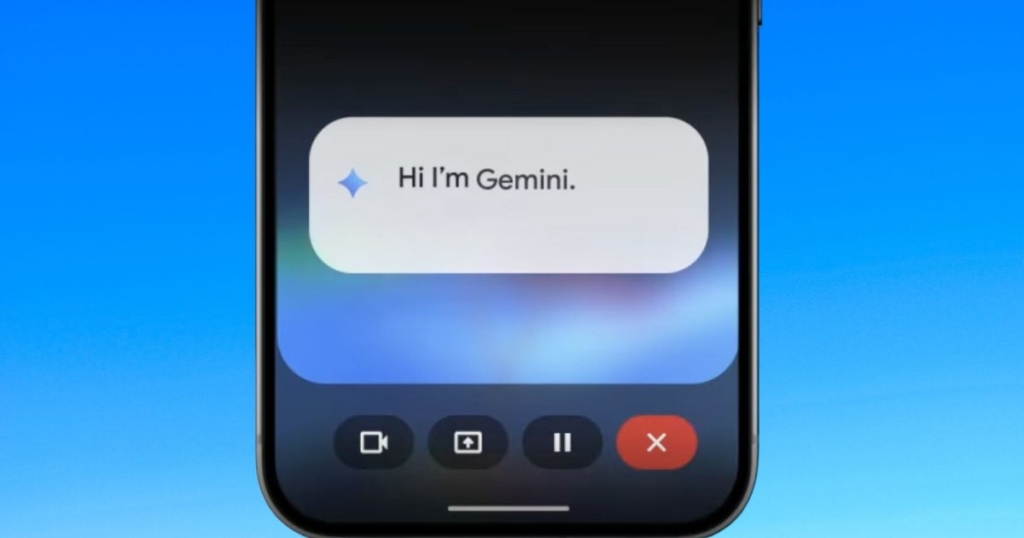
You can now use Gemini without leaving your apps, thanks to split-screen multitasking
Google’s Gemini AI Gets a Major Upgrade: Split-Screen Mode Arrives on Android
Google is revolutionizing the way Android users interact with artificial intelligence by rolling out a game-changing update to its Gemini AI platform. The tech giant has introduced split-screen functionality that allows Gemini to operate alongside other apps in real-time, eliminating the need for constant app switching and creating a seamless AI-assisted workflow.
AI That Works With You, Not Around You
The traditional AI assistant experience has always felt somewhat disconnected. Users would open a chat interface, ask their questions, receive answers, and then manually switch back to their primary app. Google’s innovative split-screen implementation shatters this fragmented approach by embedding Gemini directly into your mobile workflow.
Picture this: you’re drafting an important email, and instead of copying text, opening a separate AI app, pasting, and then copying the response back, Gemini appears right beside your email client. It can suggest refined phrasing, help structure your thoughts, or even draft entire responses while you maintain focus on your primary task.
The contextual awareness extends beyond just writing. When reading lengthy articles or documents in your browser, Gemini can extract key insights and generate summaries without disrupting your reading experience. In messaging apps, it can analyze ongoing conversations and provide intelligent reply suggestions that match the conversation’s tone and context.
Rolling Out Now to Select Android Devices
This transformative feature is already making its way to compatible Android devices and supported applications. Users will find the option to “open Gemini” alongside compatible apps, creating a persistent AI pane that remains interactive while your primary application stays fully visible and accessible.
The split-screen interface represents Google’s strategic vision for making AI genuinely assistive rather than merely reactive. Instead of waiting for explicit commands, Gemini can now serve as an active partner in your daily mobile activities, understanding context and offering relevant assistance proactively.
A Paradigm Shift in Mobile AI Design
This development signals a fundamental shift in how technology companies conceptualize artificial intelligence on mobile platforms. Rather than treating AI as an occasional tool that users visit separately, Google is pioneering the integration of generative intelligence directly into everyday mobile workflows.
The competitive landscape is heating up rapidly. Apple is developing its on-device AI capabilities for iOS, while Microsoft explores AI integration within Windows applications. However, Google’s split-screen implementation on Android stands out as one of the most sophisticated examples of contextual AI integration currently available.
Real-World Benefits That Matter
The practical advantages of this approach extend far beyond mere convenience. By eliminating context switching, users can maintain their mental flow and productivity. Students researching complex topics can have Gemini provide instant explanations or suggest additional resources without leaving their study materials. Professionals managing multiple communication channels can draft responses more efficiently while maintaining awareness of their ongoing conversations.
The time savings may seem incremental at first, but they compound significantly across daily usage. Tasks that previously required multiple steps—copying text, switching apps, pasting, reviewing responses, and copying back—can now be accomplished in a single, fluid interaction.
Privacy Considerations
Privacy-conscious users will appreciate that Gemini’s split-screen functionality operates within the existing app ecosystem rather than requiring data to flow through separate, potentially less secure interfaces. This approach maintains the security boundaries established by Android while still providing powerful AI assistance.
What’s Next for Mobile AI
Google’s rollout represents just the beginning of what’s possible with contextual AI integration. As the feature matures, developers may gain the ability to create richer interfaces that allow Gemini to provide more specialized assistance within their applications. Imagine fitness apps where Gemini can analyze your workout data in real-time, or productivity tools where the AI can help organize your tasks based on your current context.
The implications extend beyond individual productivity. As AI becomes increasingly embedded in operating systems, experiences like split-screen multitasking could become standard expectations for mobile users. The distinction between app and assistant may eventually blur entirely, creating a more intuitive and powerful mobile computing experience.
The Future of Mobile Computing
Google’s latest move with Gemini hints at a future where your smartphone’s AI doesn’t just respond to questions—it actively participates in helping you accomplish your goals. This represents a significant evolution from the command-and-response model that has dominated AI interactions to date.
As this technology continues to develop, we can expect even more sophisticated integrations that anticipate user needs and provide assistance before it’s explicitly requested. The split-screen Gemini feature is not just an incremental update; it’s a glimpse into the future of how humans and artificial intelligence will collaborate on mobile devices.
Tags
GoogleGemini #AndroidAI #MobileAI #SplitScreen #ArtificialIntelligence #TechInnovation #Google #Android #AIAssistant #MobileProductivity #TechNews #FutureOfAI #DigitalTrends #SmartphoneAI #ContextualAI
Viral Phrases
“AI that works with you, not around you”
“Game-changing split-screen functionality”
“Revolutionizing mobile AI interaction”
“The future of mobile computing is here”
“Google’s bold move in AI integration”
“Breaking the traditional AI assistant mold”
“Seamless AI-assisted workflow”
“Contextual AI partnership”
“Eliminating the friction of app switching”
“AI that anticipates your needs”
“The next evolution of mobile productivity”
“Google’s vision for truly assistive AI”
“Blurring the lines between app and assistant”
“Smarter, faster, more intuitive mobile experience”
“The end of fragmented AI interactions”
,

Leave a Reply
Want to join the discussion?Feel free to contribute!