
Your iPhone’s USB-C port does more than charge – 7 bonus uses
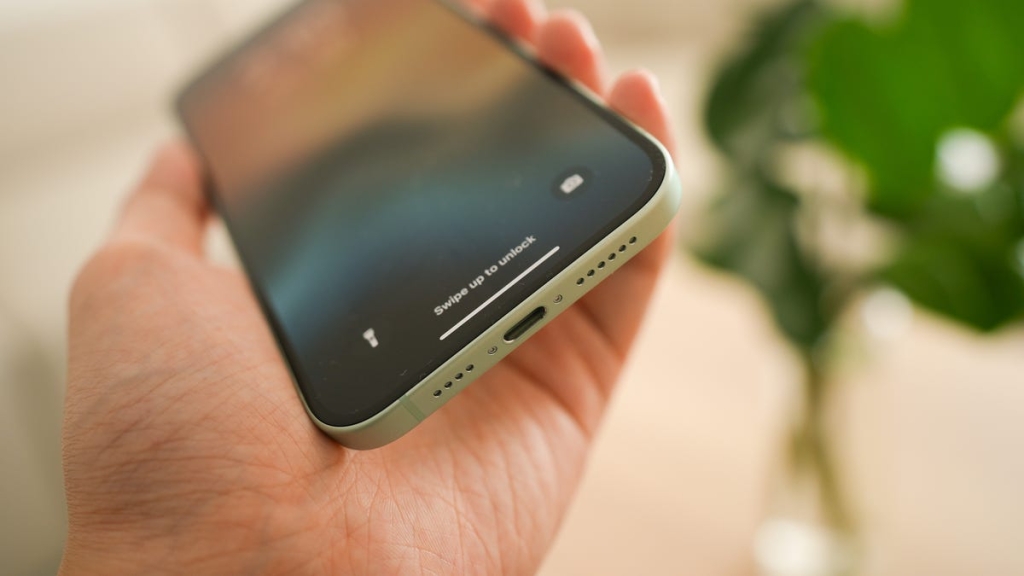
The iPhone 17’s USB-C Port: 7 Game-Changing Features You’re Not Using
For years, Apple users juggled a collection of Lightning cables: one for the iPhone, maybe another for an older iPad, and then a USB-C for their MacBooks. Thankfully, times have changed since the release of the iPhone 15.
Years later, the iPhone is now firmly in the USB-C camp. That little port at the bottom of your device is more than just a power inlet; it’s a gateway to a surprising array of functionalities that can transform how you use your phone.
If you’ve only been using it to charge up, you’re missing out on a world of convenience and capability. Let’s dive into what that single port can really do.
1. Streamline Your Charging Setup
This is the most obvious (and probably most universally appreciated) benefit: one cable to rule them all. The move to USB-C means iPhone owners can finally use the same charger and cable for their iPhone, iPad, MacBook, and a slew of other gadgets, such as cameras, headphones — even many Android devices.
Say you’re packing for a trip. Instead of a tangled mess of different wires, one USB-C cable and a compatible power brick might be all you need. This standardization was partly nudged along by regulations like the European Union’s common charger mandate, which went into effect in December 2024.
Consequently, this transition isn’t just convenient; it’s a win for reducing electronic waste. Fewer cables manufactured only to end up in a landfill is a small but significant step in the right ecological direction.
2. Share Power With Your Accessories
Here’s a neat trick your iPhone 16 has up its sleeve: it can act as a pint-sized power bank. If your Apple Watch is blinking low battery, or a friend’s phone is about to give up the ghost, your iPhone’s USB-C port can come to the rescue.
Thanks to reverse wired charging, you can connect dying devices to your iPhone’s USB-C port, and it will sacrifice some of its own battery life. It’s not going to fully charge a laptop — your iPhone’s output is only around 4.5 watts — but my iPhone 16 charged up my JBL earbuds on the way to the gym, which made my workout so much better.
For giving a boost to smaller accessories or getting someone else’s phone back in the green for an emergency call, reverse wired charging is incredibly handy.
3. Work on the Go
The USB-C port opens your iPhone to a plethora of wired peripherals because it’s compatible with just about any basic plug-and-play accessory. No special drivers or configuration needed.
Have you ever read a work email through your iPhone while away from the office that required a complicated response? Have you needed to write a long, thoughtful, personal text and wish you could use a keyboard instead of your thumbs? Your iPhone 15 (or later model) can totally do that. Connecting your phone with a tactile USB-C keyboard transforms your iPhone into a mini workstation for drafting documents or even coding on the go.
Podcasters and traveling journalists can plug in high-quality USB-C microphones to record voiceovers. Musicians, whether on the road or just away from their home studio, can connect a MIDI keyboard to compose a song. Regardless of what enterprise you’re engaged in, USB-C-to-ethernet adapters are also an option if you need an ultra-reliable internet connection.
4. Transfer Files in a Flash
Time is precious, and waiting for large files to transfer can be a drag. The USB-C port on newer iPhones, particularly the Pro models in the iPhone 16 lineup, can offer a significant speed boost for data transfers.
While standard models provide reliable USB 2.0 speeds, the iPhone Pro versions feature faster USB 3.x technology (aka SuperSpeed USB), dramatically cutting down the time it takes to move large video files, extensive photo albums, or hefty backups.
This speedy hookup makes a tangible difference for content creators and anyone who regularly manages large datasets.
5. Project Your Screen Anywhere
The USB-C port transforms your iPhone into a versatile presentation and entertainment hub by making it incredibly easy to connect to external displays.
Want to share that stunning photo slideshow on a big TV? Need to deliver a business presentation using a projector? Or maybe you fancy a more immersive gaming session on a larger monitor?
With a simple USB-C to HDMI adapter or a direct USB-C connection if your display supports it, mirroring your iPhone’s screen or extending its display (in supported apps) is straightforward, offering a bigger view for work or play.
6. Expand Your iPhone’s Storage
Running out of space on your iPhone, especially when shooting high-resolution photos and videos, is always a headache. The USB-C port allows you to easily connect external storage devices. Attach an external SSD for massive file libraries, plug in a USB flash drive for quick transfers, or use an SD card reader to pull photos directly from your camera.
For professionals using iPhone Pro models, this capability is even more crucial — it enables features like recording ProRes video directly to an external drive, which bypasses internal storage limits.
Through the USB-C port, there are myriad ways to capture and save high-quality content that you can access later for development and post-production refinement.
7. Upgrade Your Audio Experience
Wireless headphones are ubiquitous, as are earbuds that connect via Bluetooth to an iPhone. But the USB-C port also provides an avenue for wired audio enthusiasts, including me.
You can connect USB-C headphones directly for a digital audio signal with improved clarity. If you have a favorite pair of traditional headphones with a 3.5mm jack (like my favorite, the Sony MDR-WO8), a simple USB-C adapter will keep them in play.
Furthermore, the port allows for connections to external digital-to-analog converters (DACs) and audio interfaces, paving the way for a higher-fidelity listening experience or more professional recording setups.
The adoption and evolution of USB-C on newer iPhones signals more than a hardware change; it’s a commitment to versatility, convenience, and power. This single port simplifies how you charge, expands how you share and store data, and broadens the horizons of what your iPhone can do with a myriad of accessories.
Whether you’re aiming for peak productivity, seamless convenience, or just a bit more fun, that USB-C port is ready to deliver, making your iPhone a multifaceted tool that unlocks a host of benefits for your daily grind and your downtime.
Tags:
USB-C iPhone 17 features, iPhone USB-C capabilities, iPhone 17 productivity hacks, USB-C iPhone accessories, iPhone reverse charging, iPhone external storage, iPhone USB-C audio, iPhone file transfer speeds, iPhone screen mirroring, iPhone USB-C keyboard, iPhone USB-C microphone, iPhone USB-C ethernet, iPhone USB-C HDMI, iPhone USB-C SSD, iPhone USB-C DAC, iPhone 17 pro features, USB-C iPhone tips, iPhone USB-C versatility
Viral Sentences:
Your iPhone 17’s USB-C port is secretly a Swiss Army knife of functionality you never knew you needed! One cable to rule them all: iPhone 17’s USB-C port is a game-changer for travelers and minimalists alike. Forget wireless charging – your iPhone 17 can now charge YOUR devices with reverse wired charging! Transform your iPhone 17 into a mobile workstation with a simple USB-C keyboard connection. iPhone 17 Pro users rejoice: USB 3.x speeds mean lightning-fast file transfers for your massive video projects. Project your iPhone 17 screen anywhere with USB-C to HDMI – goodbye tiny screen, hello big picture! Running out of iPhone storage? The USB-C port lets you connect massive external SSDs for unlimited space. Audiophiles unite! The iPhone 17’s USB-C port delivers digital audio quality that’ll blow your wireless earbuds away. The EU’s common charger mandate just made your life infinitely easier – one cable for everything! Your iPhone 17’s USB-C port isn’t just a port – it’s a portal to endless possibilities!
,

Leave a Reply
Want to join the discussion?Feel free to contribute!