
Your Photos Are Probably Giving Away Your Location. Here’s How to Stop That
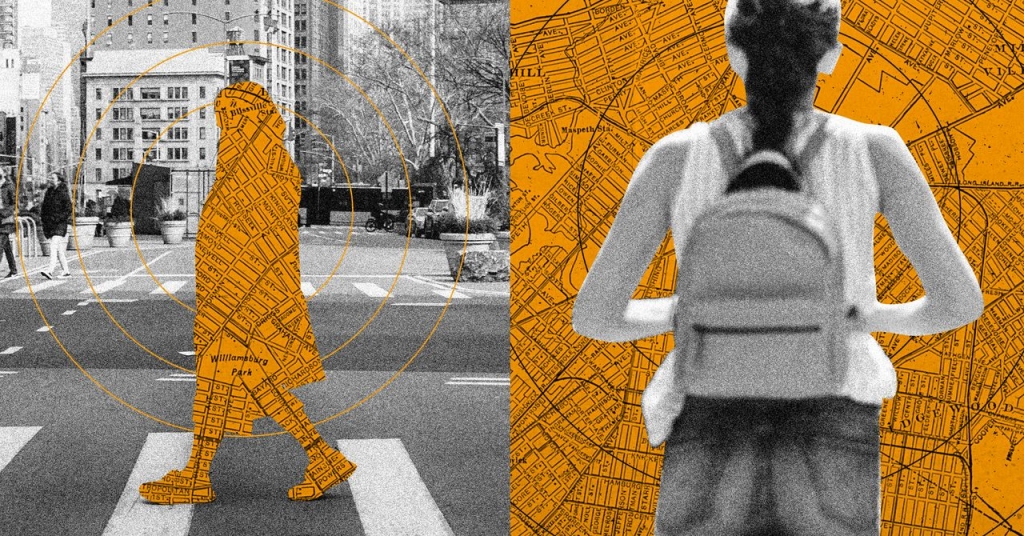
Digital Photos Carry More Than Just Memories—Here’s What You Need to Know About Hidden Metadata
Every time you snap a photo with your smartphone or digital camera, you’re capturing far more than just a pretty picture. Alongside the pixels that make up your image, a treasure trove of invisible data gets silently attached—information so detailed it could practically tell the story of how, when, and where that moment was captured.
This hidden layer of information is called EXIF data (Exchangeable Image File Format), and it’s like a digital fingerprint for your photos. Think of it as the camera’s diary entry for each shot: the exact time and date it was taken, what device was used, which camera settings were selected, and—if your phone has location services enabled—the precise GPS coordinates where the photo was snapped.
On the surface, this metadata serves some genuinely useful purposes. Apps like Google Photos and Apple Photos leverage this location data to automatically organize your library, letting you effortlessly browse through memories from specific places. Planning a trip down memory lane to that amazing café in Paris or that breathtaking viewpoint in the Rockies? The location tags make it simple to rediscover those moments with just a quick search.
But here’s where things get complicated—and potentially concerning. That same GPS data that helps you reminisce could also be revealing your home address, your children’s school, or your favorite quiet spots to anyone you share those photos with. In an age where images spread across social media at lightning speed, this invisible data trail could inadvertently compromise your privacy.
How to Uncover What Your Photos Are Really Telling
Want to see what secrets your photos are hiding? It’s surprisingly easy to check the metadata on any image:
On Android with Google Photos: Open any picture, tap the three-dot menu in the top-right corner, and select “About.” If location data exists, you’ll see your photo placed on a miniature map.
On the Google Photos web interface: Click the small “i” in a circle icon in the top-right after opening an image to reveal all the hidden details.
On iPhone and iPad: In the Apple Photos app, tap the encircled “i” button at the bottom of any opened image. The location information appears as a tiny map if available.
On iCloud.com: Double-click any photo, then click the info button in the top-right corner to access the metadata.
On Windows computers: Right-click any image file in File Explorer, choose “Properties,” then click the “Details” tab to see everything from camera model to GPS coordinates.
On Mac computers: Right-click any image in Finder, select “Get Info,” and scroll down to find the GPS information if it’s attached.
The metadata display varies slightly between platforms, but the core information remains consistent: you’ll see camera specifications, exposure settings, timestamps, and potentially your exact location at the time of capture.
Why This Matters More Than Ever
In today’s hyper-connected world, photos rarely stay private for long. A picture shared in a family group chat might be forwarded to friends. A snapshot posted on social media could be screenshot and shared again. Before you know it, that image with embedded GPS coordinates has traveled far beyond your intended audience.
Consider this scenario: You’re excited about your new home and share a photo of your living room on social media. Unbeknownst to you, that image contains metadata revealing your exact address. Or perhaps you’re posting adorable pictures of your pet in the backyard, not realizing you’re also broadcasting your home location to potentially thousands of viewers.
This isn’t about paranoia—it’s about awareness. The convenience of automatic location tagging comes with genuine privacy trade-offs that many users never consider.
Taking Control of Your Digital Footprint
The good news? You have several options for managing photo metadata:
Before sharing: Most modern devices and apps offer ways to strip or edit metadata. On many smartphones, you can disable location services for the camera app entirely. When sharing individual photos, some platforms let you remove location information before posting.
Using dedicated tools: There are numerous free applications designed specifically to strip EXIF data from batches of photos before you share them online.
Platform-specific solutions: Some social media platforms automatically remove certain metadata when you upload images, though policies vary widely.
Manual deletion: For maximum control, you can use specialized software to view and selectively remove metadata elements before sharing.
The key is making an informed choice rather than leaving your privacy to chance. Ask yourself: Who needs to see this photo? Where am I sharing it? What information am I comfortable including with this visual memory?
As we continue to document our lives through digital photography, understanding the full story our images tell—both visible and invisible—becomes increasingly important. Your photos are more than just memories; they’re data-rich artifacts that can reveal surprising amounts of personal information if you’re not careful.
Tags: EXIF data, photo metadata, digital privacy, location tracking, smartphone photography, GPS coordinates, image security, online privacy, photo sharing, metadata stripping, digital footprint, camera settings, EXIF viewer, privacy protection, social media safety, photo organization, Apple Photos, Google Photos, Windows metadata, macOS image info, digital security, personal information protection, image privacy, EXIF removal, location services, smartphone camera, digital photography, metadata editing, privacy awareness, online safety
,


Leave a Reply
Want to join the discussion?Feel free to contribute!