
Your Samsung Phone Is Losing A Fun Customization Feature With One UI 8.5
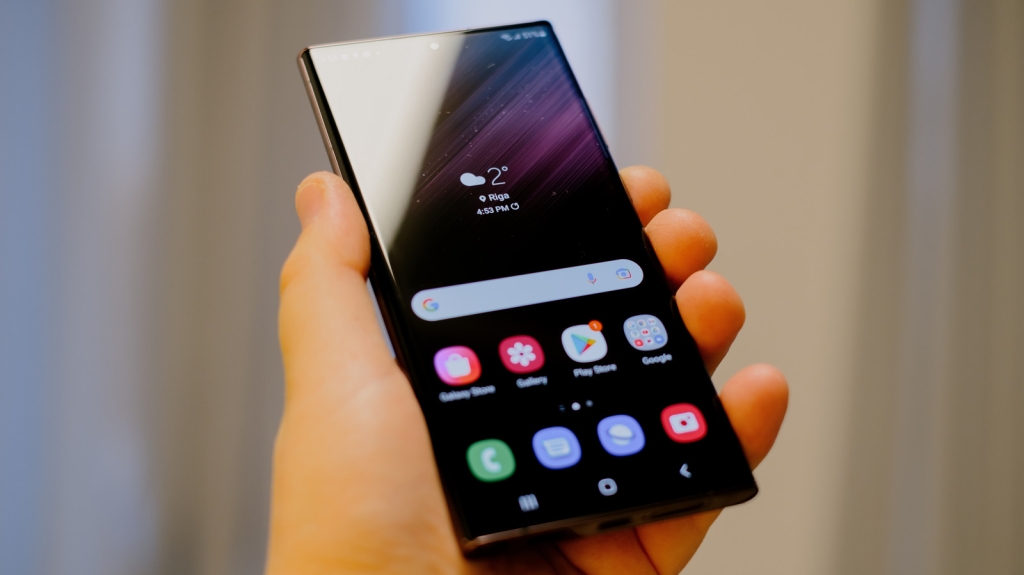
Samsung Ends Support for Third-Party Fonts in One UI 8.5 Update: What You Need to Know
In a move that has left many Samsung users disappointed, the tech giant has quietly removed support for third-party fonts in its latest One UI 8.5 update. This change, which arrived as part of the March 2026 security patch, has sparked discussions across the tech community about customization, security, and user experience. Let’s dive into the details and explore what this means for Samsung Galaxy users.
The End of Custom Fonts: A Closer Look
Samsung has long been celebrated for its highly customizable One UI interface, which allows users to personalize their devices in countless ways. From themes to wallpapers, Samsung has consistently offered features that let users make their phones truly their own. One of these features was the ability to install and use third-party fonts, which added a unique touch to the user experience.
However, with the March 2026 security update, Samsung has officially ended support for custom fonts. While the company hasn’t made a formal announcement about this change, the security bulletin reveals that the feature was never officially supported. Instead, it appears to have been a bug in the settings that allowed users to install custom fonts. Samsung has now patched this “vulnerability,” effectively shutting down the loophole.
Why Did Samsung Remove This Feature?
According to Samsung’s security update, the issue was related to improper verification of cryptographic signatures in the Font Settings. The company stated, “Improper verification of cryptographic signature in Font Settings prior to SMR Mar-2026 Release 1 allows physical attackers to use a custom font. The patch adds proper verification.” This suggests that Samsung is treating the bug as a security risk, though it’s unclear if any actual harm has resulted from it.
The change has been confirmed by users on platforms like Reddit and XDA Forums. Apps like zFont 3, which provided fonts and emojis for Android phones, have also reported that their services no longer work on devices running One UI 8.5 or higher. While Samsung is framing this as a security measure, many users see it as a loss of a beloved customization feature.
What Are the Alternatives?
If you’re a Samsung user who enjoyed using custom fonts, you might be wondering what your options are now. Unfortunately, there’s no easy workaround for this restriction. Some users have reported that if you don’t change your current font, it might continue to work, but this is not guaranteed.
Your best bet is to explore the Galaxy Store, Samsung’s official marketplace for apps, themes, and fonts. While the selection is more limited compared to third-party apps like zFont 3, you can still find a variety of fonts to choose from. However, many of these options are paid, which might be a drawback for users who were used to free customization.
The Bigger Picture: Customization vs. Security
This change raises an important question: How do we balance customization with security? Samsung’s decision to remove support for third-party fonts highlights the ongoing tension between user freedom and device security. While customization is a key selling point for many Samsung users, the company’s focus on security is understandable, especially in an era where cyber threats are becoming increasingly sophisticated.
That said, this move has left some users feeling frustrated. For many, the ability to personalize their devices is a significant part of the Samsung experience. The removal of custom fonts might seem like a small change, but it’s a reminder of how tech companies are constantly evolving their policies and features.
What’s Next for Samsung Users?
While the loss of custom fonts is undoubtedly a disappointment, it’s important to remember that One UI still offers plenty of customization options. From dynamic wallpapers to color palettes, there are still many ways to make your Samsung phone reflect your personal style.
For those who are particularly attached to custom fonts, the online Samsung community might come up with a workaround in the future. However, it’s worth noting that delaying the March security update to avoid this change is not recommended, as it also includes fixes for serious vulnerabilities.
Conclusion
Samsung’s decision to end support for third-party fonts in One UI 8.5 is a significant change for users who valued this customization feature. While the company has framed it as a security measure, the move has sparked debates about the balance between user freedom and device security. As Samsung continues to evolve its software, it will be interesting to see how it addresses the needs and desires of its user base.
For now, Samsung users will have to adapt to the new limitations and explore the alternatives available in the Galaxy Store. While it’s not the same as the freedom of custom fonts, there are still plenty of ways to make your Samsung phone uniquely yours.
Tags & Viral Phrases:
- Samsung One UI 8.5 update
- Custom fonts removed
- Samsung security patch
- Third-party fonts no longer supported
- Galaxy Store fonts
- zFont 3 not working
- Samsung customization features
- Font settings bug
- Security vs. customization
- Samsung Galaxy user experience
- One UI 8.5 changes
- Samsung font loophole closed
- Custom fonts security risk
- Samsung March 2026 update
- Galaxy Store alternatives
- Samsung user frustration
- Font customization gone
- Samsung device personalization
- One UI 8.5 security fix
- Samsung font verification
- Custom fonts workaround
- Samsung user community
- Galaxy Store paid fonts
- Samsung font options limited
- One UI 8.5 features
- Samsung font settings
- Custom fonts impact
- Samsung user feedback
- Font customization debate
- Samsung security update
,


Leave a Reply
Want to join the discussion?Feel free to contribute!