
How to restore deleted or missing contacts on your iPhone
How to Recover Deleted Contacts on iPhone: A Complete Guide
We’ve all been there. You’re scrolling through your iPhone, ready to make a call, and suddenly realize your contacts have vanished. Whether it’s after a software update, an accidental delete, or a sync issue, losing your contacts can feel like a digital emergency. But don’t panic! We’ve got you covered with multiple foolproof methods to restore your precious contacts.
Method 1: Quick iCloud Sync Fix
If your contacts disappeared due to a sync issue, the solution is surprisingly simple:
Step 1: Open Settings and tap your Apple ID at the top
Step 2: Select iCloud and toggle off Contacts
Step 3: Choose “Keep on My iPhone” when prompted
Step 4: Toggle Contacts back on and select “Merge”
Your contacts should reappear within minutes. This method works for all iPhone models and is often the quickest fix.
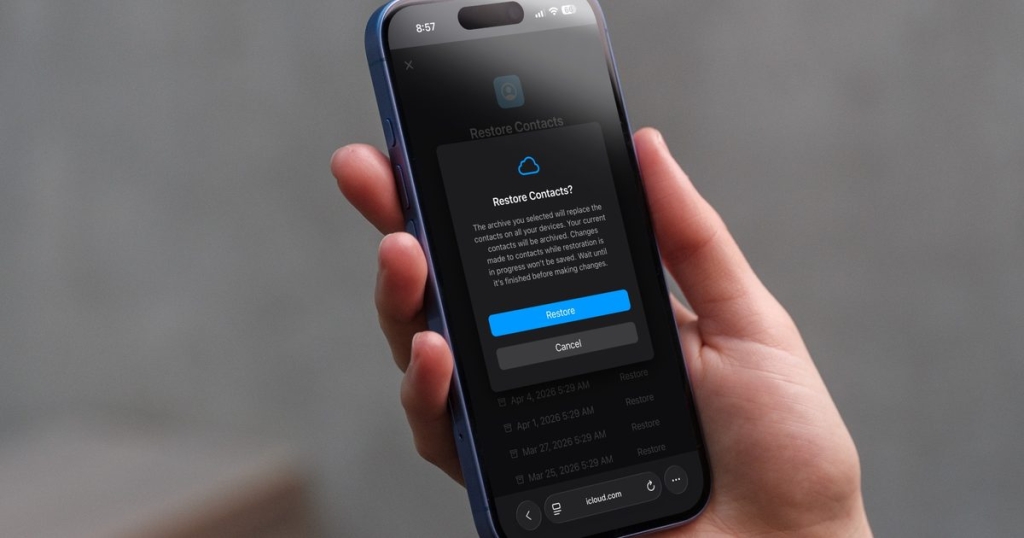
Method 2: Restore from iCloud.com
For more serious contact loss, you can restore from iCloud’s data recovery:
Step 1: Enable iCloud web access in Settings > Apple ID > iCloud
Step 2: Visit iCloud.com on your computer or mobile browser
Step 3: Navigate to Settings (gear icon) > Restore Contacts
Step 4: Select the date when your contacts were last available
Step 5: Confirm the restoration
Method 3: Check Other Apple Devices
Your contacts might still be available on your other Apple devices. Check your iPad, Mac, or Apple Watch to see if they have the missing information.
Method 4: Third-Party Recovery Tools
If all else fails, several reputable third-party tools can help recover deleted contacts. However, be cautious and choose well-reviewed options to protect your data.
Prevention Tips
To avoid future contact loss:
- Always keep iCloud Contacts enabled
- Regularly back up your iPhone
- Consider exporting contacts to a .vcf file as an additional backup
- Use Google Contacts as a secondary sync option
Losing contacts is frustrating, but with these methods, you’ll likely have them back in no time. The key is acting quickly and trying multiple approaches if needed.
tags: #iPhoneContacts #DataRecovery #iCloud #AppleTips #iPhoneHacks #TechSupport #ContactRecovery #DigitalLife #iOS #Apple
viral: “Contacts vanished? Don’t panic! Here’s how to get them back in minutes” | “Lost your iPhone contacts? Try this quick fix first!” | “The one setting that saved my contacts from disappearing forever” | “Why you should always keep iCloud sync enabled (and how to check)” | “Contact crisis averted: The ultimate iPhone recovery guide”
,


Leave a Reply
Want to join the discussion?Feel free to contribute!